
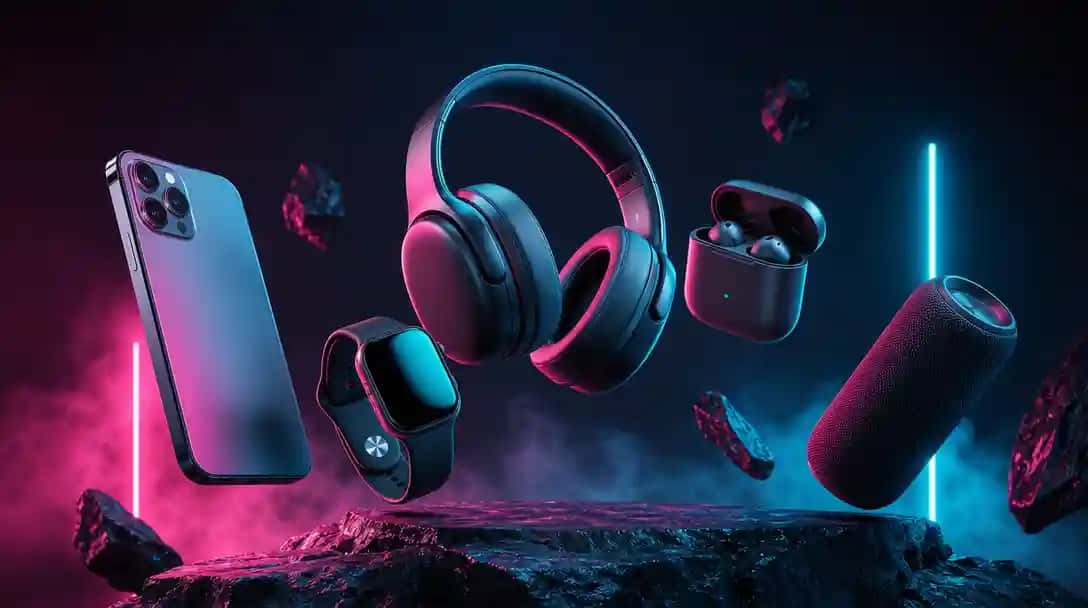
What Are Mockups?
Mockups are realistic visual representations of designs, products, or branding in real-world settings. They showcase how a logo, website, packaging, or app will look on physical or digital surfaces before production. By placing flat designs into lifelike environments, mockups help communicate ideas more clearly and professionally.
Designers, businesses, and creators use mockups to preview, pitch, and promote their work. They are powerful tools for client presentations, e-commerce listings, social media marketing, and brand identity testing without the need for expensive prototypes.
Also, you can create mockups without Photoshop using AI Mockup Maker to turn your designs into stunning product previews in seconds. Or explore more AI design tools to speed up your creative workflow.
How AI Mockup Maker Tools Are Helpful to Businesses?
AI mockup maker tools help businesses bring concepts to life quickly and professionally. They eliminate the need for complex design software or expensive photoshoots, allowing brands to generate product previews, marketing visuals, and client presentations in minutes. This speed and efficiency make them especially valuable for startups, e-commerce stores, and creative teams looking to stay competitive.
Consistency is another major advantage. Businesses can apply the same branding elements across product lines, packaging, websites, and advertising materials without starting from scratch each time. This ensures polished, cohesive visuals that strengthen brand identity.
AI tools also boost customer engagement. By showcasing products in realistic settings, businesses can make their offerings more relatable and persuasive. Just as virtual try-on technology in fashion eCommerce helps shoppers visualize outfits before buying, mockup generators give customers confidence in what they are seeing, which can directly increase conversions.
How We Select the Best AI Design Generator Platforms at Pixazo
At Pixazo, we carefully evaluate AI design generator platforms to help users skip the overwhelming trial-and-error process. Our experts, with extensive experience in AI-powered design tools, assess each platform based on creativity, ease of use, customization options, and overall performance. We put these tools to the test by creating designs across different categories to ensure they deliver high-quality results effortlessly. Every recommendation is based on thorough research and real-world testing, with no paid placements or outside influence. Want to know how we pick the best AI design platforms? Explore our detailed evaluation process.
Disclaimer – Portions of this article were drafted with AI and reviewed by Jayesh Chaubey
Which Are the Best AI Mockup Maker Tools in 2026?
The best AI mockup makers in 2026 are Pixazo, Recraft, Mockey, Kittl, Banani, Fotor, Renderforest, PromeAI, Visily, and Printify. These platforms help businesses, creators, and marketers showcase products in realistic settings without costly photoshoots or advanced design skills. Want to preview how your designs look on packaging, apparel, or digital screens? Explore innovative solutions like their AI Virtual Dressing Room.
- Pixazo: Best overall for quick, customizable mockups—ideal for entrepreneurs and e-commerce sellers.
- Recraft: Best for advanced generative visuals and unique, AI-driven design previews.
- Mockey: Best for fast, free mockups with a wide library of product templates.
- Kittl: Best for professional branding mockups combined with strong design tools.
- Banani: Best for simple, intuitive product mockups—great for beginners.
- Fotor: Best for easy background removal, editing, and one-click mockup placement.
- Renderforest: Best for all-in-one branding with video, logo, and mockup creation in one platform.
- PromeAI: Best for AI-powered scene creation that elevates marketing visuals.
- Visily: Best for app and web mockups—ideal for UI/UX teams showcasing product prototypes.
- Printify: Best for print-on-demand sellers to preview products like t-shirts, mugs, and phone cases before launch.
1. Kittl
Kittl blends robust design tools with mockup capability, offering a seamless way to create branded mockups inside its graphic editor. Ideal for designers or brand teams who want mockup generation alongside typography, layout, and vector work.
It’s a great one-stop solution for building branded visuals—design and present in context without toggling between apps.
Key Features
- Graphic Editor + Mockups: Build your design and immediately wrap it into a mockup within the same interface.
- Branding Toolkit: Full control over typography, vectors, and layouts—not just mockups.
- Real-Time Previews: See your design in situ as you adjust typography, colors, or positioning.
- Export Varieties: Save your final visuals as mockup previews or separate graphic assets.
Pros
- Streamlined process: create design and mockup without switching tools.
- Excellent for brand or marketing teams focused on identity consistency.
- Visual controls and layouts integrated tightly—high efficiency.
Cons
- Requires learning to use the full editor—it’s not purely a mockup tool.
- Mockup variety is smaller than platforms like Mockey.
How to Use
- Open Kittl and start a new design (logo, layout, or graphic).
- Create or import your design within the editor.
- Use the built-in mockup preview to place your design on branded items or scenes.
- Adjust styling, layout, or placement as you wish.
- Export the combined mockup or standalone design as needed.
2. Recraft
Recraft’s AI Mockup Generator lets you turn text prompts and designs into realistic mockups in seconds, all within a powerful, free web-based studio. Whether you describe a T-shirt, tote bag, or tech gadget, Recraft generates a product-ready image, and lets you place your design manually for full control.
This tool is perfect for creators and POD or KDP entrepreneurs who want polished mockups without paying or downloading software. Its AI-first workflow ensures lifelike shadows, proportions, and layout flexibility.
Key Features
- Text-Prompt Bases: Describe your product base (like “white T-shirt on flat lay”) and Recraft generates a mockup template instantly.
- Manual Design Placement: You drop your design onto the mockup and adjust size and position yourself for precise control.
- Fast & Realistic: Mockups render in under a minute with accurate lighting, perspective, and sizing.
- High-Quality Exports: Download your mockups as JPEG or PNG, perfect for listings or marketing.
- Free to Start: No subscription required—ideal for testing or occasional use.
Pros
- Highly realistic outcomes with proportional accuracy and shadows.
- Great for mockups of apparel, packaging, or devices via flexible prompt system.
- Zero cost to get started and experiment freely.
Cons
- Requires manual design placement—it doesn’t auto-fit logos or images.
- Still in beta—precision may require a couple of tries.
How to Use
- Open the Recraft mockup tool.
- Enter a text prompt describing the product base you want.
- Let the system generate the mockup frame, then upload or drag your design onto it.
- Adjust placement and size as needed.
- Download your final mockup as PNG or JPEG when satisfied.
3. Fotor
Fotor’s AI-powered mockup tool empowers you to quickly place designs onto products, remove backgrounds, and enhance images—all through a simple web interface. Ideal for creators and small businesses looking to produce fast, attractive product visuals without steep learning or cost.
It combines essential editing features with mockup generation for a streamlined experience. Background cleanup, placement tools, and visual effects help you create polished mockups in minutes.
Key Features
- Background Removal: Automatically isolate your design or product to prep for mockup placement.
- One-Click Mockups: Place your image onto apparel, screens, stationery, or devices, then fine-tune for realism.
- Built-In Effects: Add shadows, glows, or lighting to enhance depth and presentation quality.
- Export Options: Download polished visuals in JPEG or PNG formats for web and marketing use.
Pros
- Fast, all-in-one editing and mockup experience with minimal effort.
- Great for beginners and non-designers in need of quick visual assets.
- Useful for clean, professional outputs suitable for social or store listings.
Cons
- Limited tools for advanced control like layered adjustments or perspective mapping.
- Quality may vary depending on your input image clarity and formatting.
How to Use
- Launch Fotor in your browser and open the mockup tool.
- Upload your artwork or logo.
- Remove the background if needed to isolate your design.
- Place the design onto a product scene (like a shirt or device) and apply visual enhancements.
- Download the refined mockup as a high-quality image.
4. Renderforest
Renderforest offers an all-in-one branding hub where you can create videos, logos, websites—and generate mockups to visualize your brand consistently. Perfect for entrepreneurs, agencies, and marketers who want to keep creative assets cohesive across media.
Its integrated ecosystem means you can build content and instantly see it applied—whether in a mockup, template, or animated context.
Key Features
- Unified Creation Platform: Build logos, videos, websites, and mockups within the same tool environment.
- Brand Consistency: Apply your logo or design across visuals like packaging, apparel, or digital mockups to maintain brand identity.
- Rich Templates & Scenes: Choose from varied prebuilt contexts like storefronts, product shots, or digital displays.
- Export Versatility: Download assets in formats suitable for video, web, or print use.
Pros
- Centralized toolset valuable for cohesive branding workflows.
- Great for creators managing both design and presentation in one place.
- Wide range of media formats and mockup contexts accessible.
Cons
- Mockup customization may be less precise than specialized tools.
- May feel overwhelming if you only need a quick mockup and not full branding capabilities.
How to Use
- Open the Renderforest platform and start your project (logo, video, or web asset).
- Once your asset is created, choose a mockup context—you can place your brand mark on product or scene visuals.
- Adjust placement, layout, or presentation style within the platform tools.
- Export the branded mockup or other assets as needed for marketing, e-commerce, or collateral use.
5. Mockey
Mockey is a free, browser-based AI mockup platform offering thousands of photorealistic templates—no watermark ever. It’s designed for designers, e-commerce sellers, and creators who want quick, polished mockups across apparel, accessories, print-on-demand items, and more.
With an intuitive drag-and-drop editor and a vast library, Mockey simplifies mockup creation for any use—from social content to product listings.
Key Features
- Massive Template Library: Access thousands of mockups for apparel, tech, packaging, and lifestyle visuals.
- Simple Editor: Upload your PNG or JPG design, drag it onto the product scene, customize background or placement.
- No Watermarks & Unlimited Downloads: Create as many high-quality mockups as you like for free.
- 3D & 2D Options: Includes 3D mockup capability for items like devices or branding scenes.
Pros
- Endless free mockups without loss of quality or watermarks.
- Intuitive design experience—great for beginners and non-designers.
- Supports wide range of product types and mockup styles, including 3D.
Cons
- Customization beyond placement (like lighting or perspective) is limited.
- Browser-based—may challenge older devices or slow connections with large edits.
How to Use
- Visit the Mockey platform.
- Select a mockup category (apparel, packaging, tech, etc.).
- Upload your design in PNG or JPG format.
- Drag and position it on the mockup; adjust background or minor settings.
- Download the finished mockup—no watermarks, unlimited use.
6. Pixazo
Pixazo’s AI Mockup Maker helps businesses, creators, and marketers turn flat designs into professional, real-world product previews in minutes—no Photoshop or advanced design skills required. Just upload your logo or brand image, describe your vision, and generate high-resolution mockups instantly.
The platform makes it easy to visualize products for branding, e-commerce, and client presentations. From apparel and packaging to digital screens and merchandise, Pixazo ensures polished results that build customer trust and boost conversions.
Key Features
- One-Click Mockups: Generate realistic product previews instantly with AI.
- Customizable Results: Edit mockups using the AI-powered editor for perfect placement and style.
- High-Resolution Exports: Download professional-quality JPEG or PNG files for marketing, social media, and online stores.
- Web-Based & Easy-to-Use: No software needed, everything works directly in your browser.
Pros
- Fast and beginner-friendly workflow.
- Generates polished visuals for e-commerce and branding.
- AI editor for quick refinements without manual effort.
Cons
- Requires sign-in to save or download finished mockups.
- Advanced manual editing is limited compared to professional software.
How to Use
- Visit the Pixazo AI Mockup Maker page.
- Upload your logo or brand image and enter a prompt describing your vision.
- Sign Up or Log In to Pixazo.
- Preview your mockup and, if needed, edit using the AI-powered Editor.
- Once satisfied, download your mockup ready to be shared.
7. Banani
Banani transforms text descriptions into interactive, high-fidelity UI mockups and multi-screen prototypes instantly—all in your browser. Ideal for product managers, educators, developers, and non-designers, Banani converts your vision into wireframes or polished prototypes with minimal effort.
It speeds up ideation and early-stage UI design by letting you iterate using natural language—no wireframe tools needed. You can edit via prompts, customize styles, preview multiple screens, and export in formats compatible with other design tools.
Key Features
- Text-to-UI Design: Describe what you need and instantly get wireframes, screens, or full UI prototypes.
- Interactive Prompt Editing: Refine interface elements like layouts, fonts, or colors just by describing desired changes.
- Multi-Screen Flow Generation: Generate coherent user flows and multiple screens in one go.
- Real-Time Collaboration: Teams can edit together and share feedback visually on the fly.
- Export Flexibility: Save designs as images, interactive links, or export to external tools like Figma.
Pros
- Fast, natural-language UI creation—even for non-designers.
- Great for prototyping, pitches, and early-stage idea validation.
- Supports collaboration and handoff with Figma and export options.
Cons
- Customization beyond text edits may sometimes feel limited.
- Requires a stable internet connection to operate smoothly.
How to Use
- Open the Banani web-based UI design tool.
- Type a description of the interface or screen you need.
- Review the generated screens and refine elements using follow-up text prompts.
- Invite teammates to collaborate on edits or feedback in real time.
- When ready, export your mockup as an image, interactive link, or to your preferred design tool.
8. PromeAI
PromeAI focuses on AI-driven design refinement and mockup generation that goes beyond static product previews. It uses intelligent styling and scene generation to help businesses produce contextualized visuals that feel lifelike and on-brand.
This tool is especially useful for marketing teams who want to showcase designs in varied environments without relying on stock photography.
Key Features
- AI Scene Generation: Automatically places your design in realistic lifestyle or product environments.
- Style Transfer: Apply artistic or branded visual styles to align mockups with campaigns.
- Smart Editing: AI adjusts lighting, angles, and shadows for photorealistic outcomes.
- Flexible Export: Download mockups in standard web-ready formats for digital or print campaigns.
Pros
- Highly contextual mockups that feel unique and tailored.
- Useful for social media campaigns and lifestyle marketing.
- AI-driven refinements reduce the need for manual editing.
Cons
- May require multiple prompts to achieve the exact desired look.
- Focused more on creative styling than bulk product mockups.
How to Use
- Open PromeAI’s design tool and upload your artwork or logo.
- Choose a scene or describe one with text prompts.
- Apply style or visual preferences to match your brand.
- Preview the AI-generated mockup and refine if needed.
- Download the final image and use it across your campaigns.
9. Visily
Visily is an AI-powered wireframing and UI mockup platform that makes it easy for teams to go from ideas to interactive prototypes without needing design expertise. It’s ideal for product managers, startups, and UX teams who want to validate ideas quickly.
With its collaborative workflow, Visily simplifies design handoff, feedback, and presentation for app and website prototypes.
Key Features
- AI-Powered Wireframes: Generate UI screens from sketches, screenshots, or text prompts.
- Drag-and-Drop Editor: Adjust layouts, buttons, and flows with intuitive tools.
- Collaboration Built-In: Teams can leave comments, track changes, and refine designs together.
- Prototyping Tools: Link screens together into clickable flows for presentations or testing.
Pros
- Fast idea-to-prototype conversion without design skills.
- Strong collaboration features for remote or hybrid teams.
- Great for app and web product validation before coding.
Cons
- Primarily focused on digital UI mockups—not physical product previews.
- May feel too simplified for advanced design teams used to Figma or Sketch.
How to Use
- Open Visily and start a new project.
- Import an idea (sketch, screenshot, or text prompt) to generate a UI layout.
- Refine the layout using the drag-and-drop editor.
- Link screens to create an interactive prototype.
- Share with your team for feedback or export for development.
10. Printify
Printify is a leading print-on-demand platform with built-in mockup tools that let sellers preview designs on hundreds of physical products before listing them online. From apparel and accessories to home décor, it covers nearly every POD niche.
Its mockup generator is tightly integrated with fulfillment—what you design can be directly published to your e-commerce store and produced on demand.
Key Features
- Extensive Product Catalog: Apply designs to apparel, mugs, phone cases, posters, and more.
- Automatic Mockups: Generate product previews instantly when you upload your design.
- Store Integration: Sync with Shopify, Etsy, WooCommerce, and other e-commerce platforms.
- On-Demand Fulfillment: Mockups connect directly to printing and shipping services.
Pros
- End-to-end solution from mockup to fulfillment.
- Massive catalog for diversified product offerings.
- Professional, ready-to-use visuals for online stores.
Cons
- Mockup customization is basic compared to dedicated design tools.
- Output quality depends on product supplier and chosen print method.
How to Use
- Sign in to Printify and select a product from the catalog.
- Upload your design to automatically generate a mockup preview.
- Adjust placement or colors within the editor.
- Save and connect the mockup directly to your store listing.
- Publish the product and let Printify handle printing and shipping.
How Do the Best AI Mockup Makers Compare in 2026?
Each AI mockup tool brings a unique strength—some focus on fast, beginner-friendly previews while others specialize in advanced branding, e-commerce, or creative prototyping. Choosing the right one depends on whether you need quick visuals for social media, polished product previews for online stores, or branded assets for client presentations.
| Tool | Best for | Key Features |
|---|---|---|
| Kittl | Integrated branding and design workflow | Design + mockup editor, real-time previews, typography and vector controls, branding toolkit |
| Recraft | Prompt-based mockups with manual design placement | Text-to-base mockups, precise placement control, realistic shadows and proportions |
| Fotor | Simple edits and fast product visuals | Background removal, one-click mockups, glow and shadow effects, PNG/JPEG downloads |
| Renderforest | Brand consistency across media | Logos, videos, websites, and mockups in one platform, cohesive brand previews, versatile exports |
| Mockey | Free unlimited product previews | Thousands of mockup categories, drag-and-drop design placement, no watermarks, 3D and 2D mockups |
| Pixazo | All-in-one, beginner-friendly mockup creation | Upload + prompt workflow, AI-powered editor, quick exports, branding visuals for digital and physical products |
| Banani | Fast text-to-UI mockups and prototypes | Prompt-driven wireframes, multi-screen flows, real-time collaboration, exports to Figma |
| PromeAI | Creative, contextual marketing visuals | AI scene generation, style transfer, smart editing for lighting/shadows, lifestyle placements |
| Visily | App and web prototyping | AI wireframes from text or sketches, drag-and-drop editor, clickable flows, team collaboration |
| Printify | Print-on-demand sellers | Extensive catalog, auto-generated mockups, e-commerce integrations, direct fulfillment |
Why Mockups Matter for Business Growth?
Mockups are powerful strategic assets—not just design previews—that enhance branding, sales, and customer trust. In today’s fast-paced market, businesses across industries use AI mockup tools to speed up product launches and generate polished visuals without costly photoshoots.
- Boost Conversion Rates: Realistic mockups help shoppers visualize products, closing the gap between imagination and checkout.
- Reduce Cost & Time: Forget hiring photographers or renting studios—generate professional visuals in seconds.
- Maintain Consistent Branding: AI mockups let you apply your logo, colors, and style seamlessly across packaging, apparel, or digital ads.
- Design Smarter, Market Stronger: A professional mockup improves campaign engagement and becomes even more impactful when embedded in storytelling.
- Enable Immersive Shopping Experiences: In fashion and retail, combining mockups with real-time outfit visualization (via AI clothes changer tools) bridges digital creativity and personalized commerce.
In essence, AI mockup makers are growth multipliers—they help you launch faster, market smarter, and forge stronger brand connections.
What Are the Popular AI Mockup Trends to Watch in 2026?
AI mockup tools are rapidly evolving—from static previews to interactive, personalized experiences. Staying on top of these trends can help brands lead, not follow.
- Interactive & 3D Mockups: Expect more platforms to support 360-degree views, AR previews, and immersive mockups that let customers explore products in life-like detail.
- Hyper-Personalization: Future mockups will automatically adjust to show localized packaging designs, seasonal themes, or personalized product variations based on viewer preferences.
- Fashion Meets Reality: Mockups will increasingly blend with virtual try-on experiences—like AI-powered dressing rooms and virtual fitting solutions—bringing garment previews closer to real-world shopping. Learn more in our guide on AI virtual dressing room tools.
- Cross-Platform Integration: Publishing mockups directly to e-commerce stores, social media platforms, and ad networks will become seamless—minimizing manual downloads and reuploads.
- Automation at Scale: Brands will be able to batch-create hundreds of mockups in minutes—ideal for large product lines or frequent campaign rollouts.
- AI + Motion Graphics: Static mockups are evolving into animated visuals optimized for ads, social media stories, and short-form videos—to further boost engagement.
Which AI Mockup Maker Tool Should You Choose in 2026?
Your choice depends on what you’re creating, where the visuals will be used, and how much customization you need.
If you want the fastest, beginner-friendly workflow with professional results, go with Pixazo’s AI Mockup Maker. Upload your design, enter a simple prompt, refine in the AI-powered editor, then export high-resolution visuals ready for marketing, social media, and online stores.
Pick Mockey or Kittl if you need free, unlimited mockups and branding plus mockups across apparel, devices, and packaging, especially for quick social media or product listing updates.
Choose Recraft or PromeAI when creativity and flexibility matter most. Recraft allows precise manual placement with prompt-based bases, while PromeAI excels at generating contextual lifestyle scenes and styled product shots.
Banani and Visily shine for app and UI teams that want fast text-to-prototype workflows, while Renderforest offers an all-in-one branding suite for logos, videos, websites, and mockups under one roof.
If you’re in print-on-demand or e-commerce, Printify is the clear choice, letting you preview your designs on hundreds of products and push them directly to your storefront with on-demand fulfillment.
Frequently Asked Questions (FAQs)
What is an AI mockup maker and why use one?
An AI mockup maker is a tool that generates realistic product previews by automatically placing your design onto apparel, packaging, devices, or marketing materials. It saves time, reduces costs, and delivers polished visuals without the need for advanced design skills.
Can I use AI mockup makers for e-commerce?
Yes, AI mockup makers are widely used in e-commerce for product listings, social media ads, and store previews. They help customers visualize how products will look in real life, which builds trust and boosts conversions.
How do AI mockup makers save time for businesses?
Instead of setting up photoshoots or manually editing templates, businesses can upload their logo or design and generate high-quality visuals in minutes. Many platforms also support batch mockups, making it easy to create multiple product variations at once.
Which file formats are best for AI-generated mockups?
Most platforms let you export in high-resolution JPEG or PNG for online use. Some also provide vector or PDF options for print materials like brochures, packaging, or signage.
Can I sell products using AI-generated mockups?
Yes, you can use AI-generated mockups for commercial purposes such as product listings, ads, and client presentations. Just make sure your uploaded designs are original or properly licensed, and check the platform’s terms of service for commercial usage rights.

Deepak Joshi
Author · Pixazo
Deepak writes about generative AI models, APIs, and the workflows teams use to ship them. Reviewed by Abhinav Girdhar.