Grand Opening Flyer : Create Free Grand Opening Flyers in Minutes with AI
Create Custom Grand Opening Flyers Quickly with Pixazo Best AI Grand Opening Flyer Maker. Try for Free!
Get Started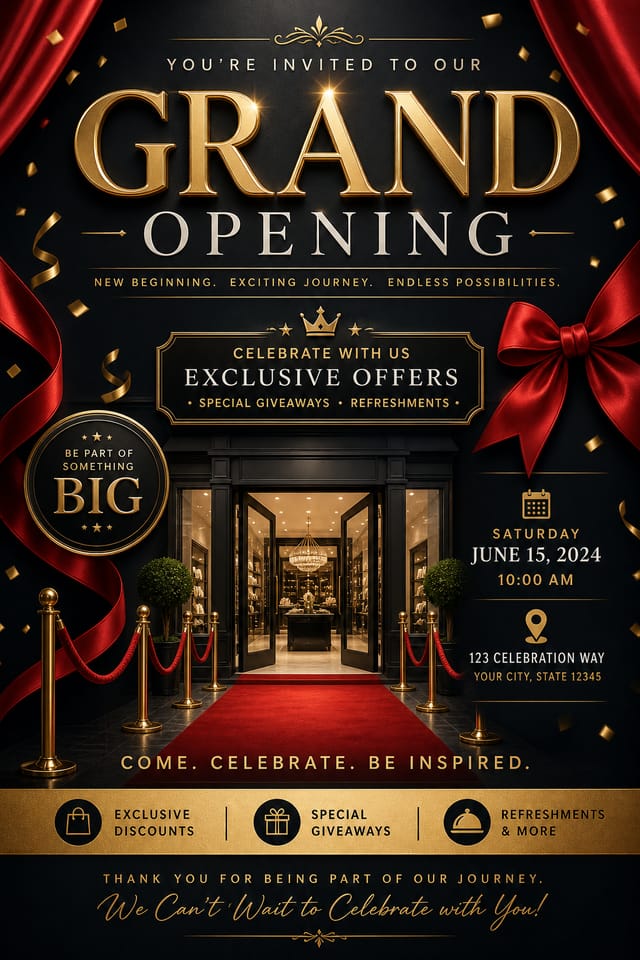
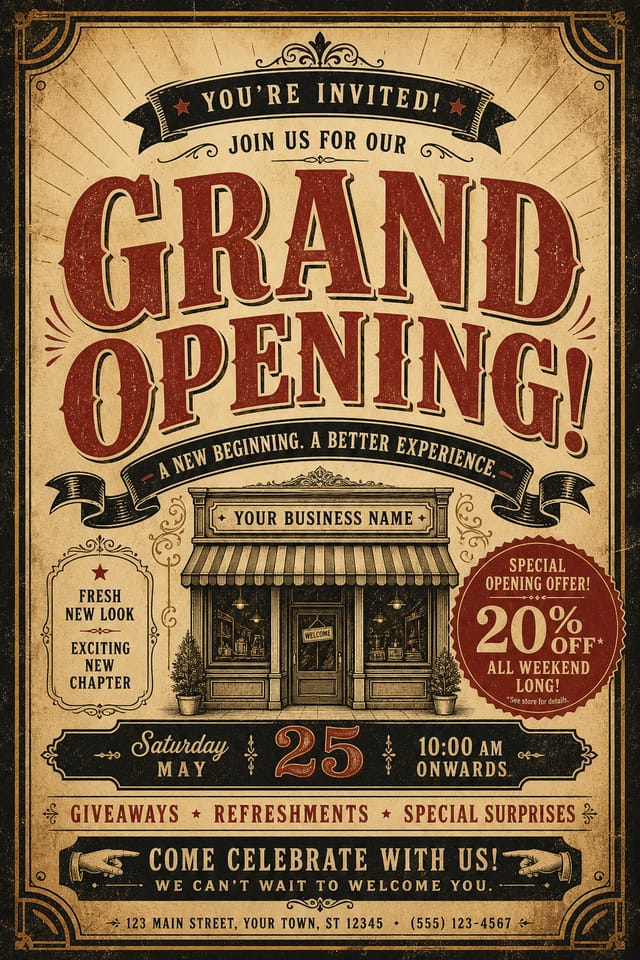
The Grand-Opening Flyer Feature Set: What It Can Do
Layered Style Application
Combine grand-opening style with other design parameters in a single prompt. The AI interprets complex requests and applies multiple style constraints simultaneously.
Export Flexibility
Download your grand-opening flyer in formats suited for your use case. Web-optimized versions for digital display, high-DPI files for print.
Instant Iterations
Generate multiple grand-opening flyer variations from a single prompt. Compare options and refine until the design matches your vision.
Resolution Control
Specify output dimensions for your grand-opening flyer. Get files sized for web display, social media, or large-format printing.
Grand-Opening Flyer Trends to Watch: Design Movements
Muted Earth Tones
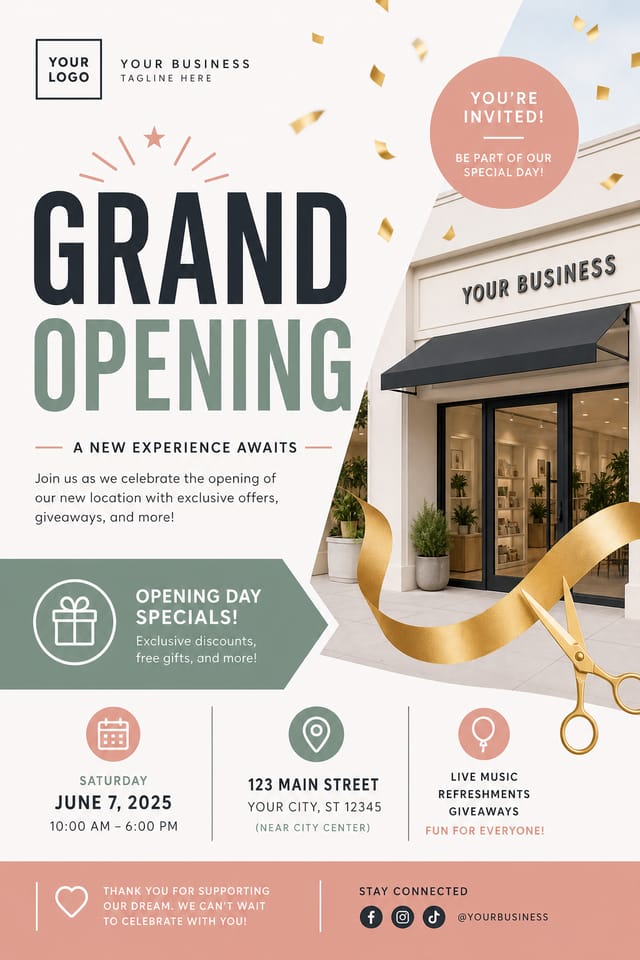
Natural color palettes with warm neutrals and desaturated greens are replacing the bright neon trends of previous years in grand-opening flyer work.
Bold Typography
Oversized type and expressive fonts are dominating grand-opening flyer design, turning headlines into visual centerpieces rather than just text.
Retro Revival
Vintage aesthetics from the 1970s and 1990s are influencing grand-opening flyer design with textured backgrounds, serif fonts, and warm gradients.
Hand-Drawn Elements
Illustrations, doodles, and hand-lettering bring a personal, approachable quality to grand-opening flyer designs in an era of polished digital output.
Asymmetric Composition
Breaking grid symmetry in grand-opening flyer layouts creates visual tension and a modern, editorial feel that stands out.
Dark Mode Aesthetics
Dark backgrounds with high-contrast accents are increasingly common in grand-opening flyer design, reducing visual fatigue and adding sophistication.
Grand-Opening Flyer Generation: Made Simple
Seed the AI with Context
Describe what you want your grand-opening flyer to look like. Include the mood, color palette, typography preference, and content hierarchy. Pixazo reads all of this and uses it to generate an appropriate design.
Gauge the First Version
Your grand-opening flyer generates immediately after submission. Evaluate the design against your requirements and refine the prompt to correct any elements that don't match your intent.
Refine the Output
Refine the grand-opening flyer by updating your description with precise changes. Add constraints you didn't include initially or remove elements that aren't working. The AI responds to specific direction.
Distribute the Output
Get your final grand-opening flyer file in one click. Choose your format, download at full resolution, and use the design immediately. No watermarks, no additional fees, no waiting.
Watch: Creating Grand Opening Flyer designs step by step
Exporting Your Grand-Opening Flyer: From Screen to File
SVG
Scalable format for grand-opening flyer designs that need to render crisply at any resolution, commonly used for web and responsive layouts.
WEBP
Modern web format offering smaller file sizes than PNG or JPG for grand-opening flyer images without significant quality loss.
JPG
Compressed image format suited for grand-opening flyer designs with photographic elements where smaller file size matters more than pixel-perfect edges.
PNG
Lossless image format ideal for grand-opening flyer designs with transparency, sharp text, and web display at predictable file sizes.
TIFF
High-fidelity format for grand-opening flyer files destined for professional printing, supporting CMYK color and lossless compression.
Grand-Opening Flyer AI: Key Things to Know
Include your specific colors in the prompt, either by hex code or descriptive terms. 'Navy and copper with white text' or '#1a1a2e and #c9a84c palette' both work. The AI builds a grand-opening-appropriate palette around your specified colors.
Describe your core design parameters in each prompt and vary only the specific elements that should change across the series. Maintaining consistent color palette, typographic approach, and compositional structure across grand-opening flyer variations creates a coherent series.
Yes. Set up separate brand kits for each client or brand, then switch between them when generating grand-opening flyers. Each brand kit stores its own colors, fonts, and logo so the AI applies the correct identity to every grand-opening flyer without manual reconfiguration.
Include the target language in your prompt when generating grand-opening flyers with non-English text. The AI selects typographic approaches appropriate for the language and applies grand-opening design conventions to the overall layout regardless of language.
Specific prompts produce better results than vague ones. Include the visual style you want, any color preferences, the most important text to display, and the intended use. For grand-opening design specifically, noting whether you want a contemporary or classic interpretation of grand-opening style helps the AI make the right design decisions.
Grand-Opening Flyer Feature Explorer: A Detailed Look
Layout Intelligence
AI understands grand-opening flyer layout conventions and applies them automatically
Typography Matching
Font selection that matches the visual tone of your grand-opening flyer design
Composition Rules
Automatic application of design principles like hierarchy and balance
Who Creates Grand-Opening Flyers: From Hobby to Pro
Subscription and SaaS Marketing
Generate grand-opening flyers for software launches, feature announcements, and onboarding campaigns. Clean, modern designs for digital-first audiences.
Retail and Hospitality
Produce grand-opening in-store and venue flyers that communicate quality through design. Grand-Opening aesthetics signal attention to customer experience.
Event Promotion
Create grand-opening event flyers that establish the right visual mood before the event. Grand-Opening design signals quality and sets expectations.
Interior Display
Generate grand-opening flyers for home and office wall display. Get print-ready files that look considered rather than stock-photo generic.
Community Organizations
Create grand-opening announcement flyers for community groups, non-profits, and local organizations without requiring design expertise.
Grand-Opening Flyer AI Specs: Performance Metrics
Sample Grand-Opening Flyer Prompt Techniques
Copy any prompt below and paste it into Pixazo to generate your design instantly.
Geometric grand-opening flyer, structured grid system, angular composition, colors in blocks rather than gradients, modern clean finishSeries-compatible grand-opening flyer design, visual language that extends to multiple formats, consistent design system across variantsTextured grand-opening flyer, surface treatment adds depth without obscuring legibility, texture consistent with grand-opening aestheticGrand-Opening style flyer, bold headline placement, supporting text at appropriate scale, color palette consistent with grand-opening design conventionsEditorial-style grand-opening flyer, text-dominant design, typographic treatment carries visual weight, layout proportions inspired by print publication designGrand-Opening flyer design, clean layout, strong typography hierarchy, appropriate color palette for grand-opening aesthetic, high contrast between headline and backgroundGrand-Opening Flyer Workflow Stages: From Start to Delivery
Research Gather references
Collect examples of effective grand-opening flyer designs, note what works, and identify patterns relevant to your project goals.
Review Evaluate and refine
Compare generated grand-opening flyer options against your brief. Mark what works and note specific changes needed for the next iteration.
Generate Create initial designs
Use AI to produce multiple grand-opening flyer variations based on your brief. Start broad and narrow down from the strongest options.
Brief Define requirements
Establish the key message, dimensions, color preferences, and target audience for your grand-opening flyer before any design work begins.
Refine Polish the design
Apply targeted edits to your selected grand-opening flyer. Adjust typography, spacing, and color until every element meets your quality standard.
Showcasing Grand-Opening Flyers: Gallery Highlights
Real creators sharing their grand opening designs made with Pixazo AI.
Editorial-inspired grand-opening flyer, text-dominant layout, typographic variety creates visual interest, clean structured alignment
Grand-Opening flyer in 18x24 inch print format, museum-quality composition, generous margins, elegant serif headline, muted earth tones
Luxurious grand-opening flyer with gold foil accents on black, thin serif typography, symmetrical centered layout, premium feelGrand-Opening Flyer Generation: Capabilities and Caveats
Known limitations and trade-offs of AI-generated grand opening design. Being specific about what AI flyer generation can and cannot do helps you plan your workflow and set accurate expectations.

