Typography Logo : Create Free Typography Logos in Minutes with AI
Create Custom Typography Logos Quickly with Pixazo Best AI Typography Logo Maker. Try for Free!
Get Started
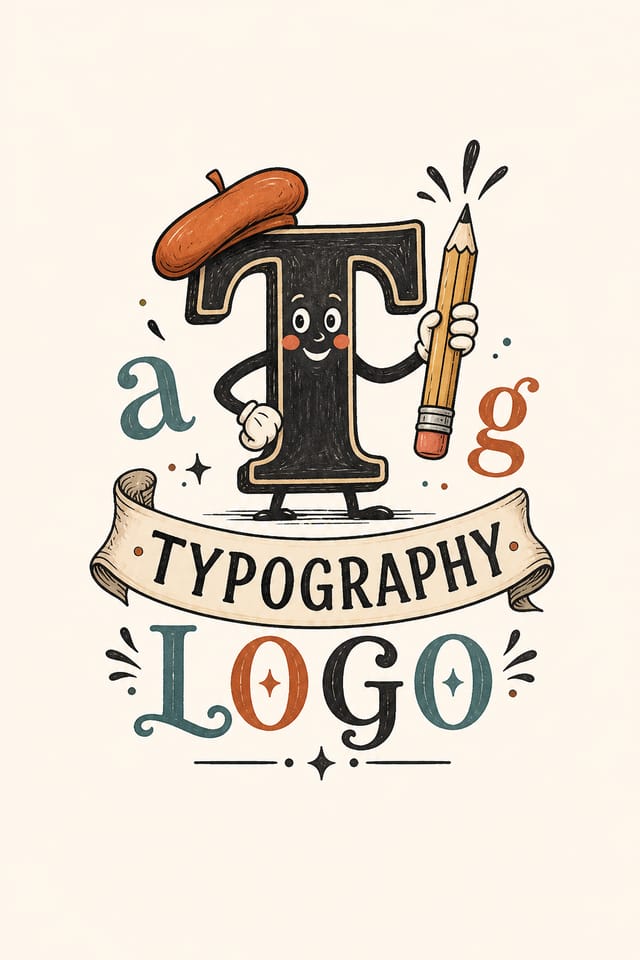
AI-Powered Typography Logo: Instant Professional Output
Create typography logos with accurate style interpretation. Pixazo understands typography visual language and applies it to your specific request.
Create Your Typography Logo FreeTypography Logo Export Guide: Output Formats Compared
TIFF
High-fidelity format for typography logo files destined for professional printing, supporting CMYK color and lossless compression.
WEBP
Modern web format offering smaller file sizes than PNG or JPG for typography logo images without significant quality loss.
JPG
Compressed image format suited for typography logo designs with photographic elements where smaller file size matters more than pixel-perfect edges.
SVG
Scalable format for typography logo designs that need to render crisply at any resolution, commonly used for web and responsive layouts.
Print-ready format for typography logo files that preserves fonts, colors, and layout across different devices and print services.
Typography Visual Language: Visual Processing Explained
The Typography Design System Pixazo Uses
Effective typography logo design depends on understanding what makes typography work visually.
Color relationships, typographic choices, and spatial arrangement all carry different weight depending on the design style.
Pixazo's AI has been trained to recognize these distinctions.
The practical result is that a typography logo prompt produces designs that fit typography conventions rather than generic poster layouts.
Typography Logo Applications: From Hobby to Pro
Religious and Spiritual Organizations
Create typography logos for worship services, community outreach, and faith-based events. Respectful designs that reflect the organization's character.
Podcast and Media Branding
Generate typography logos for podcast covers, episode artwork, and media channel identity. Consistent visual branding across audio and video platforms.
Restaurant and Food Service
Generate typography logos for menus, seasonal promotions, and restaurant branding. Designs that reflect cuisine style and dining atmosphere.
Event Promotion
Create typography event logos that establish the right visual mood before the event. Typography design signals quality and sets expectations.
Social Media Content
Design typography logos sized for social platforms. Get content that looks intentional and well-crafted, not thrown together.
The Typography Logo Gallery: Gallery Highlights
Real creators sharing their typography designs made with Pixazo AI.

Two-color typography logo, maximum contrast between primary and secondary color, typography set in one color per level
Handmade-feel typography logo with brush stroke textures, imperfect edges, warm color palette, artisanal craft aesthetic
Typography logo at 1080x1920 pixels for Instagram stories, bold sans-serif headline centered, gradient background in typography tones, call-to-action at bottomCore of Typography Logo AI: Professional Features
Background Variation
Generate typography logos with different background treatments. Solid, gradient, textured, or pattern backgrounds all available for typography style.
Context-Aware Design
Describe your typography logo's purpose and audience. The AI adjusts visual weight, complexity, and clarity based on the intended use context.
Color Temperature Control
Specify warm, cool, or neutral color direction for your typography logo. The AI builds the full palette around your temperature preference.
Prompt Refinement
Adjust your description to refine any aspect of the typography logo design. The AI responds to specific direction about colors, layout, or content.
No Design Software Required
Create professional typography logos without Photoshop, Illustrator, or other design applications. The AI handles all technical production.
Typography Matching
Typefaces are selected to match typography aesthetic expectations. The AI pairs fonts that reinforce your typography logo's visual identity.
Build a Typography Logo: The Workflow Explained
Put Your Idea in Writing
Write a prompt describing your typography logo. Include style preferences, color direction, the most important text to display, and any specific visual elements you want. The more specific your description, the more targeted the output.
Score the First Draft
The AI produces a typography logo based on your description. If the first result isn't exactly right, adjust the prompt to address what needs changing. Most designs reach the target within a few iterations.
Optimize the Layout
Refine the typography logo by updating your description with precise changes. Add constraints you didn't include initially or remove elements that aren't working. The AI responds to specific direction.
Pull the Final Output
Get your final typography logo file in one click. Choose your format, download at full resolution, and use the design immediately. No watermarks, no additional fees, no waiting.
Watch: Creating Typography Logo designs step by step
What Is Trending in Typography Logos: Where Design Is Going
Retro Revival
Vintage aesthetics from the 1970s and 1990s are influencing typography logo design with textured backgrounds, serif fonts, and warm gradients.
Minimalist Layouts
Stripped-back typography logo designs with generous white space and limited elements are gaining favor for their clarity and elegance.
Brutalist Design
Raw, intentionally unpolished typography logo aesthetics with stark contrasts and unconventional layouts are carving a niche in creative industries.
Dark Mode Aesthetics
Dark backgrounds with high-contrast accents are increasingly common in typography logo design, reducing visual fatigue and adding sophistication.
Hand-Drawn Elements
Illustrations, doodles, and hand-lettering bring a personal, approachable quality to typography logo designs in an era of polished digital output.
Asymmetric Composition
Breaking grid symmetry in typography logo layouts creates visual tension and a modern, editorial feel that stands out.
Comparing Typography Logo Tools: Side by Side
Crello
Template-based design tool with animation and video support
Pixazo
AI-powered typography logo generator with prompt-based design and professional output quality
Fotor
Photo editing platform with design templates and batch processing
PicMonkey
Photo editor and design tool with brand kit management
Desygner
Multi-format design tool with PDF editing and brand management
Design Principles for Typography Logos: From Weak to Strong
Color Discipline
Effective typography logo color palettes do more with less. A two or three color system applied consistently creates more visual coherence than many competing colors.
Reading Flow Direction
Arrange elements in typography logo designs to follow natural reading patterns. The eye naturally moves from top-left to bottom-right in left-to-right languages. Work with this, not against it.
Scale and Proportion
Element sizing in typography logo design communicates importance. The largest element gets the most attention. Scale differences between elements should be intentional and clear.
Where Typography Logo AI: Trade-Offs to Know
Known limitations and trade-offs of AI-generated typography design. AI typography logo generation produces strong results within its design domain. These notes describe where human judgment and manual work remain necessary.
Typography Logo Starter Prompt Techniques
Copy any prompt below and paste it into Pixazo to generate your design instantly.
Large-format typography logo design, elements sized for visibility at print scale, no fine detail that would be lost in productionTwo-color typography logo design, high contrast between primary and secondary color, clean separation between graphic and text zonesSeries-compatible typography logo design, visual language that extends to multiple formats, consistent design system across variantsHigh-impact typography logo, immediate visual read at thumbnail size, clear headline dominance, supporting information structured logicallyFull-bleed typography logo, background treatment extends to edges, foreground elements positioned for compositional balance, strong central hierarchyTypography Logo AI: The Essentials
Team accounts allow multiple users to share prompts, saved typography logo designs, and brand kits within a shared workspace. Team members can iterate on each other's typography logo designs and maintain consistent output across projects.
Pixazo generates complete typography logo designs from text prompts. Custom image uploads for compositing are on the product roadmap. Currently, the AI creates all visual elements based on your description rather than incorporating external assets.
Pixazo works in any modern mobile browser. The interface adapts to phone and tablet screens so you can generate typography logos from anywhere. A dedicated mobile app is in development for an even smoother on-device experience.
Common sizes include 1080x1080 for Instagram feed, 1080x1920 for stories and reels, 1200x628 for Facebook links, 1500x500 for Twitter headers, and 1080x1350 for Pinterest. Specify the platform in your prompt and Pixazo optimizes typography layout for that format.
Brand kits let you save your logo, fonts, and color palette so every typography logo you generate stays on brand. Once configured, the AI applies your brand parameters automatically alongside typography style conventions.

