Collage Poster : Create Free Collage Posters in Minutes with AI
Create Custom Collage Posters Quickly with Pixazo Best AI Collage Poster Maker. Try for Free!
Get Started

Collage Poster Creation Tools: Capabilities Explained
Color Palette Intelligence
Colors are chosen with collage style awareness. The AI builds palettes that fit collage design conventions rather than selecting arbitrarily.
Subcategory Awareness
The AI distinguishes between design subcategories. A collage poster request produces collage-appropriate output, not a generic design with collage text added.
Typography Matching
Typefaces are selected to match collage aesthetic expectations. The AI pairs fonts that reinforce your collage poster's visual identity.
Color Temperature Control
Specify warm, cool, or neutral color direction for your collage poster. The AI builds the full palette around your temperature preference.
Text Placement Options
Describe where you want text elements positioned in your collage poster. The AI follows compositional direction about headline placement and body copy layout.
Pro Tips for Collage Poster Design: Practical Guidance
Limit Your Color Palette
Stick to 2-3 primary colors in your collage poster design. Too many colors compete for attention and weaken the visual hierarchy.
Start with a Clear Brief
Before generating any collage poster, write down the core message, target audience, and intended use. A focused brief produces better results than iterating from a vague idea.
Get Feedback Early
Share your collage poster draft with someone outside the project. Fresh eyes catch issues you have become blind to after hours of refinement.
Keep Typography Simple
Use no more than two typefaces per collage poster. One for headlines, one for body text. Consistency in typography signals professionalism.
Test at Actual Size
Always preview your collage poster at the dimensions it will be displayed. Design details that look fine at 100% can disappear or crowd at real-world scale.
Streamlining Collage Poster Creation: A Production Pipeline
Generate Create initial designs
Use AI to produce multiple collage poster variations based on your brief. Start broad and narrow down from the strongest options.
Research Gather references
Collect examples of effective collage poster designs, note what works, and identify patterns relevant to your project goals.
Brief Define requirements
Establish the key message, dimensions, color preferences, and target audience for your collage poster before any design work begins.
Approve Final sign-off
Get stakeholder approval on the finished collage poster. Verify all text is accurate and the design meets brand and technical requirements.
Real Collage Posters: Designs Worth Seeing
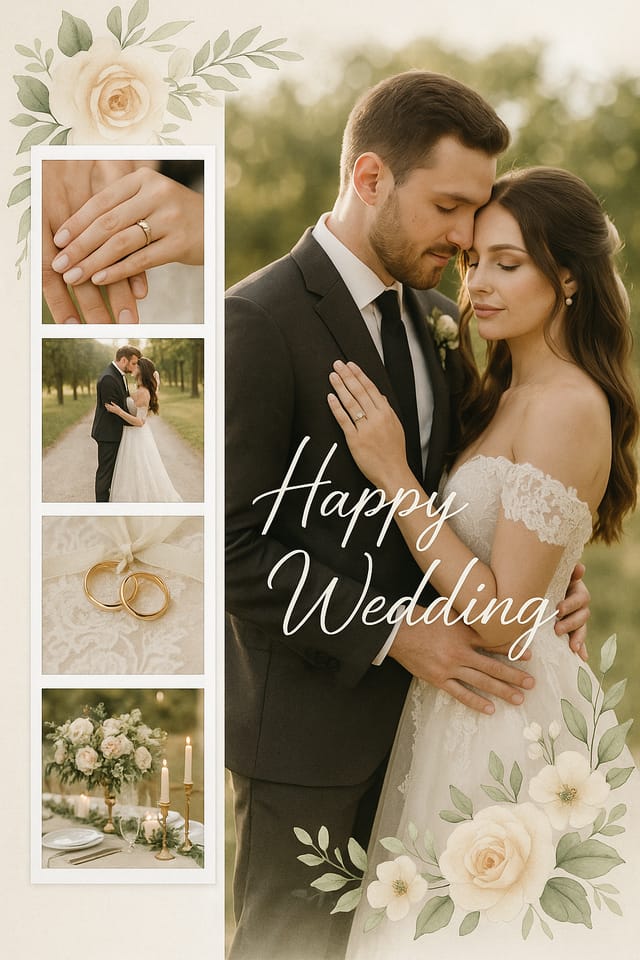
Real creators sharing their collage designs made with Pixazo AI.


How People Use Collage Posters: Everyday and Professional
Historical and Project Timelines
Generate collage posters mapping events, milestones, and project phases along a visual timeline. Designs that make chronology intuitive at a glance.
Mood Boards and Creative Briefs
Generate collage posters assembling visual references, color palettes, and texture samples into inspirational boards. Design communication tools for creative teams.
Organizational Charts and Hierarchies
Create collage posters visualizing team structures, reporting lines, and departmental organization. Professional layouts that clarify complex organizational relationships.
Comparison and Versus Charts
Create collage posters for product comparisons, feature matrices, and side-by-side analyses. Layouts that make differences and similarities immediately obvious.
Process and Workflow Diagrams
Design collage posters illustrating step-by-step processes, organizational workflows, and decision trees. Clear visual logic for operational documentation.
Making Collage Posters: The Creation Flow
Capture Your Intent
Write a prompt describing your collage poster. Include style preferences, color direction, the most important text to display, and any specific visual elements you want. The more specific your description, the more targeted the output.
Examine the Render
Pixazo generates your collage poster in seconds. Review the design and adjust your prompt to refine specific elements: change the color palette, shift the layout weight, or add visual elements you want included.
Forward the Design
Export your collage poster in the format you need. PNG for web and social, PDF for print production, JPG for email and lightweight sharing. The file is yours to use commercially without restrictions.
Watch: Creating Collage Poster designs step by step
Collage Poster Performance: Quantified Results
Generate collage poster designs at no cost with the free pla
Generate collage poster designs at no cost with the free plan
Languages supported for text rendering in collage poster des
Languages supported for text rendering in collage poster designs
Number of collage poster variations you can generate per ses
Number of collage poster variations you can generate per session
Collage Poster Design Guidance: What to Do and What to Avoid
Optimize for the display medium
Tailor your collage poster resolution, color space, and text size to the specific platform or physical context where it will appear.
Maintain brand alignment
Keep your collage poster design consistent with existing brand colors, fonts, and visual language for a cohesive identity.
Use grids and alignment
Structured layouts in your collage poster create a sense of order and professionalism that unstructured designs cannot match.
Rely solely on AI output
AI-generated collage poster designs are a starting point. Human review catches issues with context, tone, and accuracy that AI can miss.
Overcrowd the layout
Filling every pixel of your collage poster with content makes it harder to read and reduces the impact of every individual element.
Use too many fonts
More than two or three typefaces in a single collage poster creates visual noise and makes the design feel disjointed.
Styling Your Collage Poster: A Visual Guide
Textured Collage
Collage design with added surface depth. Background treatments add visual interest without disrupting legibility.
Editorial Collage
Text-dominant collage poster layout inspired by print publication design. Typographic variety creates visual rhythm.
Minimalist Collage
Stripped-back collage approach. Fewer elements, more negative space, typography carries more visual weight.
Classic Collage
Traditional collage design principles applied to modern poster format. Clean composition, conventional hierarchy, time-tested visual decisions.
Tested Collage Poster Prompts Worth Trying
Copy any prompt below and paste it into Pixazo to generate your design instantly.
Series-compatible collage poster design, visual language that extends to multiple formats, consistent design system across variantsGeometric collage poster, structured grid system, angular composition, colors in blocks rather than gradients, modern clean finishCollage style poster, bold headline placement, supporting text at appropriate scale, color palette consistent with collage design conventionsHigh-impact collage poster, immediate visual read at thumbnail size, clear headline dominance, supporting information structured logicallyContemporary collage poster design, grid-based layout, typographic precision, restrained color palette, no decorative excessClean collage poster design, geometric structure, disciplined typography, color accent used selectively for emphasis, printer-optimized resolutionThe Fine Print on Collage Posters: Needs Human Help
Known limitations and trade-offs of AI-generated collage design. AI collage poster generation produces strong results within its design domain. These notes describe where human judgment and manual work remain necessary.
About Collage Posters: The Essentials
Canva uses fixed templates you customize manually. Pixazo generates original collage poster designs from your description, so every output is unique. For collage work specifically, the AI applies style-specific design decisions rather than offering generic drag-and-drop templates.
Include the target language in your prompt when generating collage posters with non-English text. The AI selects typographic approaches appropriate for the language and applies collage design conventions to the overall layout regardless of language.
You can request high-contrast or color-blind-friendly palettes in your prompt. Specify 'accessible color palette' or 'deuteranopia-safe colors' and the AI will select collage-appropriate colors that maintain sufficient contrast for users with color vision deficiencies.
Pixazo generates single-page collage poster designs per prompt. For multi-page projects, generate each page individually using consistent prompt language to maintain visual continuity across your collage document set.
Include 'transparent background' in your prompt to generate a collage poster with no background fill. Download as PNG to preserve transparency. This is useful for collage designs that will be composited over other imagery or placed on colored surfaces.
Pixazo generates collage posters in RGB color space. For professional offset printing that requires CMYK, convert the downloaded file using Adobe Photoshop, Illustrator, or a free tool like GIMP. The AI selects colors that translate well to print when you mention print use in your prompt.

