A menu is not one design problem. It is three. A cafe menu gets read standing in a queue, a bar menu gets read in low light, and a restaurant menu gets read seated and unhurried. The same layout rarely works for all three. Below are 30 menu design ideas grouped by venue first and then by shared craft, and with an AI Menu Maker you can turn any of them into a print or QR menu in minutes.
Start in your own section. Cafe owners, bar owners and restaurant owners each get a dedicated set of ideas, followed by layout, pricing and format tips that apply everywhere.
Cafe, bar and restaurant menus solve different problems, so they should not share one template.
Why it changes
How Menu Design Changes by Venue
A cafe menu competes with a ticking queue, so it has to be scannable in seconds. A bar menu is read in dim light, often after a drink, so legibility beats density. A restaurant menu is read at the table, so it can carry description, story and a wider price ladder. Match the format to how the guest actually orders and the rest gets easier.
Zone one: the counter
Cafe Menu Ideas (Fast, Standing, Grab-and-Go)
1
Lead the wall board with one hero drink. Put a single signature coffee or seasonal latte at the top in the largest type, then list the rest smaller, so a queuing guest can decide in seconds.
2
Show sizes as columns, not a price grid. List small, medium and large as three clean columns with drink names down the left, which reads faster than a dense table when someone is next in line.
3
Add a grab-and-go card at the register. A short standing card listing only what is in the case today names your impulse items instead of hoping the guest spots them.
4
Design a modular seasonal insert. Keep the core board fixed and swap only a small seasonal strip, which keeps printing cheap and the board uncluttered.
5
Group milk and extras into one block. Collect oat, almond and syrup options into a single clearly separated block so they do not clutter every drink line.
6
Use a side panel for loyalty and beans. A narrow column for the loyalty stamp and a one-line note on where the beans come from signals care without a paragraph.
7
Add a timed service banner. A single line such as breakfast served until a set time removes the most common counter question at a glance.
Bar, Cocktail and Drinks Menu Ideas (Low Light, Fast Scan)
8
Group cocktails by mood or base spirit. Headers like Light and Crisp or Dark and Stirred, or by gin, whiskey and agave, help an undecided guest narrow down faster than an A to Z list.
9
Lead each cocktail with the spirit. Name the base liquor first in the description so a guest scanning quickly knows roughly what they are getting before the full build.
10
Keep signatures short, classics compact. Hold house creations to a tight set of six to ten and park the classics in a smaller secondary block, so the bar identity leads.
11
Put wine by the glass before the bottle. Lead with glass pours since most casual guests start there, and keep bottle pricing in a clean second tier.
12
Add a flight or tasting card. Offer a curated flight of three pours as its own boxed item, which raises average spend and lowers the risk for hesitant guests.
13
Use high-contrast type for low light. Light text on a dark ground with generous size and spacing stays readable in a dim room where small grey type disappears.
14
Add a bartender pick line. One short line inviting a recommendation turns an overwhelmed guest into a conversation and nudges a higher-margin pour.
15
Give zero-proof drinks equal styling. Design the non-alcoholic section with the same care as the cocktails, not as a reluctant footnote, since more guests look for it now.
Restaurant Menu Ideas (Seated, Unhurried, Full Meal)
16
Design around course flow. Lay the menu out in the order a guest eats, from starters to mains to dessert, so the page mirrors the meal and feels effortless.
17
Box chef picks sparingly. Put a light rule around two or three dishes you want to move, since a boxed item draws the eye, but boxing too many cancels the effect.
18
Use sensory descriptions on hero dishes. For your highest-margin plates, name the technique and key ingredient, such as slow-braised or house-cured, because concrete words raise perceived value.
19
Limit choices per section. Keep each category focused rather than a long scroll, since too many options slow decisions and push guests toward the familiar.
20
Use one dietary key, not scattered labels. A single legend for vegetarian, vegan and gluten-free with compact icons keeps the page clean while answering the question upfront.
21
Frame a set or tasting menu. Give a prix fixe or tasting option its own panel with the price and course count, which simplifies the choice for occasion diners.
22
Treat whitespace as a premium signal. Leave real room around each dish, because a crowded page reads as cheap while space around fewer items reads as considered.
Respect the golden triangle. On a multi-panel menu the eye tends to move to the middle, then top-right, then top-left, so place your most profitable items in those zones.
24
Use the sweet spot on a single page. On a one-page menu the upper-right area tends to catch the eye first, a strong home for a high-margin hero item.
25
Build a clear type hierarchy. Use one family in three roles, a display weight for headers, a readable weight for dish names and a lighter weight for descriptions.
26
Pair at most two typefaces. Combine one characterful display face with one clean body face, since more than two fonts usually reads as noise.
Design it in
Pricing Psychology You Can Design Into the Page
27
Drop the currency symbol. Writing 14 instead of a bold symbol-heavy price tends to soften the reminder that the guest is spending. Treat it as a known design practice, not a guaranteed revenue bump.
28
Use a decoy to anchor value. Placing one deliberately premium item near the one you want to sell can make the target look reasonable, a classic anchoring tactic used honestly and sparingly.
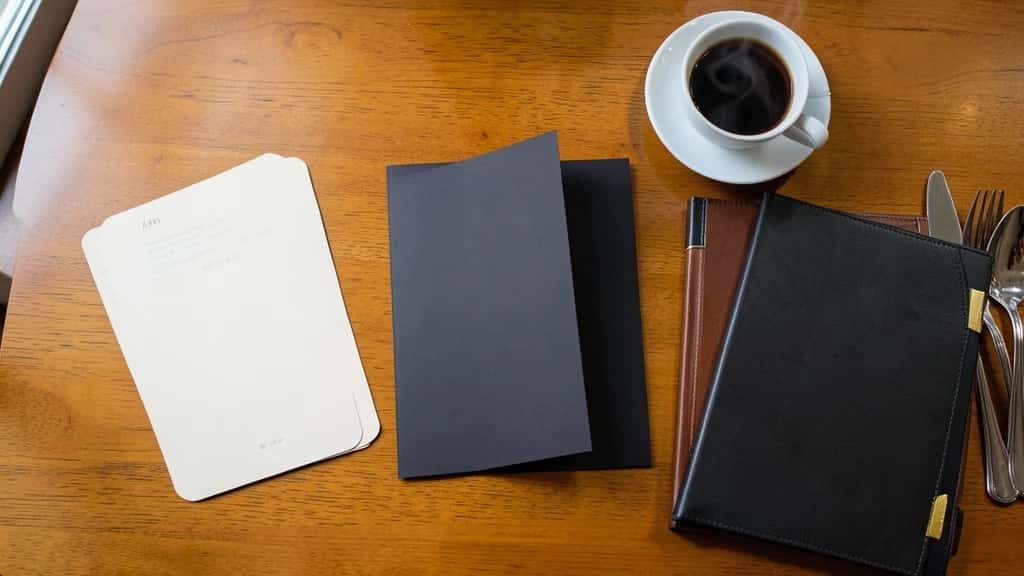
A dark, high-contrast drinks menu is built for low light, which is exactly where a pale, dense card fails.
Use a QR or digital menu for fast-changing stock. For venues whose offer shifts often, a QR-linked digital menu lets you update instantly without reprinting, with a readable printed fallback for guests who prefer it.
30
Design a chalkboard or seasonal-swap panel. A chalkboard style suits cafes and casual bars for daily specials, and building it as a swappable panel keeps the core menu stable while specials rotate.
You do not need design software. The AI Menu Maker builds a structured menu from a prompt or a template, so you edit real content instead of a blank page.
01
Open the AI Menu Maker. Pick cafe, bar or restaurant and a style direction that fits your room.
02
Add sections and items. Enter your real prices now so you catch spacing and length issues early.
03
Write and brand it. Add short, honest descriptions, then set your logo, two fonts and one accent color.
04
Export print and QR. Download a print-ready file and generate a QR link for the digital version.
▸Treating every venue the same: Reusing a dense seated-restaurant layout for a cafe counter forces hurried guests to read too much. Match the format to how they order.
▸Cramming the page: Tight margins and tiny type make a menu feel cheap and bury your profitable items. Cut or group options and add whitespace.
▸Chasing tricks over clarity: Overusing decoys or unreadable fonts erodes trust. Use menu-engineering tactics sparingly and keep prices clear and honest.
Wrap-up
Conclusion
The menus that work start from the venue, not a template. Give a cafe a scannable board, give a bar high contrast for low light, and give a restaurant room to describe its best dishes. Add a little menu engineering, pick the right format, and build a version for print and one for the phone. Do that and the design earns its keep on every table.
How is a cafe menu different from a restaurant menu?
A cafe menu is read standing and in a hurry, so it favors a clear board, big hero items and fast size options. A restaurant menu is read seated, so it can carry course flow, longer descriptions and a wider price range.
What is the golden triangle in menu design?
It describes the path a guest eye tends to take across a multi-panel menu, toward the middle first, then the top-right, then the top-left. Designers often place signature or high-margin items in those zones.
Should I remove the currency symbol from my prices?
Dropping the symbol and heavy formatting is a widely used menu-design practice meant to make spending feel less prominent. Treat it as a reasonable design choice, not a promise of higher sales.
How many items should a menu section have?
There is no single correct number, but focused sections help guests decide faster than very long lists. Aim for enough variety to cover the category without forcing a long scroll.
What font works best for a bar menu?
A clean, legible body font with strong contrast against a dark background works best, because bar menus are often read in low light. Reserve a more characterful display font for headers only.
Do QR code menus still make sense?
They make sense when your offer changes often or you want instant updates without reprinting. Many venues keep a printed fallback for guests who prefer not to scan.
Can I design cafe, bar and restaurant menus with one tool?
Yes. An AI menu maker like Pixazo lets you set up cafe boards, bar and cocktail lists and full restaurant menus from the same place, then export to print or a scannable link.