Chroma Subsampling: The Setting That Decides Your Key

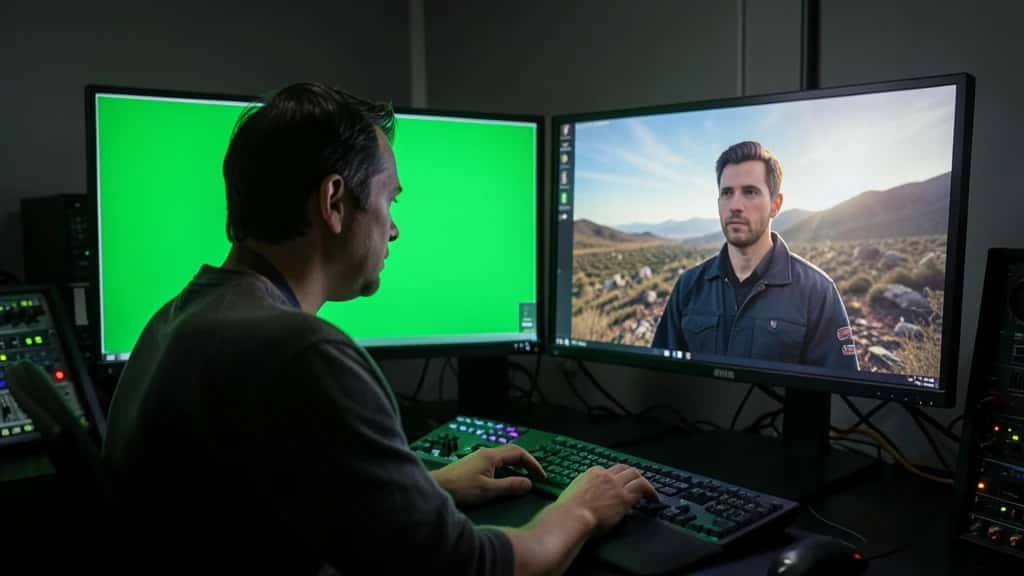
Chroma subsampling is the most important camera setting almost nobody checks before a green screen shoot. It decides how much colour detail the file actually keeps, and because a key separates the subject by colour, that one number quietly decides whether the matte holds or falls apart at the edge. Shoot the wrong setting and no amount of skill in post fully recovers the clean outline you needed. This guide explains what the 4:4:4, 4:2:2 and 4:2:0 numbers mean, what 4:2:0 throws away, and what to shoot so the AI Compositing team, or your own compositor, gets a solid key.
You will learn what chroma subsampling is, what each ratio keeps, why it decides your key, and the settings to lock in before you roll.
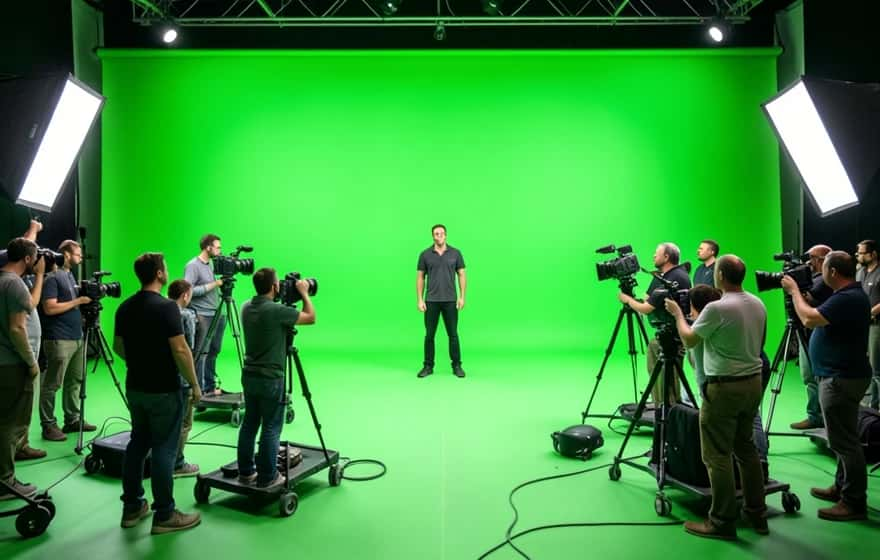
What Chroma Subsampling Actually Is
- ▸Video splits brightness from colour: A frame is stored as luma, the brightness, plus two chroma channels for colour. The eye sees detail mostly in brightness, so codecs keep luma sharp and quietly shrink colour.
- ▸The ratio tells you how much colour survives: The numbers describe how often colour is sampled across a small block of pixels. 4:4:4 keeps full colour, 4:2:2 keeps half, 4:2:0 keeps a quarter.
- ▸It saves file size: Throwing colour away is cheap and usually invisible to a viewer, which is why consumer and streaming codecs default to 4:2:0.
- ▸Keying lives on colour: A green screen key reads colour to separate the subject, so the exact thing subsampling discards is the exact thing the matte needs.
Suggested Read: 8-bit, 10-bit, 16-bit: What HDR Conversion Really Recovers
What 4:2:0 Throws Away
At 4:2:0 the colour is sampled at a quarter of the resolution of the brightness. Large flat areas look fine, but any fine, high-colour detail gets averaged into chunky blocks, and sharp coloured edges pick up a blocky, bleeding fringe. The brightness still looks crisp, so the footage seems sharp to the eye while the colour underneath it has already been crushed.
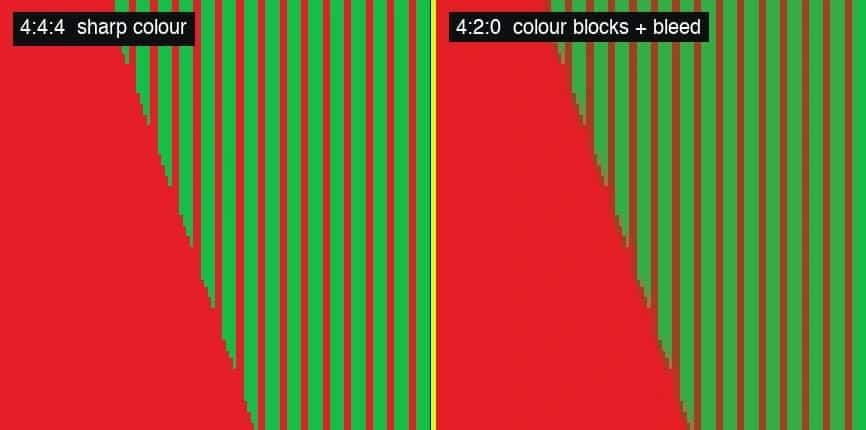
- ▸Coloured edges get a fringe: The subsampled colour cannot keep up with a crisp outline, so edges gain a soft, blocky colour border.
- ▸Fine colour detail muddies: Thin strands, patterns and small coloured features blur into their neighbours.
- ▸Brightness hides the damage: Because luma stays sharp, the shot looks fine on a monitor and only reveals the problem when you pull a key.
Suggested Read: Codecs, Bit Depth and Why Proxies Ruin Mattes
Why Chroma Subsampling Decides Your Key
A green screen key works by finding the subject edge in colour. At 4:2:0 that edge is exactly where the colour has been thrown away, so the key has a blocky, half-resolution colour map to trace instead of a clean one. The matte comes out ragged and stepped, despill turns muddy because there is less colour to correct, and hair and soft edges, which are almost pure colour transition, suffer the most. Move up to 4:2:2 and the key has twice the colour detail to follow. Move up to 4:4:4 and the edge is as sharp as the brightness.
Suggested Read: What a Usable Green Screen Actually Looks Like
4:4:4 vs 4:2:2 vs 4:2:0 for Keying
| Setting | Colour kept | Keying verdict |
|---|---|---|
| 4:4:4 | Full colour resolution | Best. Edges as sharp as the brightness, ideal for fine detail and hair. |
| 4:2:2 | Half colour resolution | Solid. The practical standard for green screen, usually from an external recorder. |
| 4:2:0 | Quarter colour resolution | Risky. Blocky coloured edges and muddy despill, the default of most consumer codecs. |
Suggested Read: What Footage Survives AI Rotoscoping
What to Shoot for a Clean Key
Suggested Read: Shooting for a Clean Plate
Where AI Compositing Fits When the Colour Is Already Gone
Sometimes the only plate you have is 4:2:0, and the colour detail is simply not there to pull a perfect key from. That is where a smarter pipeline helps. AI compositing can chroma-reconstruct and clean a subsampled edge further than a plain key, and a roto pass can rebuild the outline the colour can no longer hold, clearing the easy frames and flagging the hard ones for an artist. For a volume of compromised green screen footage, Pixazo for enterprise video and VFX runs that recovery so a weak plate still cuts out.
Talk to Pixazo About VFX at Scale
Suggested Read: When a Camera Solve Fails, and How to Get One Anyway
A Quick Chroma Subsampling Checklist
- ▸The hero take is set to 4:2:2 or better, never the default 4:2:0
- ▸An external recorder is in use if the camera only records 4:2:0 internally
- ▸Chroma is paired with 10-bit or higher colour depth
- ▸A test key has been pulled on set to confirm the edge holds
- ▸The keying plate is not re-encoded down to 4:2:0 anywhere in post
- ▸The camera original is kept for the matte, not a subsampled export
Chroma subsampling is invisible on the monitor and decisive in the composite. The brightness always looks sharp, so the footage feels fine right up until the key reveals that a quarter of the colour is gone. Shoot 4:2:2 or 4:4:4 for anything you plan to key, back it with high bit depth, and never let the plate get re-encoded to 4:2:0 on the way through post. Set it right once on the day and the matte almost pulls itself. Get it wrong and you are rebuilding colour that the camera already threw away.
FAQ
What is chroma subsampling in simple terms?
It is how much colour detail a video file keeps. Video stores brightness and colour separately, and because the eye notices colour less, codecs keep brightness sharp while sampling colour at a lower resolution. The ratio, like 4:2:0, tells you how much colour survives.
What do 4:4:4, 4:2:2 and 4:2:0 mean?
They describe how often colour is sampled across a block of pixels. 4:4:4 keeps full colour resolution, 4:2:2 keeps half, and 4:2:0 keeps a quarter. Brightness stays full resolution in all three.
Why does chroma subsampling matter for green screen?
A key separates the subject by colour, and 4:2:0 throws away three quarters of the colour detail exactly at the edges the key needs. That gives you a blocky, ragged matte and muddy despill, especially around hair and soft edges.
Is 4:2:0 good enough for keying?
It is risky. You can sometimes get an acceptable key from 4:2:0, but coloured edges are blocky and hair suffers. For reliable results shoot 4:2:2 or better, which is the practical standard for green screen work.
How do I shoot 4:2:2 or 4:4:4?
Set it in the camera if it offers those options, or use an external recorder, since many cameras output higher chroma over their HDMI or SDI port than they record internally. Pair it with high bit depth for the best edge.
Can AI fix a key shot in 4:2:0?
It can help but not fully reverse the loss. AI compositing can reconstruct and clean a subsampled edge further than a plain key, and a roto pass can rebuild the outline, but the colour detail the camera discarded is gone, so prevention on set is always better.
Does chroma subsampling affect anything besides keying?
Yes. It also softens fine coloured detail, heavy grades and saturated graphics, but green screen keying is where the damage is most obvious because the matte depends directly on clean colour edges.
Deepak Joshi
Author · Pixazo
Deepak writes about generative AI models, APIs, and the workflows teams use to ship them. Reviewed by Abhinav Girdhar.