12 Best AI Interior Design Tools, Tested on the Same Room



Every AI interior design tool promises to redesign your room in seconds. The honest question is which one actually keeps your room: your walls, your window, your sofa where it really sits. To find out, we took one plain living room and ran the whole category through its paces, so you can see what an AI interior design generator does before you pay for one.
This guide ranks the 12 best AI interior design tools in 2026. For each one you get what it redesigns from, what it costs, what it is best for, and the honest catch. Below the list you will also find the same room restyled several ways, a quick note on what AI still cannot do, and picks by who you are.
We judged every tool on five things that actually matter: how faithfully it keeps your real room (layout and spatial fidelity), how realistic the render looks, how well it nails a chosen style, how fast it runs, and how honest its free tier and pricing really are. Capabilities and prices were checked against each tool’s own site in October 2026; pricing on these tools changes often, so treat figures as a guide and confirm at checkout. The styled rooms shown lower down were generated with Pixazo AI to demonstrate the look, not to stand in for any one vendor’s output.
The 12 tools at a glance
| # | Tool | Redesigns from | Free tier | Best for |
|---|---|---|---|---|
| 1 | Interior AI | Room photo | Paid plans | Realtors + staging |
| 2 | REimagine Home | Room photo | 5 free, then paid | Virtual staging |
| 3 | Spacely AI | Room photo | Free plan | Fast styled renders |
| 4 | RoomGPT | Room photo | Limited free | One-tap makeovers |
| 5 | Collov AI | Room photo | Free + paid | Shoppable looks |
| 6 | Pixazo | Room photo | Credit-based | All-in-one platform |
| 7 | AI Room Planner | Room photo | Few free/mo | Low-commitment try |
| 8 | AI HomeDesign | Room photo | Free trial | Agents at volume |
| 9 | Dreamhouse AI | Room + exterior | Free trial | Curb appeal too |
| 10 | HomeDesigns AI | Room photo | Free trial | Popular all-rounder |
| 11 | mnml AI | Photo or CAD | Free credits | Architects |
| 12 | DecorMatters | Room photo | Free app | Shop on your phone |
The 12 best AI interior design tools
Interior AI re-renders your space from a photo across 40-plus styles and is known for respecting the room’s real geometry, which makes it a favourite for virtual staging of listing photos. Renders land in about 25 seconds.
Watch out: Its free tier appears to have been dropped and price reports vary a lot, so check the current plan before you commit; it can still invent furniture on busy rooms.
REimagine Home takes a room photo and a chat-style prompt and covers interiors, staging empty rooms, and even exteriors and landscaping, with some shoppable-furniture suggestions. A broad, prompt-driven workhorse.
Watch out: You get only five free credits before paying, and reviewers note render accuracy can slip on precise, professional jobs.
Spacely AI turns a room photo into a photorealistic restyle in under a minute and throws in creative, line-art and exterior tools. Its free plan is unusually generous: watermark-free credits with a commercial licence per its pricing page.
Watch out: It moved from unlimited renders to a credit model in 2025, so most prices quoted online are stale and the per-render cost is not clearly published.
RoomGPT is the dead-simple, hugely popular one: upload a photo, pick a theme, and get redesigned versions in seconds. If you want the least fuss, start here.
Watch out: Its pricing and free limits are opaque (the homepage shows a promo code, not prices), and there is little fine control next to the pro tools.
Collov AI redesigns your room by room type and style, then pairs the render with actual shoppable furniture from partner retailers so you can buy the look, not just admire it.
Watch out: The furniture picks are limited to partnered stores, and pricing reports conflict across sources, so verify before subscribing.
Pixazo’s interior design generator restyles a room photo with a current, high-quality image model, and it sits inside Pixazo’s wider all-in-one creative platform, so your redesign lives alongside your other image work. You can try the AI interior design generator and describe the look you want in plain words.
Watch out: It is not a dedicated interior app: there are no room-type or style presets, and the page hands off to the general playground, so results lean heavily on your prompt. It runs on credits; the paid plan is about $15 a month and the free trial needs a card.
AI Room Planner gives you a few genuinely free redesigns a month with no credit card, which makes it a friendly first taste of AI room makeovers across many styles.
Watch out: The free allowance shrank from an unlimited beta to only a handful of designs per month, and it has fewer pro-grade controls.
AI HomeDesign bundles virtual staging, redesign and photo editing, furnishing empty rooms or restyling occupied ones in seconds. On a per-photo basis it is cheap, which suits agents staging listings in bulk.
Watch out: Free outputs are watermarked and it offers fewer styles than rivals. Note it is a different company from HomeDesigns AI below, despite the near-identical name.
Dreamhouse AI redesigns interiors and home exteriors from a photo across 35-plus styles, so it is handy when you want to rethink the living room and the front of the house in one place.
Watch out: Price figures are inconsistent across sources, and output is consumer-grade rather than precise professional rendering.
HomeDesigns AI is one of the most-visited tools in the category, offering quick photo-based redesigns across many styles. It is a solid, mainstream pick for homeowners who want results fast.
Watch out: As a SERP-dominant tool it ranks itself highly in its own guides, so weigh its claims with a pinch of salt; confirm current pricing on its site.
mnml AI is built for professionals: it renders from photos, sketches or 3D model views (SketchUp, Revit, Blender, 3ds Max) with upscaling to 8K, which no consumer tool matches.
Watch out: It is credit-heavy and aimed at pros, so it is overkill and less intuitive for a quick one-tap homeowner restyle.
DecorMatters is a mobile-first app where you design over a photo of your own room using real, buyable furniture, backed by a large design community. Great for decorating on your phone with products you can actually order.
Watch out: Coins and membership gate the core features, and it is a mobile decorating app rather than a pro rendering engine.
Suggested Read: 60 Wallpaper Ideas for Every Room and Style
The same room, restyled several ways
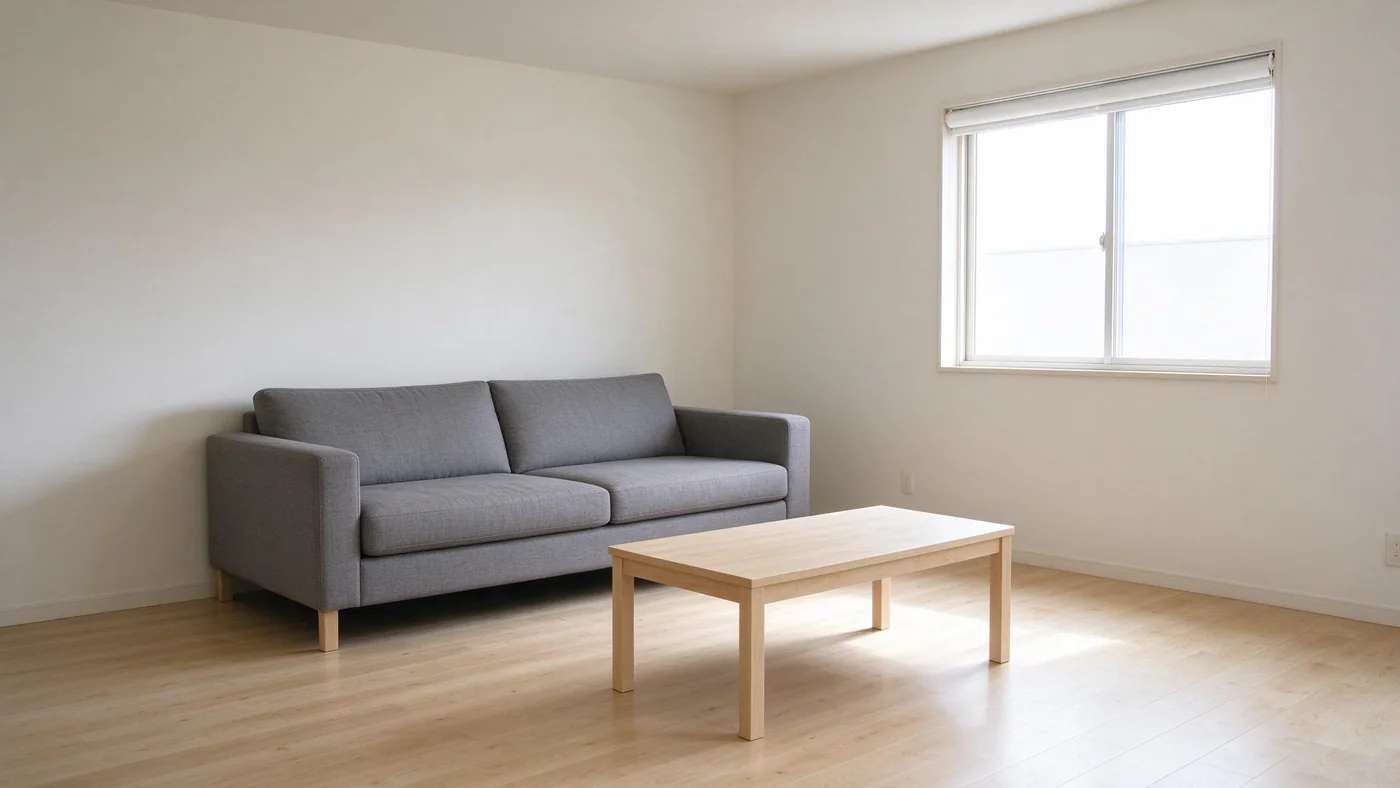
To show what these tools actually do, we started with one plain living room: a grey sofa, one window, a simple coffee table, bare floors, nothing styled. Then we restyled it. Here is the before, followed by the same kind of room reimagined in three very different looks. Every styled image here was made with Pixazo AI as a demonstration of the workflow.
 Scandinavian
 Industrial
 Bohemian
Notice how the sofa, window and coffee table carry through every version while the mood changes completely. That is the real value here: one room becomes a lookbook of directions you can take, before you spend a rupee on paint or furniture. The best tools hold that layout faithfully; weaker ones quietly move your walls.
Suggested Read: 10 Best AI Background Changer Tools in 2026
What AI interior design tools still cannot do
AI is a brilliant idea machine, but a render is not a buildable plan. Keep these limits in mind before you knock down a wall.
- Measure or scale. A render has no real dimensions. It will not tell you if that sectional actually fits.
- Respect structure and code. AI happily moves windows, invents doors and ignores plumbing, wiring and load-bearing walls.
- Source real products reliably. Except where a tool links a catalogue, the furniture it draws may not exist to buy.
- Replace a professional. For a renovation, a designer or contractor turns the inspiration into something you can actually build and live in.
Which one should you use?
- Homeowner redecorating: start free with RoomGPT, Spacely AI or AI Room Planner, or restyle a photo in Pixazo alongside your other projects.
- Realtor or stager: Interior AI, REimagine Home or AI HomeDesign, which lean into virtual staging and keep the room’s structure.
- Pro designer or architect: mnml AI for CAD and 8K renders; it accepts the files you already work in.
- Shopper who wants to buy the look: Collov AI or DecorMatters, which tie renders to real products.
- Tightest budget: the free tiers of Spacely AI and AI Room Planner go furthest before a paywall.
Suggested Read: 10 Best AI Image Editors in 2026
Suggested Read: Best AI Art Generators in 2026
There is no single winner, only the right tool for your job. For a quick free makeover, RoomGPT and Spacely AI are the easiest starts. For listings, Interior AI and REimagine Home stage a room convincingly. Architects should reach for mnml AI, and shoppers for Collov AI. If you already create on Pixazo, its interior design generator restyles a room photo with a strong image model in the same place you make everything else. Most have a free way in, so feed the same room photo to two or three and keep the one that holds your layout best.
Suggested Read: Best AI Image Generators in 2026
What is the best AI interior design tool?
There is no single best. For fast free makeovers try RoomGPT or Spacely AI; for virtual staging try Interior AI or REimagine Home; for CAD-grade renders use mnml AI. Pixazo is a good pick if you want to restyle a room photo inside an all-in-one creative platform.
Can AI redesign a room from a photo?
Yes. Most tools here take a photo of your real room, let you pick a style, and return a restyled version in under a minute. Quality and how faithfully they keep your actual layout vary, so test a few with the same photo.
Is there a free AI interior design tool?
Several have real free tiers. Spacely AI offers watermark-free credits, REimagine Home gives five free credits, and AI Room Planner allows a few free designs a month with no card. Free allowances change often, so check before relying on them.
Do AI interior design tools keep my real room?
The good ones try, and layout fidelity is exactly what separates them. Weaker tools move windows, add doors or change the room’s shape. Always compare the render to your original photo before trusting it.
Can I build from an AI render?
Treat it as inspiration, not a plan. A render has no real measurements and ignores structure, wiring and code. Bring the look to a designer or contractor to make it buildable.
Deepak Joshi
Author · Pixazo
Deepak writes about generative AI models, APIs, and the workflows teams use to ship them. Reviewed by Abhinav Girdhar.