Funny Meme : Create Free Funny Memes in Minutes with AI
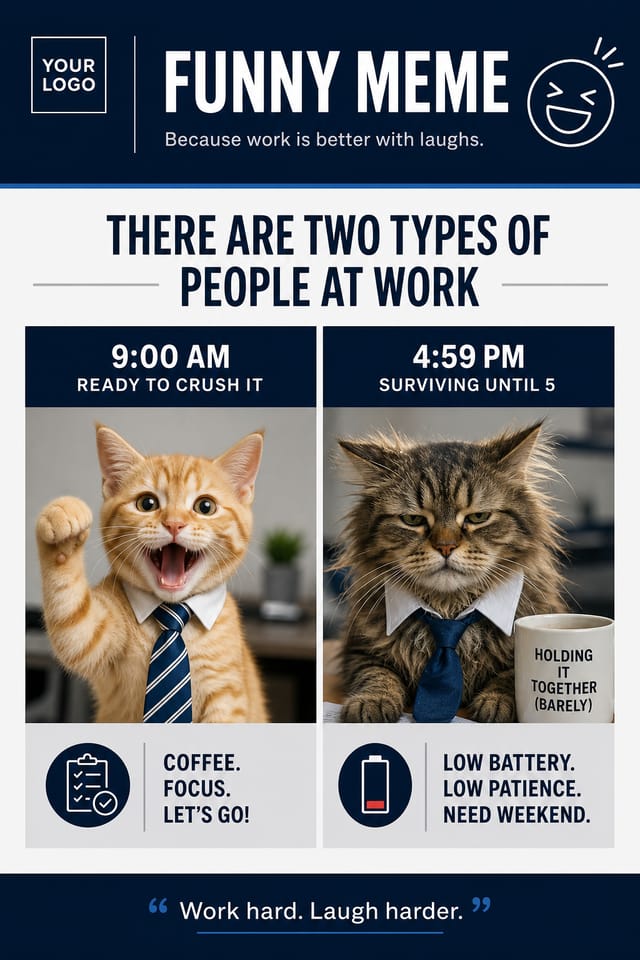
Create Custom Funny Memes Quickly with Pixazo Best AI Funny Meme Maker. Try for Free!
Get Started
Precision Funny Meme Tools: Capabilities Explained
Text Placement Options
Describe where you want text elements positioned in your funny meme. The AI follows compositional direction about headline placement and body copy layout.
Layered Style Application
Combine funny style with other design parameters in a single prompt. The AI interprets complex requests and applies multiple style constraints simultaneously.
Print-Ready Output
Generated funny memes are sized and structured for professional printing. Download high-resolution files ready for production.
Resolution Control
Specify output dimensions for your funny meme. Get files sized for web display, social media, or large-format printing.
Compositional Structure
Layout and hierarchy decisions reflect funny design patterns. The proportions and arrangement match how funny designs are conventionally structured.
The Path to Your Funny Meme: Three Easy Steps
Compose Your Request
Describe what you want your funny meme to look like. Include the mood, color palette, typography preference, and content hierarchy. Pixazo reads all of this and uses it to generate an appropriate design.
Watch: Creating Funny Meme designs step by step
Your Funny Meme Questions: FAQ
Individual funny memes generate in seconds. For batch production, you can submit multiple prompts in sequence and download results as they complete. A series of ten funny meme variations typically takes under five minutes total.
You can specify any aspect ratio in your prompt. Common options include 1:1 for social posts, 4:5 for Instagram, 9:16 for stories, 16:9 for presentations, and standard print sizes like A4 or letter. The AI adapts funny composition to fit your chosen ratio.
The AI generates designs at the specified dimensions. For professional print production, add 'with bleed area' to your prompt to extend background elements beyond the trim line. Crop marks and registration marks should be added in your print preparation software.
The AI recognizes funny design as a distinct visual category with its own conventions. Specifying funny style in your prompt triggers appropriate design decisions around color, typography, and composition rather than defaulting to generic poster layout.
What Funny Meme AI Includes: An In-Depth Guide
Layout Intelligence
AI understands funny meme layout conventions and applies them automatically
Typography Matching
Font selection that matches the visual tone of your funny meme design
Composition Rules
Automatic application of design principles like hierarchy and balance
Funny Meme Quality Checklist: A Quality Guide
Keep the message focused
A strong funny meme communicates one primary idea clearly. Supporting details should reinforce, not compete with, the main message.
Optimize for the display medium
Tailor your funny meme resolution, color space, and text size to the specific platform or physical context where it will appear.
Use grids and alignment
Structured layouts in your funny meme create a sense of order and professionalism that unstructured designs cannot match.
Use a consistent visual hierarchy
Structure your funny meme so the viewer's eye follows a clear path from headline to supporting details to call-to-action.
Skip proofreading
Typos and grammatical errors on a funny meme undermine credibility instantly. Always have someone else review the final text.
Forget the call to action
A funny meme without a clear next step for the viewer is a missed opportunity. Always include direction on what to do next.
Rely solely on AI output
AI-generated funny meme designs are a starting point. Human review catches issues with context, tone, and accuracy that AI can miss.
Funny Memes in Practice: Contexts and Scenarios
Travel and Tourism Promotion
Design funny memes for destinations, tour packages, and hospitality brands. Aspirational visuals that inspire booking decisions.
Educational Materials
Design funny memes for educational contexts. Courses, workshops, and learning materials benefit from the visual clarity of good funny design.
E-Commerce Product Promotion
Design funny memes for online store banners, product launches, and seasonal sales. Conversion-focused visuals for digital retail.
Restaurant and Food Service
Generate funny memes for menus, seasonal promotions, and restaurant branding. Designs that reflect cuisine style and dining atmosphere.
The Funny Meme Platform: A Technical Snapshot
Funny Meme Maker Comparison: Finding the Right Fit
Stencil
Lightweight image creator optimized for fast social media graphics
Pixazo
AI-powered funny meme generator with prompt-based design and professional output quality
Piktochart
Infographic and presentation maker for data-driven visuals
PicMonkey
Photo editor and design tool with brand kit management
Canva
Drag-and-drop editor with a large template library and collaboration features
From Brief to Funny Meme: Workflow Breakdown
Generate
Use AI to produce multiple funny meme variations based on your brief. Start broad and narrow down from the strongest options.
Brief
Establish the key message, dimensions, color preferences, and target audience for your funny meme before any design work begins.
Review
Compare generated funny meme options against your brief. Mark what works and note specific changes needed for the next iteration.
Export
Export your funny meme in the required formats and resolutions. Organize deliverables for handoff to the production or publishing team.
Research
Collect examples of effective funny meme designs, note what works, and identify patterns relevant to your project goals.
Try These Funny Meme Design Prompts
Copy any prompt below and paste it into Pixazo to generate your design instantly.
Large-format funny meme design, elements sized for visibility at print scale, no fine detail that would be lost in productionFunny meme with strong visual hierarchy, largest element reads clearly, supporting elements organized by importance, clean background treatmentContemporary funny meme design, grid-based layout, typographic precision, restrained color palette, no decorative excessTwo-color funny meme design, high contrast between primary and secondary color, clean separation between graphic and text zonesSeries-compatible funny meme design, visual language that extends to multiple formats, consistent design system across variantsReal Funny Memes: Real Creator Work
Real creators sharing their funny designs made with Pixazo AI.

Cool palette funny meme, slate and steel tones, sans-serif typography, contemporary funny sensibility, precise alignment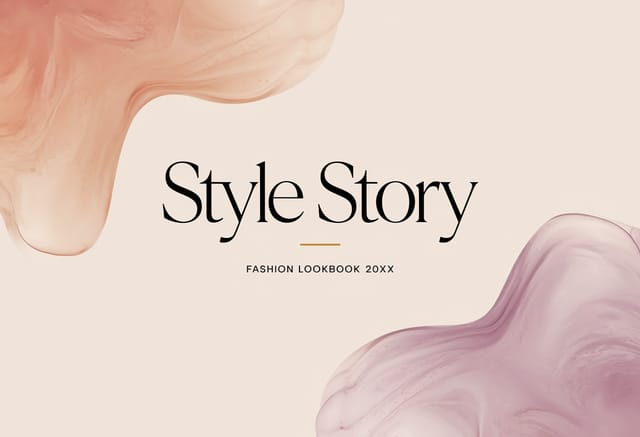
Funny meme with Japanese minimalism influence, abundant whitespace, single focal element, restrained palette of black, white, and one accent
Vibrant funny meme targeting Gen Z audience, neon accent colors, asymmetric layout, bold experimental typography, maximum visual energyAI Funny Meme Design: Known Limitations
Known limitations and trade-offs of AI-generated funny design. AI funny meme generation produces strong results within its design domain. These notes describe where human judgment and manual work remain necessary.

