
How to Make a Diploma Certificate Online (Free, Step by Step)



You can make a diploma certificate online for free in about 15 minutes. Pick a template, add your organization’s name, the recipient and the program, then download it to print or share. With an AI Diploma Certificate Maker, you can turn a blank page into a finished, signed certificate without any design skills.
Make a Diploma Certificate Free
Diploma certificates come from the people who run a program: schools, homeschool parents, training centers, online course creators, coaching institutes, and companies with internship programs. A good certificate makes the achievement feel official and gives the recipient something to frame or add to a portfolio. This guide shows you how to create a diploma certificate step by step, how to make an internship certificate and a course completion certificate, which AI tools help, and how to edit a diploma you have already made.
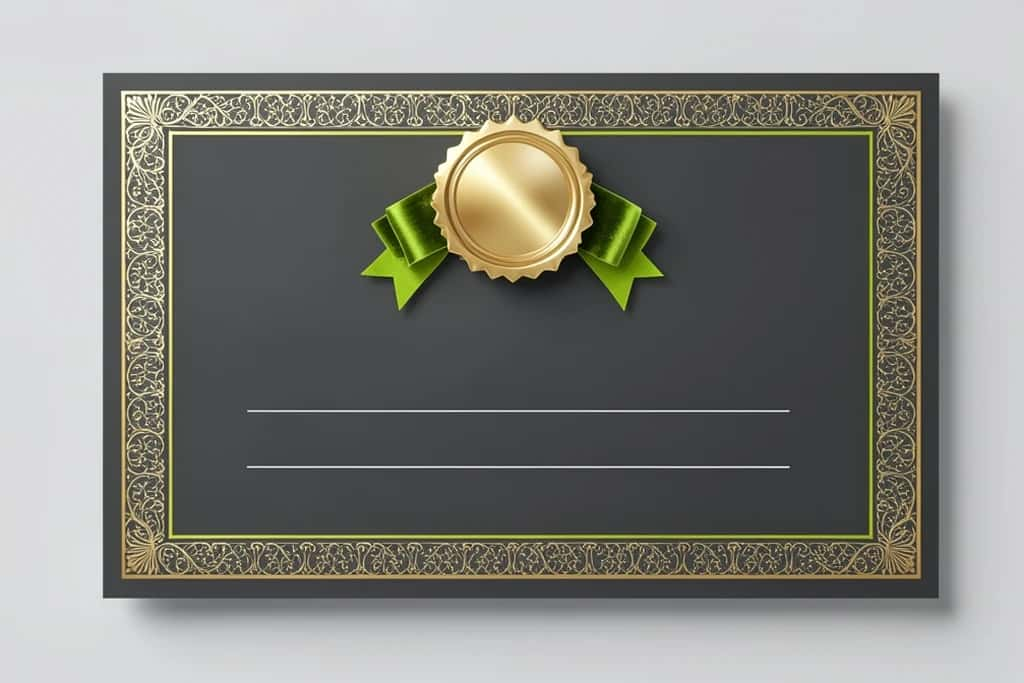
How to make a diploma certificate: quick steps
- Open a free online certificate maker.
- Pick a diploma or certificate template.
- Add your organization’s name, logo, and the program title.
- Enter the recipient’s name, the date, and a short line about what they completed.
- Add signatures from your own team, then download as PDF to print or PNG to share.
Suggested Read: How to Make an ID Card Online
How to create a diploma certificate, step by step
Step 1: Decide what the diploma is for. The purpose sets the wording and the design. Here are the most common types:
| Type | Who issues it | Typical wording |
|---|---|---|
| Homeschool diploma | Homeschool parents or co-ops | “has completed the requirements for high school graduation” |
| Course completion | Online course creators, academies | “has successfully completed the course” |
| Training diploma | Training centers, workshops | “has completed 40 hours of training in” |
| Kids and preschool diploma | Kindergartens, summer camps | “has graduated from” |
| Internship certificate | Companies, startups, NGOs | “has completed an internship as” |
| Award or recognition | Schools, clubs, teams | “in recognition of outstanding achievement in” |
Suggested Read: How to Create Professional Banners
How to make an internship certificate for your interns
If your company runs an internship program, a certificate is a simple way to thank interns and give them proof of their experience. Include these details:
- ▸Company name, logo, and address
- ▸Intern’s full name
- ▸Role or department, for example “Marketing Intern”
- ▸Start and end dates
- ▸One or two lines on the work they did or skills they built
- ▸Signature of the manager or HR lead, with name and title
- ▸Certificate number and the date it was issued
Keep the design in your company’s brand colors, and save a copy in your HR records.
How to make a course completion certificate
Course creators and academies can make certificates for every student from one template:
- Design one master certificate with a blank name field.
- Put student names, course titles, and dates in a spreadsheet.
- Use a certificate maker with bulk create to fill in each certificate automatically.
- Email each student their PDF, or let them download it from your course platform.
Suggested Read: Best Online Passport Photo Makers
Can AI create a diploma?
Yes. AI design tools can create a diploma certificate for your program in seconds. Describe what you need, for example “elegant navy and gold course-completion certificate for a coding bootcamp,” and the AI suggests layouts, borders, fonts, and wording. AI can help you:
- ▸Generate a full certificate design from a short text prompt
- ▸Write the presentation line and achievement text
- ▸Create custom borders, badges, and backgrounds
- ▸Fill in many certificates at once from a list of names
Suggested Read: How to Make a Brochure
Best tools to make a diploma certificate
You have several options, from a dedicated AI maker to general design apps.
| Tool | Best for | Price | AI features |
|---|---|---|---|
| Pixazo AI Diploma Certificate Maker | Fast diplomas from a prompt or template | Free to start | Yes |
| Canva | Many diploma templates, bulk create | Free plan; bulk create on Pro | Yes |
| Adobe Express | Branded certificates with your logo | Free plan | Yes |
| Microsoft Word | Simple certificates from built-in templates | Included with Microsoft 365 | Limited |
| Google Slides | Free, easy to share and edit with a team | Free | Limited |
How to edit a diploma you designed
The easiest way to edit a diploma is to reopen the saved design in the tool you used, change the recipient name, date, program title, or signatures, and download it again. Saving one master template means every future diploma matches. If you only have the finished image and not the editable file, an AI Photo Text Editor can swap the name or date directly on the certificate image.
Diploma design tips
- ▸Use a landscape layout with wide margins and a classic border
- ▸Pair a formal serif font for titles with a clean sans-serif for details
- ▸Make the recipient’s name the biggest text after the title
- ▸Stick to two or three colors, such as navy, gold, and white
- ▸Leave enough space for real signatures if you plan to sign by hand
- ▸Proofread names and dates twice before printing
Suggested Read: How to Edit Text in an Image
Conclusion
Making a diploma certificate online is quick: choose a template, add your organization’s details and the recipient’s achievement, sign it, and download it. Whether it is for a homeschool graduate, a course student, or an intern, a clean, well-branded certificate makes the achievement feel special.
Make a Diploma Certificate Free
Suggested Read: 25 Real Estate Flyer Ideas That Sell Listings
FAQ
Can AI create a diploma?
Yes. AI certificate makers can design a diploma from a short prompt, suggest the wording, and fill in names for a whole class or batch at once.
How do I make a diploma certificate for free?
Use a free online certificate maker. Pick a template, add your organization’s details and the recipient, then download it as a PDF to print or a PNG to share, with no payment needed to start.
What should a diploma certificate include?
Your organization’s name and logo, the title, the recipient’s full name, what they completed, the date, and signatures from your team, plus an optional certificate ID or QR code.
How do I make an internship certificate?
Use a certificate template with your company branding. Add the intern’s name, role, internship dates, a short summary of their work, and a signature from their manager or HR lead.
What paper should I print a diploma on?
Use heavy paper around 200 to 300 gsm, or parchment-style certificate paper, for a premium, frame-worthy feel.
What size should a diploma certificate be?
Most diplomas use a landscape layout in US Letter (8.5 by 11 in) or A4. US Letter fits standard document frames, which is handy if the recipient will display it.
Can I make many certificates at once?
Yes. Put the names, courses, and dates in a spreadsheet and use a certificate maker with bulk create to generate one certificate per row automatically.
Deepak Joshi
Author · Pixazo
Deepak writes about generative AI models, APIs, and the workflows teams use to ship them. Reviewed by Abhinav Girdhar.

