10 Best AI Human Generators for Realistic People

Deepak Joshi
Written byDeepak Joshi
Abhinav Girdhar
Reviewed byAbhinav Girdhar
Read time10 min read
Last updated onNovember 2, 2026
10 Best AI Human Generators for Realistic People

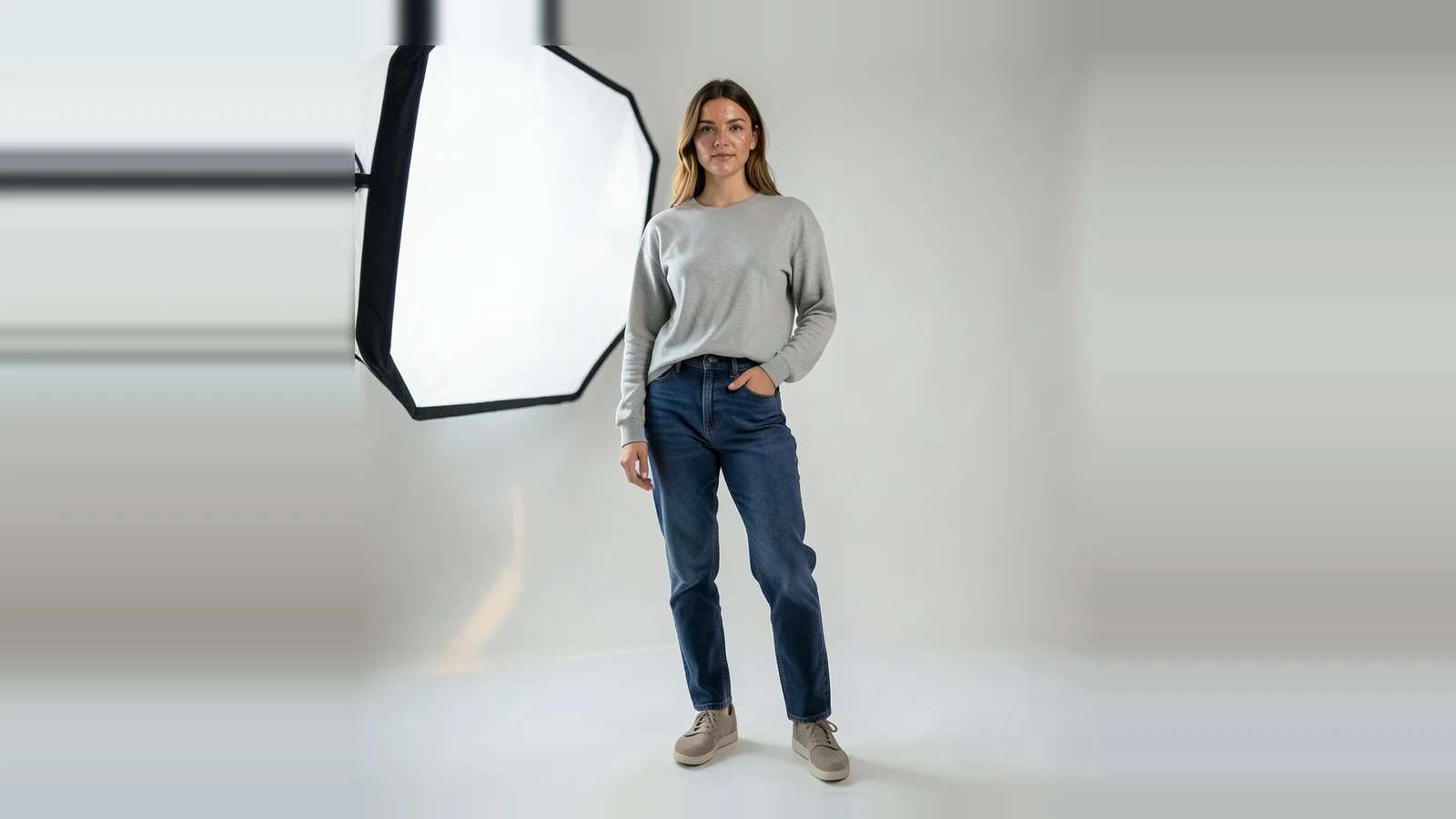
An AI human generator makes a photo of a person who does not exist, and makes them look real, right down to natural skin, hands and clothing. An AI human generator can power stock photos, ad creative, virtual influencers and game characters. This guide ranks the 10 best AI human generators for realistic people in 2026, with an honest note on where each one still falls short.

One distinction first, because it shapes the whole list. A face generator stops at the shoulders; a human generator has to get the whole body right, proportions, hands, posture, clothing and a face that stays the same person from shot to shot. That is a harder problem, and it is what this list judges. If you only need a headshot, see our separate guide to face generators.

Generate a Realistic Human With Pixazo

Free to start, a person from a prompt

AI human generator vs AI face generator

The two tools overlap but solve different problems, and picking the wrong one wastes time:

  • A face generator invents a convincing head-and-shoulders portrait. Great for avatars, profile pictures and placeholder faces.
  • A human generator renders a whole person, full-body, posed in a scene, often the same character across many images. Great for stock people, fashion, ads and AI influencers.

Everything below is judged on the harder, full-person job: believable bodies, hands and consistency, not just a pretty face.

The 10 best AI human generators at a glance

Here are all 10 AI human generators, ranked one to ten. The section below then groups the same tools by the job they do best, so you can skip to the kind you need.

CALL SHEET10 ROLES · RANKED 1–10
01Midjourney · best overall realismPHOTOREAL
02FLUX · most anatomically accurate, openOPEN / DEV
03Google (Nano Banana) · likeness and edit controlPHOTOREAL
04Leonardo AI · posed, controlled charactersCONTROL
05Higgsfield · AI influencers and digital twinsPERSONA
06Pixazo · a free all-in-one starting pointSTUDIO
07Freepik AI · designers wanting assets plus peopleSTUDIO
08Krea AI · real-time iterationCONTROL
09Generated Photos · royalty-free stock peopleSTOCK
10Glambase · monetising an AI personaPERSONA
Try the Pixazo AI Human Generator

Free to start in your browser

Suggested Read 10 Best AI Face Generators for Realistic Portraits

The 10 best AI human generators for realistic people

The 10 tools are grouped into four lanes by what they do best. The number on each card is its overall rank, so you can jump straight to the type of AI human generator you need.
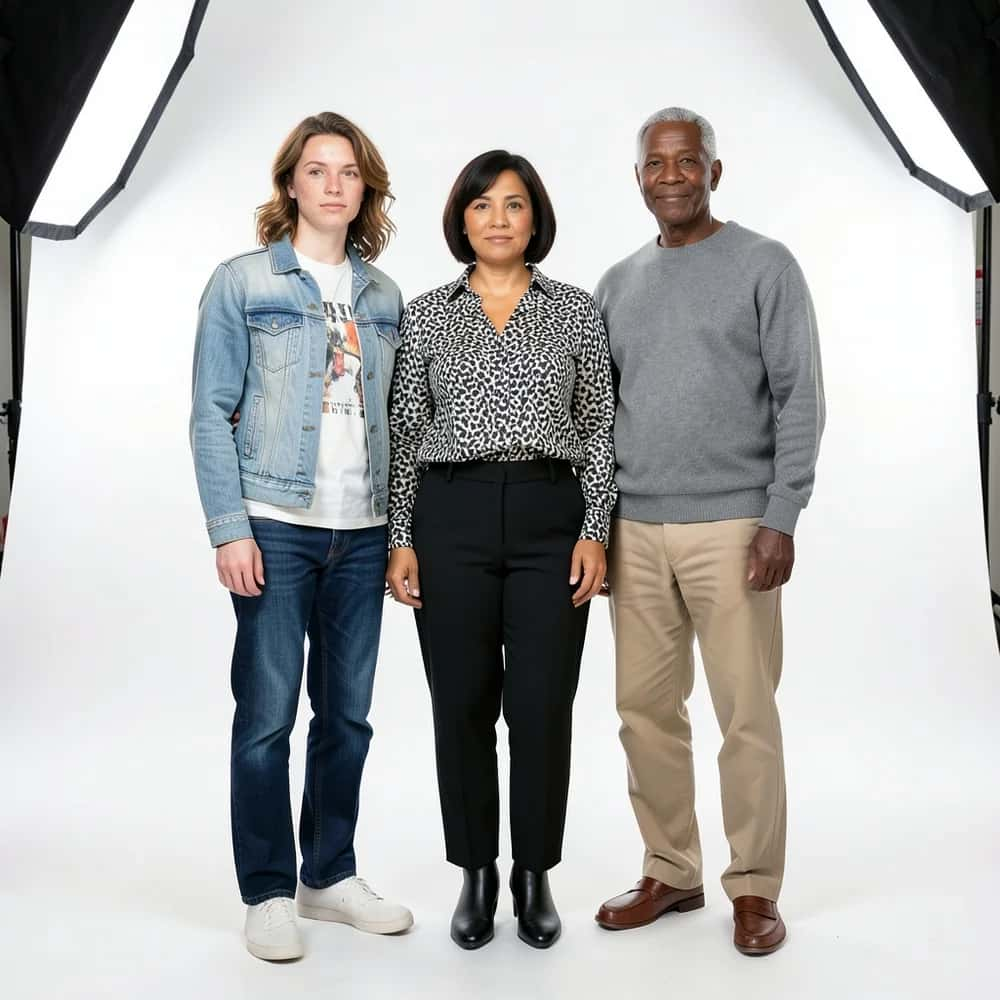
Three diverse photorealistic full-body AI-generated people standing in a studio, created with Pixazo AI
Full-body people, posture and clothing included. Generated with Pixazo AI.
LANE APhotoreal leadsthe engines that look shot on a camera
SLATE 01MidjourneyPROMPT

Midjourney is the benchmark for photoreal people: lighting, skin and mood that make a full-body figure look shot on a real camera. If you want the single most convincing human from a prompt, start here.

Watch out: There is no reliable way to lock the exact same character across images, the workflow spans web and Discord, and there is no free plan, so expect to pay to experiment.

CAST FORBest overall realismDAY RATEFrom about $10/mo
SLATE 02FLUXOPEN / API

FLUX from Black Forest Labs is repeatedly rated among the most anatomically accurate models, with natural skin and strong hands. Open weights plus an API mean you can run it in almost any interface, including inside other tools on this list.

Watch out: It is not a consumer app, you need a host UI or code, and pricing is usage-based per provider, so costs and setup fall on you.

CAST FORDevelopers and self-hostersDAY RATEOpen weights + usage-based API
SLATE 03Google (Nano Banana)PROMPT

Google’s Gemini image models (Nano Banana and Imagen) generate and edit photoreal people with excellent likeness control and reference fusion, so you can keep a person consistent while you restyle the scene.

Watch out: Content filters block many people-focused prompts, it is more an edit-and-generate surface than a full-body studio, and every output carries Google’s invisible provenance watermark.

CAST FORLikeness and edit controlDAY RATEFree tier + paid
LANE BControl and iterationdirect the pose, the look and the pace
SLATE 04Leonardo AIPROMPT

Leonardo pairs prompt-to-person generation with character references and pose controls, so you can direct a figure’s stance and keep a look across a set. Handy when you need people doing specific things.

Watch out: A token system throttles heavy use on the free tier, and raw realism can trail Midjourney on the toughest shots.

CAST FORPosed, controlled charactersDAY RATEFree daily tokens + paid
SLATE 08Krea AIPROMPT

Krea offers real-time generation and enhancement, so you can nudge a person’s look live and upscale the result, with options to train on your own references. Great for fast, iterative art-direction.

Watch out: The interface and credit tiers can be confusing, and realism varies with the model you choose under the hood.

CAST FORReal-time iterationDAY RATEFree + paid
LANE CAll-in-one studiosa person plus everything else you need
SLATE 06PixazoPROMPT

Pixazo’s AI human generator turns a written description, with an optional reference photo, into a lifelike person, and its AI influencer tool keeps one persona consistent across scenes and outfits, all inside a platform powered by models including FLUX, GPT Image and Nano Banana.

Watch out: Honestly, the on-page examples lean toward portraits rather than true full-body shots, the face can drift at extreme angles (the tool itself flags checking hands and details), and you need a free account to start, so treat it as a fast, flexible base rather than a finished-studio guarantee.

CAST FORAn all-in-one starting pointDAY RATEFree to start
SLATE 07Freepik AIMULTI-MODEL

Freepik rolls several top models (including FLUX and Imagen) into one hub alongside its stock library, so you can generate people in context and grab supporting assets in the same place. Convenient for design workflows.

Watch out: It is a jack-of-all-trades, so realism depends entirely on which underlying model you pick, and the best output needs the right settings.

CAST FORDesigners wanting assets plus generationDAY RATEPaid plans
LANE DPersonas and stocka person you keep, or people in bulk
SLATE 05HiggsfieldINFLUENCER

Higgsfield is purpose-built for AI humans: influencers, brand ambassadors and consent-gated digital twins you can pose and dress across a whole feed. For a persistent virtual person, it is the most focused option here.

Watch out: The credit model burns fast and expires, billing has drawn complaints, and the consent gating, while responsible, adds friction.

CAST FORAI influencers and digital twinsDAY RATECredit plans
SLATE 09Generated PhotosSTOCK

Generated Photos has a dedicated full-body human generator with attribute sliders for age, pose, skin tone and more, built for royalty-free synthetic people in ads and mockups.

Watch out: Outputs can share a recognisable dataset look, and commercial use needs a paid licence, so the free tier is non-commercial only.

CAST FORRoyalty-free stock peopleDAY RATEFree (non-commercial) + paid
SLATE 10GlambasePERSONA

Glambase lets you build a persistent AI influencer persona and is pitched around monetising it across platforms. If your goal is a sellable virtual personality rather than one-off images, it is aimed at you.

Watch out: Independent proof of quality is thin, the monetisation angle is heavily marketed, and there is no clear public price list, so go in with your eyes open.

CAST FORBuilding and monetising an AI personaDAY RATEPaid
Create a Human From a Prompt

Free to start, photoreal in seconds

Suggested Read Best AI Avatar Generators in 2026

How can you tell if an AI-generated human looks real?

A face can fool you, but a whole body is harder to fake. Put any AI-generated person through these eight checks, and zoom in.

An extreme close-up of a photorealistic AI-generated person showing natural hands and skin texture, created with Pixazo AI
Hands and skin are where AI people break first. Generated with Pixazo AI.
01
Skin and texture. Real skin has pores and fine detail, not a plastic or waxy sheen.
02
Hands and fingers. The classic failure: count the fingers and check the joints and grip.
03
Proportions and posture. Limb length, joint alignment and believable weight and balance.
04
Head-to-body coherence. Lighting, skin tone and age should match from face to feet, with no seam.
05
Eyes, teeth and hairline. Symmetric gaze, separate teeth, and a clean hairline with no halo.
06
Clothing and physics. Fabric should drape and seam naturally, and logos or patterns should not garble.
07
Scene integration. Shadows and reflections match the light, and the feet actually contact the ground.
08
Character consistency. The real test: the same identity across several poses and outfits.
Generate a Full-Body Person

Free to start, photoreal in seconds

Suggested Read Best AI Character Generators in 2026

How do you use AI human generators responsibly?

Realistic synthetic people are powerful, which makes responsible use essential, not optional:
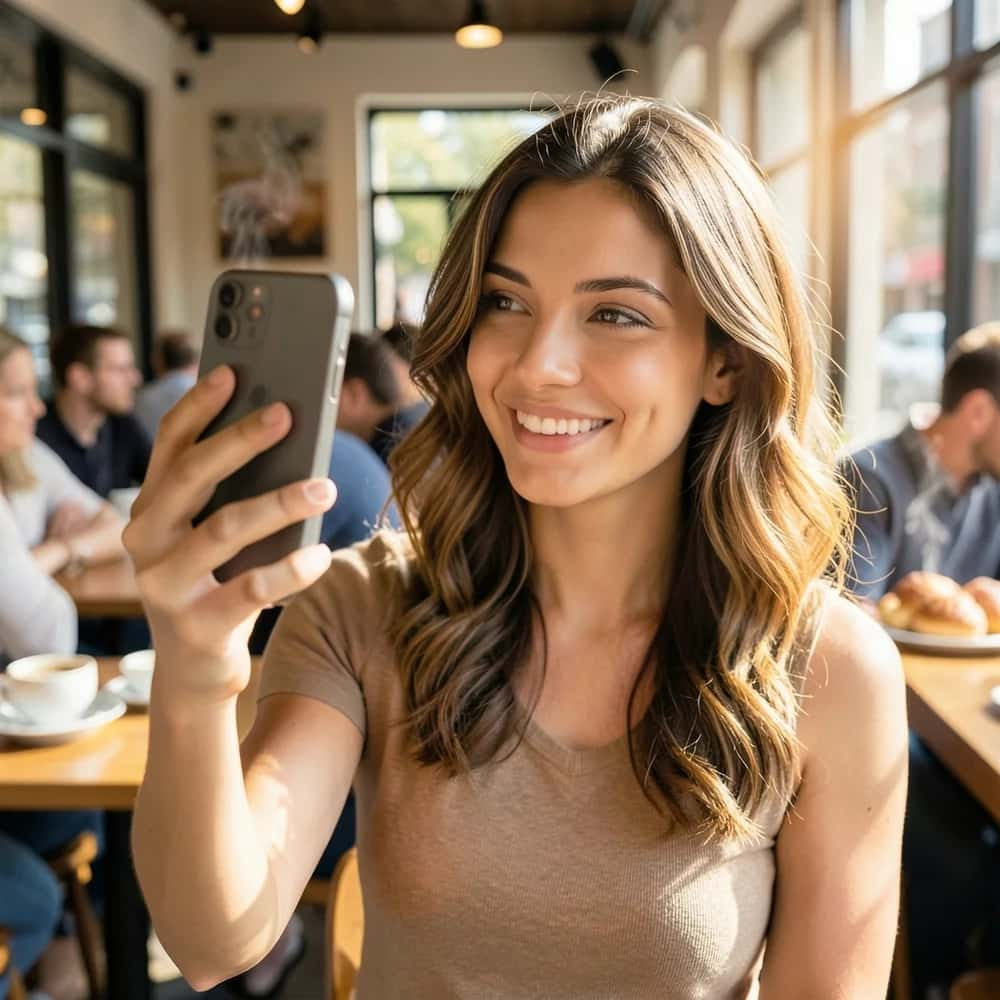
A photorealistic AI-generated influencer taking a lifestyle photo in a cafe, created with Pixazo AI
Virtual influencers blur the line, so label them. Generated with Pixazo AI.
  • Get consent for real likenesses. Recreating a specific person or a digital twin needs their permission and likeness rights.
  • Label AI-generated people. Disclosure is increasingly expected (and sometimes required) for ads and virtual influencers.
  • Do not deceive. Avoid deepfakes, fake testimonials and non-consensual imagery, which erode trust in the whole field.
  • Check the commercial licence. Terms vary by tool, and some free tiers (like Generated Photos) are non-commercial only.
  • Take extra care with minors and stereotypes. Avoid generating minors and be mindful of biased or harmful depictions.
Build a Consistent AI Persona

Free to start with Pixazo

Suggested Read The Best AI Image Generators in 2026

Which AI human generator should you use?

  • Want the most convincing person: Midjourney for mood, or FLUX for raw anatomical realism.
  • Need the same character across shots: Higgsfield or Pixazo’s AI influencer for consistency.
  • Posing people doing specific things: Leonardo for its pose and reference controls.
  • Royalty-free stock people in bulk: Generated Photos.
  • A free, all-in-one starting point: Pixazo, where a prompt gives you a person inside a wider creative platform.
  • Building a monetised virtual influencer: Higgsfield or Glambase.
Start With a Prompt

Free to start, download in seconds

Suggested Read The Best AI Art Generators in 2026

The bottom line: the best AI human generator

For sheer realism, Midjourney and FLUX lead the pack on believable full-body people, with Google’s Nano Banana strong on likeness and editing. For a persistent AI influencer, Higgsfield is the most focused, and Generated Photos is the fastest route to royalty-free stock humans. Pixazo sits in the middle as a free-to-start, all-in-one option that turns a prompt into a person and keeps a persona consistent across scenes. Whichever you choose, run the output through the eight-point screen test, confirm the licence, and use synthetic people honestly.

Generate Your AI Human With Pixazo

Free to start, download in seconds

Suggested Read Best AI Anime Generators in 2026

Frequently asked questions

What is the best AI human generator for realistic people?

For the most convincing full-body people, Midjourney and FLUX lead, with Google’s Nano Banana strong on likeness and editing. For a consistent AI influencer, Higgsfield is the most purpose-built, and Pixazo is a solid free-to-start, all-in-one option. The right pick depends on whether you want one stunning image or the same person across many.

What is the difference between an AI human generator and an AI face generator?

A face generator creates a head-and-shoulders portrait, ideal for avatars and profile pictures. A human generator renders a whole person, full-body, posed in a scene and often consistent across images, which is harder because it has to get hands, proportions and clothing right too. Choose a human generator when you need the full figure.

Can AI generate a realistic full-body person for free?

Yes, to a point. FLUX is open and free to self-host, Google’s Gemini app, Leonardo, Krea and Pixazo all offer free ways to start, and Generated Photos has a free non-commercial tier. Free tiers usually cap generations, limit resolution or restrict commercial use, so check each tool’s terms.

How can I tell if an AI-generated human is fake?

Zoom in and check the hands and fingers first, then skin texture, body proportions, how the head’s lighting matches the body, clothing drape, and whether shadows and feet sit correctly in the scene. AI people usually slip on at least one, most often hands.

Is it legal to use AI-generated people commercially?

A purely synthetic person is usually usable commercially because no real individual is depicted, but licence terms vary by tool and some free tiers are non-commercial only. Never recreate a specific real person without consent, always label AI influencers where required, and confirm the current licence before a paid campaign.

Deepak Joshi

Deepak Joshi

Author · Pixazo

Deepak writes about generative AI models, APIs, and the workflows teams use to ship them. Reviewed by Abhinav Girdhar.

Related articles

With Pixazo’s platform we deliver enterprise-class security and compliance to you and your customers through every interaction.

Create anything.

Copyright © 2026 Pixazo by Appy Pie LLP. All rights reserved.