
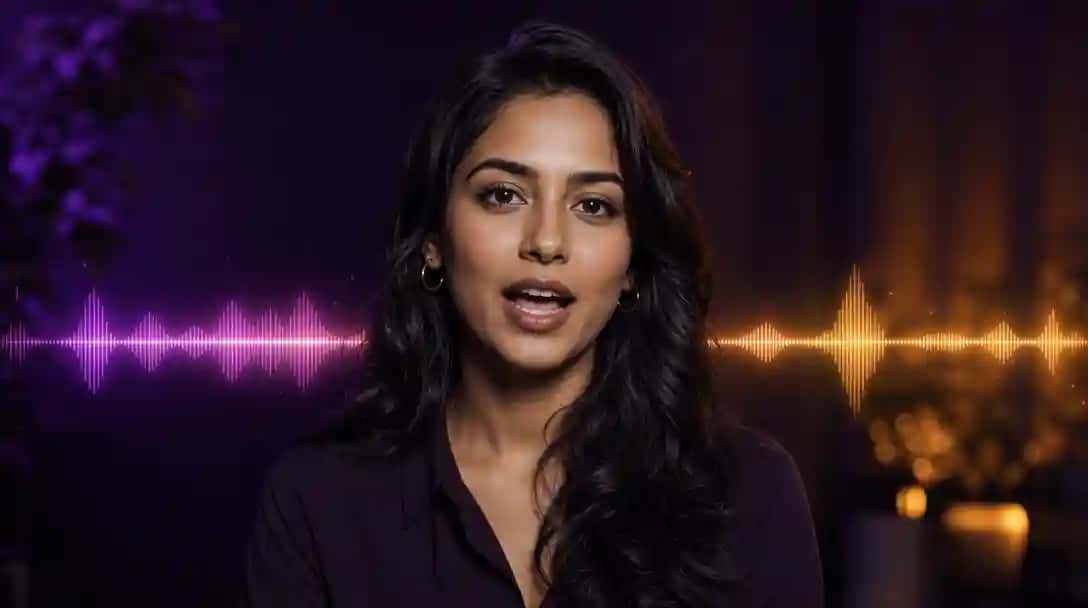
What Are AI Lip Sync Video Generator Tools?
AI lip sync video generator tools are platforms that use deep learning to analyze audio phonemes and automatically animate mouth movements in video content. These solutions map speech patterns frame by frame to realistic mouth shapes, delivering seamless lip-synced video without manual editing.
Ideal for content creators, marketers, educators, and social media influencers, these tools offer intuitive upload interfaces, customizable avatars, and export in MP4, MOV, and GIF formats. Whether you need a talking-head promo, an animated spokesperson, or localized voiceovers, an AI Lip Sync Video Generator streamlines production and boosts engagement.
With Pixazo, you can produce polished videos in minutes—saving time on manual editing and ensuring perfect audio-visual alignment every time.
How Do AI Lip Sync Video Generator Tools Work?
AI lip sync video generator tools work by first analyzing the input audio’s phonemes and timing to map speech to animated mouth shapes. A speech recognition module breaks down the audio into phonetic units, then an animation engine maps each phoneme to corresponding mouth shapes and facial expressions on a 2D or 3D avatar.
Next, a rendering pipeline synthesizes each frame by adjusting lip curvature, jaw movement, and head position to match the audio track in real time or batch mode. Some platforms blend methodologies seen in best AI image to video generators to ensure smooth frame transitions. Many platforms include fine-tuning controls for expression intensity, blink frequency, and camera angles.
Finally, the system compiles the frames into a seamless video and allows export in multiple resolutions and formats. To achieve realistic character performance, they often leverage avatar creation techniques similar to those used by the best AI avatar generators. Some tools also offer subtitle embedding, background music, and scene transitions for a complete video production workflow.
How We Select the Best AI Design Generator Platforms at Pixazo
At Pixazo, we carefully evaluate AI design generator platforms to help users skip the overwhelming trial-and-error process. Our experts, with extensive experience in AI-powered design tools, assess each platform based on creativity, ease of use, customization options, and overall performance. We put these tools to the test by creating designs across different categories to ensure they deliver high-quality results effortlessly. Every recommendation is based on thorough research and real-world testing, with no paid placements or outside influence. Want to know how we pick the best AI design platforms? Explore our detailed evaluation process.
Disclaimer – Portions of this article were drafted with AI and reviewed by Jayesh Chaubey
What Are the Best AI Lip Sync Video Generator Tools?
The best AI lip sync video generator tools combine real-time phoneme-to-frame mapping, avatar customization, and flexible export options to meet diverse production needs. For an in-depth look at the underlying technology driving these platforms, see our article on how AI video generators work.
- Pixazo – Full-featured, cloud-based lip sync maker with avatar library and batch processing.
- Vozo AI – Enterprise-grade platform offering live streaming lip sync and multi-speaker support.
- Sync.so (formerly Synclabs) – API-first solution for developers to integrate lip sync into apps and services.
- HeyGen – Easy web interface with customizable characters and text-to-speech integration.
- Pixbim – Desktop software with advanced facial landmark tracking and offline processing.
- Gooey.ai – AI studio offering cartoon-style lip sync and dynamic background effects.
- Rask AI – Multilingual voice translation and lip sync for global content localization.
- Synthesia – Industry leader with humanlike avatars, script import, and team collaboration features.
- LipDub AI – Mobile-first app for quick, on-the-go lip sync videos with social sharing.
- Runway ML – Creative suite with lip sync, style transfer, and generative video effects.
1. HeyGen
HeyGen is a free online AI lip sync generator that syncs voice or text-to-speech to both avatars and real-person footage in over 175 languages. Choose from 300+ AI voices or upload your own audio, select a stock or custom avatar, and let HeyGen automatically align lip movements, facial expressions, and subtitles for a polished video in seconds.
Key Features:
- 300+ AI voices across 175+ languages and dialects
- Stock avatar library plus support for real-person footage
- Zapier integration for automated workflows
- Inline subtitle editor and one-click social sharing
- Multilingual dubbing with cultural adaptation
Pros:
- No downloads or coding required
- Rich customization for voices and avatars
- Free tier available for quick experiments
Cons:
- HD exports and advanced features require a subscription
- Customization beyond provided avatars is limited
Best For:
Social media managers, educators, and marketers seeking an intuitive, language-rich lip sync solution.
How It Works:
- Go to HeyGen’s AI Lip Sync tool and sign in.
- Upload audio or type your script for text-to-speech.
- Select a stock avatar or sync over real video footage.
- Choose your voice, language, and adjust speaking rate.
- Generate, preview, and download your synced video in MP4 format.
2. Synthesia
Synthesia’s AI Dubbing feature automatically generates and syncs dubbed audio in over 120 languages to realistic avatars for seamless lip-synced videos. Simply upload your script or audio, choose from 140+ human-like avatars, and let Synthesia handle voice synthesis, mouth movement alignment, and subtitles in one workflow. Its enterprise dashboard includes team collaboration, brand templates, and version control to streamline large-scale video production.
Key Features:
- AI-generated dubbing in 120+ languages with accent and tone controls
- Library of 140+ customizable, photorealistic avatars
- Auto-aligned subtitles and closed-caption export
- Brand templates, custom backgrounds, and logo overlays
- Team workspace with review, approval, and version history
Pros:
- Photorealistic results that scale across dozens of videos
- End-to-end workflow from script to final export
- Robust security and compliance for enterprise use
Cons:
- Subscription required for HD exports and premium avatars
- No offline mode—requires consistent internet access
Best For:
Enterprises, e-learning teams, and marketing agencies producing multi-language training or promotional videos.
How It Works:
- Log in to the Synthesia dashboard and select “AI Dubbing.”
- Upload your source video or paste your script.
- Choose target languages, voices, and one of 140+ avatars.
- Customize subtitles, backgrounds, and branding elements.
- Review, approve, and export your final MP4 video.
3. Runway ML
Runway ML’s Lip-Sync module integrates into its creative suite, allowing you to synchronize facial movements to audio and combine them with generative video effects. Add the Lip-Sync component to any project in Runway’s timeline, import your audio and video clips, then adjust phoneme-to-frame mapping. You can layer style-transfer effects, color grading, and motion graphics—all within a collaborative workspace.
Key Features:
- Lip-Sync module with parameter controls for timing and intensity
- Support for custom and pre-trained ML models
- Integrated style transfer, keyframe animation, and generative effects
- Collaborative timeline with version history and comments
- Export in standard video formats or send downstream to NLEs
Pros:
- Highly extensible for experimental and artistic workflows
- Combines lip sync with advanced generative capabilities
- Cloud and local GPU rendering options
Cons:
- Steeper learning curve for users new to ML tools
- Feature access may require higher-tier subscription
Best For:
Video artists, ML practitioners, and creative studios building custom generative video projects.
How It Works:
- Open Runway ML and create a new project or open an existing one.
- Add the Lip-Sync module from the Components panel.
- Import your audio and video assets into the timeline.
- Configure phoneme mapping, then layer style-transfer or other effects.
- Render locally or in the cloud, then export or send to your editing suite.
How Do the Top AI Lip Sync Video Generator Tools Compare?
| Tool | Key Strength | Ideal For |
|---|---|---|
| HeyGen | Text-to-speech and avatar sync in 175+ languages | Social media managers and educators |
| Synthesia | Photorealistic avatars with AI dubbing | Enterprises and e-learning producers |
| Runway ML | Modular lip sync with generative effects | Video artists and ML enthusiasts |
| Sync.so | API-first phoneme mapping at scale | Developers embedding lip sync into custom apps |
| Rask AI | Multilingual dubbing and lip sync | Global marketing and training teams |
| Pixazo | Free browser-based lip sync up to five seconds with style prompts | Quick short-form videos and rapid lip sync testing |
| Vozo AI | Live-stream and Precision Mode lip sync | Enterprise broadcasts and multi-speaker videos |
| Pixbim | Offline facial landmark tracking | Privacy-focused post-production studios |
| Gooey.ai | Cartoon-style lip sync with dynamic backgrounds | Animated storytellers and social creators |
| LipDub AI | Mobile-first instant lip sync | Influencers and casual social users |
What Are the Best Tools to Enhance Productivity with AI Lip Sync?
The best tools to enhance productivity with AI lip sync workflows integrate powerful AI video generation, avatar creation, voice synthesis, and animation in one seamless pipeline. By leveraging advanced video creation methods described in Google Veo 3 guide, you can streamline content production from script to final render.
- Pixazo AI Video Generator – Generate full videos from text prompts and automate scene assembly to prep footage for lip sync.
- AI Image to Video Generator – Convert static images into short video clips, providing ready-to-sync visuals without manual editing.
- AI Avatar Generator – Create custom 2D or 3D avatars in minutes, then apply consistent lip movements across all your videos.
- AI Voice Generator – Produce natural-sounding voiceovers in multiple languages to match lip-sync accuracy without recording sessions.
- AI Image to Animation Maker – Animate character expressions and gestures from still images, adding lifelike motion before syncing lips.
Which AI Lip Sync Generator Is the Best Choice for You?
If you need scalable, high-throughput production, Pixazo and Vozo AI provide cloud-based batch and live-stream options.
For developers embedding lip sync into custom apps, Sync.so and Runway ML offer robust APIs and modular workflows.
Want quick, user-friendly videos with minimal setup? HeyGen and LipDub AI deliver seamless web or mobile experiences.
For advanced localization or creative styling, Rask AI and Gooey.ai specialize in translated lip sync and cartoon effects, respectively.
Enterprises producing professional training or marketing will appreciate Synthesia’s realistic avatars and collaboration features and can also leverage our AI design tools for end-to-end asset creation and management.
Frequently Asked Questions
4. Sync.so (formerly Synclabs)
Sync.so is an API-first lip sync platform that generates natural, high-fidelity mouth animations for any video content without requiring model training. Developers can integrate its REST or SDK endpoints to upload a video, provide audio (or generate from text), and receive precise phoneme mappings ready for rendering. Sync.so supports up to 4K footage and works with live-action, animation, or AI-generated characters.
Key Features:
- REST API and SDKs for JavaScript, Python, and more
- No training required – out-of-the-box lip sync
- Segment-level control: apply lipsync to any video range
- Voice cloning and text-to-speech integration
- Webhook callbacks for render completion notifications
Pros:
- Highly customizable for bespoke workflows
- Scalable cloud rendering handles large volumes
- Transparent, usage-based pricing model
Cons:
- Requires programming knowledge to integrate
- No built-in avatar library – you supply your own assets
Best For:
Startups and enterprises embedding lipsync into custom applications, platforms, or automated pipelines.
How It Works:
- Sign up and obtain your API key from Sync.so.
- Call the /analyze endpoint with your video and audio inputs.
- Receive phoneme timing data and feed it into your animation engine.
- Submit frames to the /render endpoint and download the synchronized video.
5. Rask AI
Rask AI provides an end-to-end localization platform that automatically translates, dubs, and lip-syncs video content in over 60 languages. Upload your source video, choose target languages, and Rask’s pipeline handles transcription, translation, voice synthesis, and precise mouth animation adjustments to match the dubbed audio.
Key Features:
- Auto-translate and dub workflows for 60+ languages
- AI-driven lip-sync alignment tuned for each language
- Subtitle generation and styling tools
- Collaboration workspace with version history
- Cloud-based processing with enterprise security
Pros:
- Streamlines global video localization in one platform
- High translation accuracy with customizable voice profiles
Cons:
- Subscription required for enterprise features
- Dependent on upload speeds for large files
Best For:
Marketing and training teams that need fast, accurate multi-language dubbing with synchronized lip motion.
How It Works:
- Visit Rask AI Lip Sync and sign in.
- Upload your source video file.
- Select target language(s) and preferred voice profiles.
- Review auto-translated captions and voice-over.
- Generate, preview, and download your localized, lip-synced videos.
6. Pixazo
Pixazo AI Lip Sync Video Generator offers free, browser-based lip sync for videos up to five seconds by uploading audio and a face image. Upload an audio file (up to 5 seconds) and a clear face image, and the tool uses deep learning to map phonemes to natural facial motion, with an optional prompt field for artistic style guidance.
Unlike Google Veo 3, Pixazo AI Lip Sync Video Generator processes entirely in the browser with no software installation and delivers instant previews, subtitle embedding, and background music options.
Available in multiple global languages and accents, this cloud-powered generator supports real-time previews, batch processing for multiple clips, and export to MP4, MOV, and GIF formats.
Key Features:
- Upload audio (up to 5 sec) and face image for automatic lip sync
- Optional prompt input to adjust style and expressions
- Real-time preview pane and subtitle embedding
- Batch processing for multiple clips and formats
- Export to MP4, MOV, GIF and share directly
Pros:
- No software installation or long waits
- Supports global languages and accents
- Free up to 5 sec with optional prompt customization
Cons:
- Audio length currently limited to five seconds
- Requires a clear, front-facing image for best results
Best For:
Creators, marketers, and educators who need quick, high-quality lip sync videos without installing any software.
How It Works:
- Visit the Pixazo AI Lip Sync Video Generator.
- Upload your audio file and a clear face image.
- Optionally enter a prompt to guide style and expressions.
- Preview the generated lip-synced video in real time.
- Download or share your video in MP4, MOV, or GIF format.
7. Vozo AI
Vozo AI is a browser-based lip sync generator that delivers ultra-realistic mouth movements for both real-person videos and AI avatars in any language. Simply upload your video file (MP4, MOV, WEBM, AVI, WMV) and choose between Standard Mode for fast results or Precision Mode for detailed syncing under complex angles. Vozo’s LipREAL™ engine handles obstructions (beards, side profiles) and multi-speaker scenes with sub-second latency, all without installing software.
Key Features:
- Two modes: Standard for speed, Precision for accuracy
- Supports videos up to 1 hour and multiple formats
- Multi-speaker selection and face-specific syncing
- Subtitle embedding and background music options
- Voice clone and dubbing via integrated Rewrite & Dub tool
Pros:
- No software download – works entirely in your browser
- Handles challenging angles and obstructions seamlessly
- Wide language and dialect support, including rap and music videos
Cons:
- Free tier limits can apply on clip length and resolution
- Upload speed depends on your internet connection
Best For:
Content creators, marketers, educators, and localization teams who need fast, high-quality lip sync without complex setups.
How It Works:
- Visit the Vozo AI Lip Sync page.
- Drop or select your video and specify the audio source.
- Choose Standard or Precision Mode and identify the faces to sync.
- Preview the synchronized video and make manual tweaks if needed.
- Download your finished MP4 or MOV file with embedded subtitles.
8. Pixbim
Pixbim Lip Sync AI is a desktop application that uses advanced facial landmark detection to synchronize mouth movements with any audio track offline. You import video clips (or single images), the software detects facial landmarks, then applies AI-driven animations to match phonemes precisely—even in close-up shots. All processing happens locally, ensuring privacy and low latency.
Key Features:
- Offline processing on Windows for data privacy
- High-precision facial landmark detection and tracking
- Batch project support for multiple videos
- Export options: MP4, AVI, GIF with adjustable frame rates
- Customizable mouth-shape thresholds for fine-tuning
Pros:
- No internet connection required
- Accurate lip sync even in complex lighting
- One-time purchase license with unlimited local use
Cons:
- Windows only; no macOS or Linux support
- Steeper learning curve compared to web tools
Best For:
Post-production studios and privacy-conscious creators who need frame-accurate lip sync without uploading content to the cloud.
How It Works:
- Download and install Pixbim Lip Sync AI on your Windows PC.
- Import your source video or image sequence.
- Run the facial landmark detection process and adjust thresholds.
- Upload or record your audio track and align it with the video.
- Preview the synchronized output, fine-tune as needed, then export.
9. Gooey.ai
Gooey.ai is a web-based AI studio that creates stylized lip-sync animations for cartoon and 3D avatars with dynamic backgrounds. Upload your audio or enter text, select a character template, and Gooey’s engine generates frame-by-frame mouth movements, along with motion-graphic backgrounds and scene transitions for a polished look.
Key Features:
- Cartoon-style and 3D avatar templates with customizable rigs
- Dynamic background effects and scene transitions
- Real-time preview and timeline editing
- Export as GIF or MP4 with configurable resolution
- Integrated subtitle and caption editor
Pros:
- User-friendly interface for quick projects
- Rich library of visual effects and backgrounds
Cons:
- Not suited for photorealistic or live-action footage
- No offline mode—requires steady internet
Best For:
Social media creators and storytellers looking for playful, animated lip-sync videos with integrated motion graphics.
How It Works:
- Go to Gooey.ai Lipsync and create a new project.
- Upload your audio file or paste a script for text-to-speech.
- Select an avatar template and choose or customize a background.
- Preview the lip-sync animation and adjust timing if needed.
- Export your video or GIF and download for sharing.
10. LipDub AI
LipDub AI is a mobile-first app that lets you record or upload short videos and instantly applies AI-powered lip sync to match any audio clip. Launch the LipDub app on your smartphone, select or record audio, then film yourself or use a selfie avatar mode. The AI engine analyzes the audio’s phonemes in real time and overlays perfectly timed mouth movements and optional filters or stickers.
Key Features:
- Live preview lip sync while recording or uploading
- Selfie avatar mode and real-person video support
- Built-in filters, stickers, and text overlays
- One-tap sharing to TikTok, Instagram, and YouTube
- Export in vertical format optimized for social stories
Pros:
- Extremely intuitive mobile workflow
- Instant rendering and social sharing
- No desktop software or manual editing required
Cons:
- Limited to clips under 30 seconds for free accounts
- Vertical-only export may not suit all use cases
Best For:
Influencers and casual users creating short, engaging lip sync videos for social media platforms.
How It Works:
- Install LipDub AI on your iOS or Android device.
- Select or record an audio clip up to 30 seconds.
- Choose selfie avatar or film with your front camera.
- Apply filters, stickers, and preview the lip sync effect.
- Download or share directly to your favorite social channels.
1. Which AI lip sync tool is best for beginners?
HeyGen and LipDub AI are the most beginner-friendly options. Both offer intuitive web or mobile interfaces that let you generate lip-synced videos in seconds without any technical setup. HeyGen provides a large avatar library and text-to-speech in over 175 languages, while LipDub AI gives you live preview and one-tap sharing on social platforms.
2. Are there any low-cost AI lip sync solutions?
Pixazo’s AI Lip Sync Video Generator offers a browser-based tier for short clips with prompt-driven customization. Pixbim Lip Sync AI provides a one-time purchase license for unlimited offline use. Many cloud platforms have trial options but require subscriptions for HD exports or longer video durations.
3. Can AI lip sync handle multiple languages and accents?
Yes, several tools support multilingual lip sync and dubbing. HeyGen and Rask AI both offer translation, voice synthesis, and precise mouth mapping in dozens of languages. Vozo AI and Synthesia also include built-in support for multiple accents and dialects to ensure accurate lip movement across global audiences.
4. How do I integrate AI lip sync into my own applications?
Sync.so and Runway ML provide developer-friendly APIs and SDKs. Sync.so’s REST endpoints deliver phoneme timing data ready for custom rendering, while Runway ML’s modular Lip-Sync component can be added directly to any video workflow. Both scale to handle high volumes and support 4K content.
5. What steps ensure the highest lip sync quality?
For the best results, use clear audio, high-resolution video, and fine-tune facial parameters. Upload clean, noise-free recordings and choose tools like Pixbim Lip Sync AI for precise landmark detection or Vozo AI’s Precision Mode for complex angles. Preview and adjust expression intensity, blink rates, and head position before exporting your final video.

Deepak Joshi
Author · Pixazo
Deepak writes about generative AI models, APIs, and the workflows teams use to ship them. Reviewed by Abhinav Girdhar.