
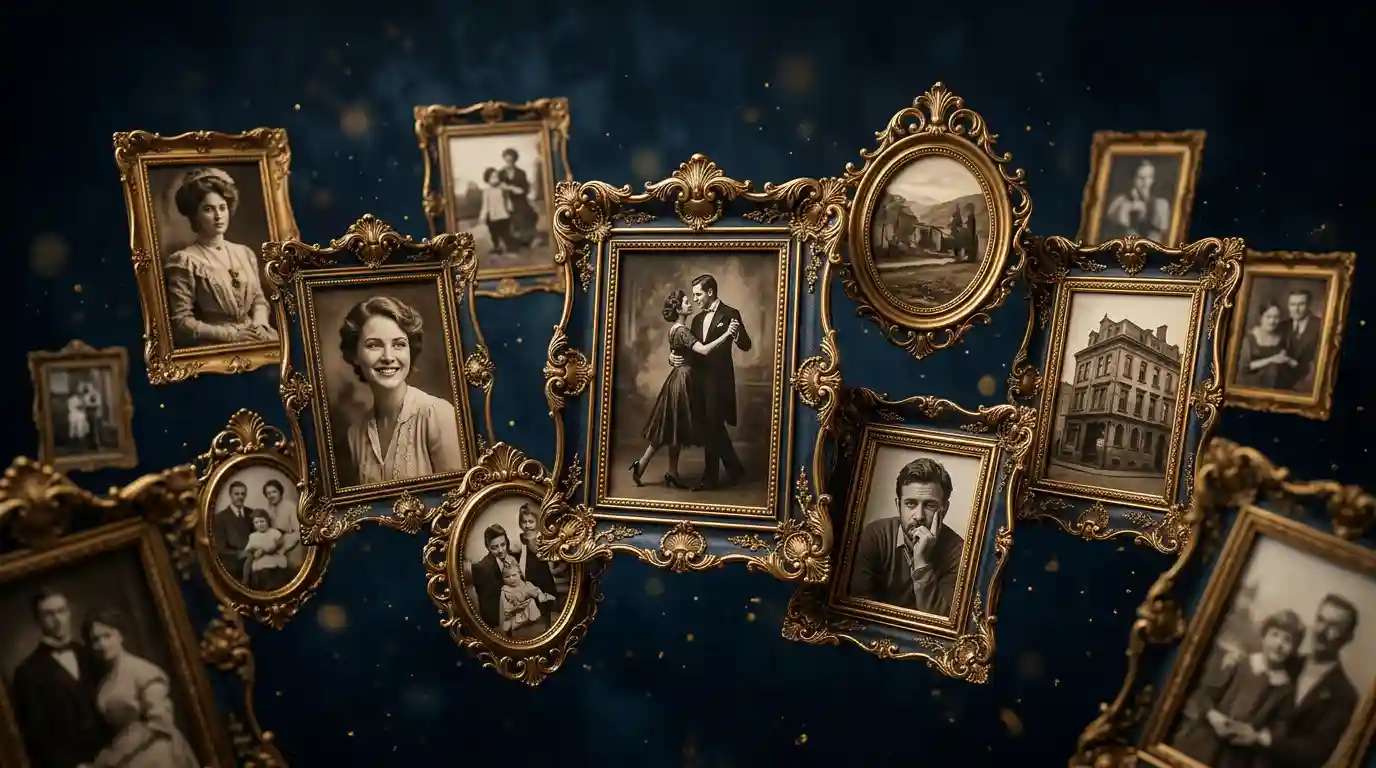
What Are the Best AI Photo Frame Makers?
Pixazo’s AI Photo Frame Maker shines with an intuitive, drag-and-drop interface coupled with hundreds of customizable templates. Shutterstock’s AI-driven frame library delivers high-resolution, professional-grade borders tailored for every occasion.
- Pixazo AI Photo Frame Maker – for user-friendly templates
- Shutterstock AI Photo Frame Maker – for professional design variety
- Myshell.ai – for advanced customization
- Photoleap – for seamless mobile editing
- CapCut – for video frame capabilities
- Bylo.ai – for creative pattern frames
- Picsman.ai – for shape and pattern variety
- Framed Art Visualizer – for live preview realism
- Mockey.ai – for mockup integrations
- Prome.ai – for innovative AI-driven frames
How to Use AI Photo Frame Makers at Work?
AI photo frame makers can streamline workplace design tasks by helping teams produce consistent, professional visuals with minimal effort. These tools are especially useful in marketing, corporate communications, HR, and client services, where branded and polished imagery is essential. When combined with other visual tools—like those used to how to create a photo collage—they enhance storytelling and team efficiency across departments.
- Create branded social media posts instantly by selecting company colors and logos that align with your visual identity.
- Generate on-brand marketing collateral with uniform framing for newsletters, promotional emails, and landing pages.
- Automate personalized client deliverables by applying custom-designed frames to individual photos or product shots.
- Design invitations, appreciation certificates, or event posters with intelligent frame suggestions based on the event’s tone.
- Elevate corporate reports and internal presentations by framing charts, infographics, and milestones for better visual emphasis.
Suggested Read: Introducing ByteDance Seedream 4.5 API on Pixazo: Pro-Grade Text-to-Image + Image Editing, Now in Playground & API
What Makes the Best AI Photo Frame Makers?
The best AI photo frame makers stand out by combining cutting-edge generative models with intuitive, design-friendly interfaces. These tools typically leverage neural networks—such as diffusion models or GANs—to generate smart, adaptive frames that enhance rather than distract from the subject.
Seamless brand element integration, real-time previews, and high-resolution outputs in formats like JPEG, PNG, and SVG are essential features. Leading options also use style-transfer techniques to harmonize frame textures with image aesthetics, similar to how an AI photo editor would fine-tune color grading or lighting. For professionals seeking complete creative control, pairing frame makers with the best AI photo editing softwares ensures a robust, end-to-end visual workflow.
How Do AI Photo Frame Makers Work?
AI photo frame makers work by combining deep learning techniques with real-time design logic to generate frames that adapt to each image’s unique characteristics. Behind the scenes, convolutional neural networks (CNNs) and generative models like GANs or diffusion models (e.g., Stable Diffusion) power the creation process.
Users often input text prompts or select from style parameters, which guide the AI in shaping the frame’s texture, shape, and color dynamics. These systems analyze the photo’s composition, focal points, and palette to ensure the generated border complements—not distracts from—the image. Just as you’d enhance a photo using filters and AI effects, frame makers apply adaptive styling through transformers and interactive sliders.
Some platforms even support features like inpainting and outpainting to extend or intelligently crop frames, much like techniques used in AI photo restoration workflows.
How We Select the Best AI Design Generator Platforms at Pixazo
At Pixazo, we carefully evaluate AI design generator platforms to help users skip the overwhelming trial-and-error process. Our experts, with extensive experience in AI-powered design tools, assess each platform based on creativity, ease of use, customization options, and overall performance. We put these tools to the test by creating designs across different categories to ensure they deliver high-quality results effortlessly. Every recommendation is based on thorough research and real-world testing, with no paid placements or outside influence. Want to know how we pick the best AI design platforms? Explore our detailed evaluation process.
Disclaimer – Portions of this article were drafted with AI and reviewed by Jayesh Chaubey
How Do AI Photo Frame Makers Compare at a Glance?
AI photo frame makers differ in ease of use, customization flexibility, supported output formats, and creative frame libraries. Some tools prioritize drag-and-drop simplicity, while others cater to professionals needing advanced styling, mobile compatibility, or real-time previews. This quick comparison helps you evaluate the best fit for your workflow, whether you’re creating marketing visuals, social content, or personalized client assets.
| AI Photo Frame Maker | Parent Company | Best For | Features | Pricing |
|---|---|---|---|---|
| Pixazo AI Photo Frame Maker | Pixazo | Prompt-Based AI Frame Generation | Image upload, text prompt input, AI editor for command-based edits | 7-day free trial; $8/mo or $84/yr |
| Shutterstock AI Photo Frame Maker | Shutterstock, Inc. | Professional designs | High-res assets, AI suggestions, brand kit | Subscription from $9.99/mo |
| Myshell.ai | Myshell AI | Advanced customization | Custom frame design, color matching | Free trial; $10/mo |
| Photoleap | Lightricks Ltd. | Mobile editing | AI cut-out, blend modes, live filters | Free; Premium $4.99/mo |
| CapCut | Bytedance | Video frames | Frame keyframing, motion blur, AI scene detection | Free; In-app purchases |
| Bylo.ai | Bylo Technologies | Creative pattern frames | AI-generated motifs, texture blending | $8/mo; Enterprise plans |
| Picsman.ai | Picsman AI | Shape & pattern variety | Vector frames, SVG export, custom shapes | Free trial; $12/mo |
| Framed Art Visualizer | Artvisor Inc. | Live preview realism | 3D mockups, AR preview, lighting simulation | $15/mo; $150/yr |
| Mockey.ai | Mockey Labs | Mockup integrations | API access, template sync, batch processing | $20/mo; Custom enterprise |
| Prome.ai | Prome Technologies | Innovative AI-driven frames | Neural style mixing, GAN-based designs | $18/mo; Volume discounts |
The Best AI Photo Frame Maker for Ease of Use
1. Pixazo AI Photo Frame Maker
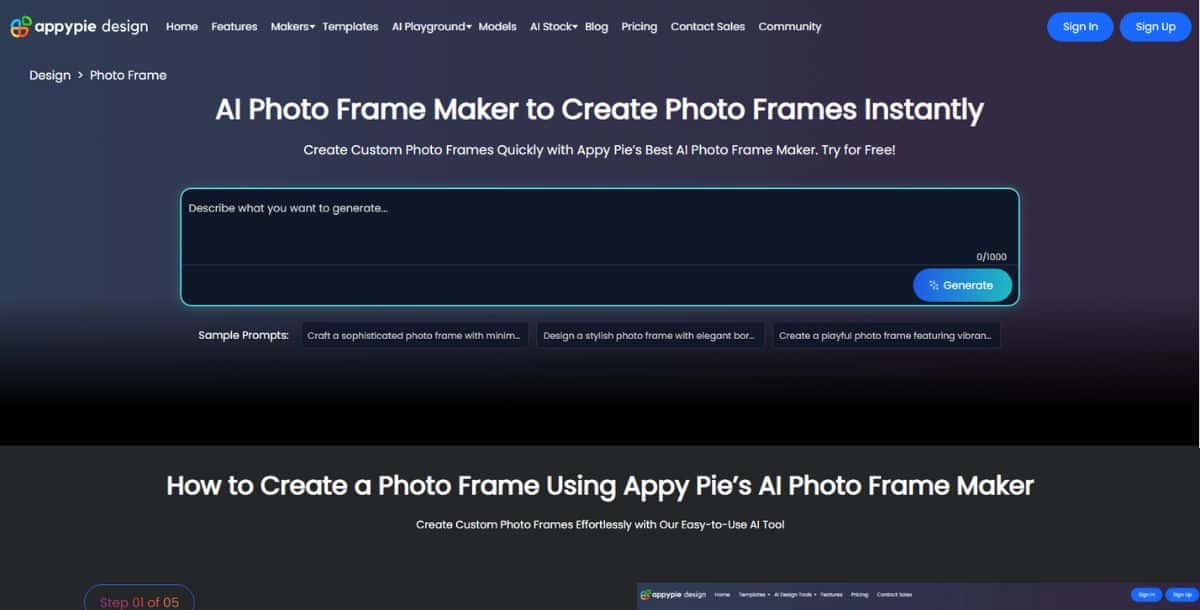
Pixazo AI Photo Frame Maker simplifies the framing process by letting users generate frames using nothing but a prompt. Just upload your image, describe the kind of frame you want, and let the AI do the rest—no design skills or manual tweaking required. Within minutes, the tool creates a frame that aligns with your instructions, applying design precision through intelligent algorithms. Users can also enhance or modify their photos using the integrated AI image editor, where changes can be made by simply typing commands. The tool is completely cloud-based, mobile-friendly, and built for creators who want results fast without technical overhead.
Pros:
- AI-powered generation using natural language prompts
- No design skills or manual editing required
- Fast and effortless frame creation in just a few steps
- Built-in AI photo editor for command-based image editing
Cons:
- 7-day free trial before subscription is required
- Lacks advanced manual design tools or animation features
Pricing:
- $8/month or $84/year
The Best AI Photo Frame Maker for Professional Designs
2. Shutterstock AI Photo Frame Maker
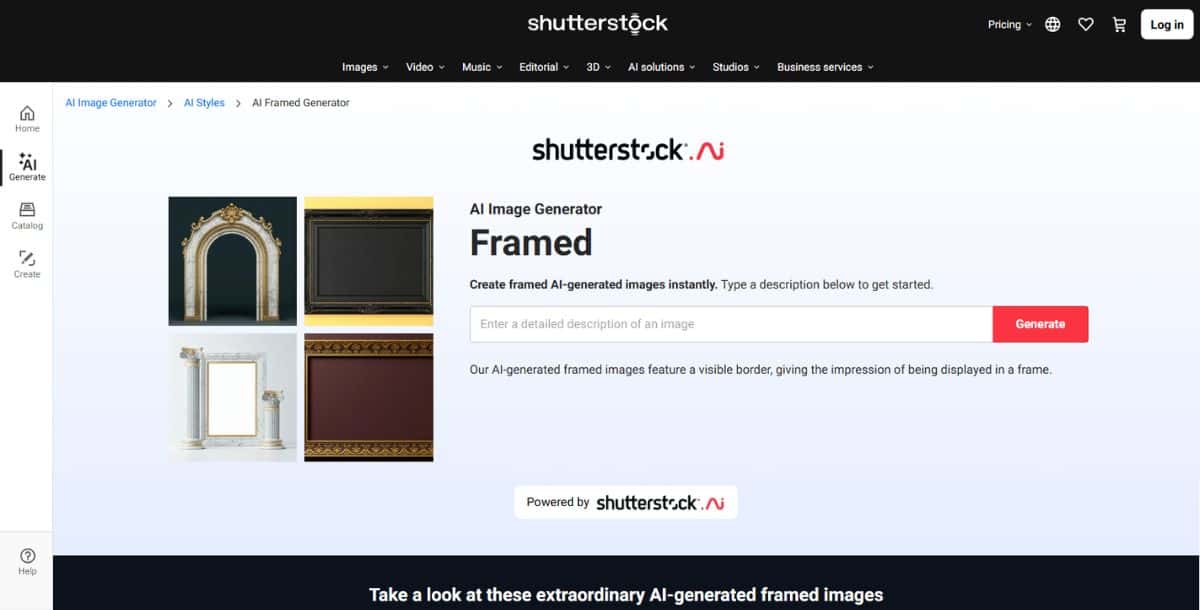
Shutterstock AI Photo Frame Maker is tailored for creative professionals who need high-resolution, brand-consistent frame designs. With a massive library of expertly designed frame styles and AI-powered styling tools, it helps marketing teams, agencies, and designers create polished, print-ready visuals. Upon image upload, the AI analyzes the photo’s tone, composition, and subject, then recommends textures—wood, metal, pastel, or glass—and color schemes that suit the visual mood. Advanced customization lets you fine-tune shadows, bevels, and frame depth with precision. Shutterstock’s Brand Sync feature automates brand identity across frames, while 4K PNG and SVG exports ensure quality for both print and digital. For seamless design workflows, the tool integrates with Adobe Creative Cloud, enabling direct export into Photoshop or Illustrator. Collaborative features also allow teams to comment, revise, and finalize visuals faster.
Pros:
- AI-enhanced professional templates with stylistic precision
- Brand kit integration for consistent visual identity
- Export options include 4K PNG and SVG for high-res output
- Advanced texture presets and Adobe Creative Cloud support
- Collaborative editing, approval, and version control tools
Cons:
- Higher subscription cost compared to basic tools
- Learning curve for advanced features and custom presets
- Requires stable internet connection for heavy processing
Pricing:
- Starts at $9.99/month; Enterprise plans available
The Best AI Photo Frame Maker for Advanced Customization
3. Myshell.ai
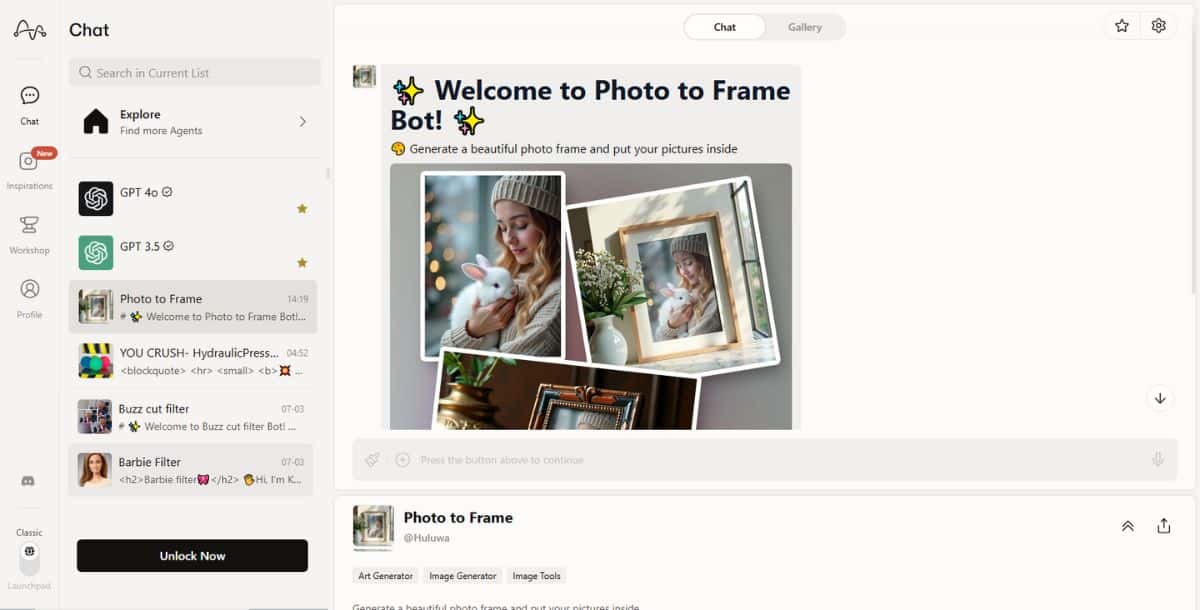
Myshell.ai is built for users who want maximum creative control over their photo frames through precise, AI-assisted customization. Powered by a hybrid model combining diffusion generation and GAN precision, the tool allows users to start with AI-generated templates or import custom frame designs for enhancement. Its standout “Style Mesh” interface enables granular tweaking of frame texture, curvature, depth, and gloss. The AI also offers “Adaptive Harmony” suggestions based on photo metadata such as lighting, color scheme, and depth of field, making every frame uniquely tailored.
Pros:
- Deep frame customization with real-time parameter control
- “Adaptive Harmony” AI suggestions based on image metadata
- PSD export with editable frame layers for pro workflows
- Developer SDK and API for integration and batch automation
- Style mixing with neural pattern fusion (e.g., wood + gold)
Cons:
- Learning curve for first-time users
- Template library less extensive than competitors
- API/SDK available only on higher-tier plans
Pricing:
- Free trial available; Standard $10/month; Pro $30/month; Custom enterprise plans
The Best AI Photo Frame Maker for Mobile Editing
4. Photoleap
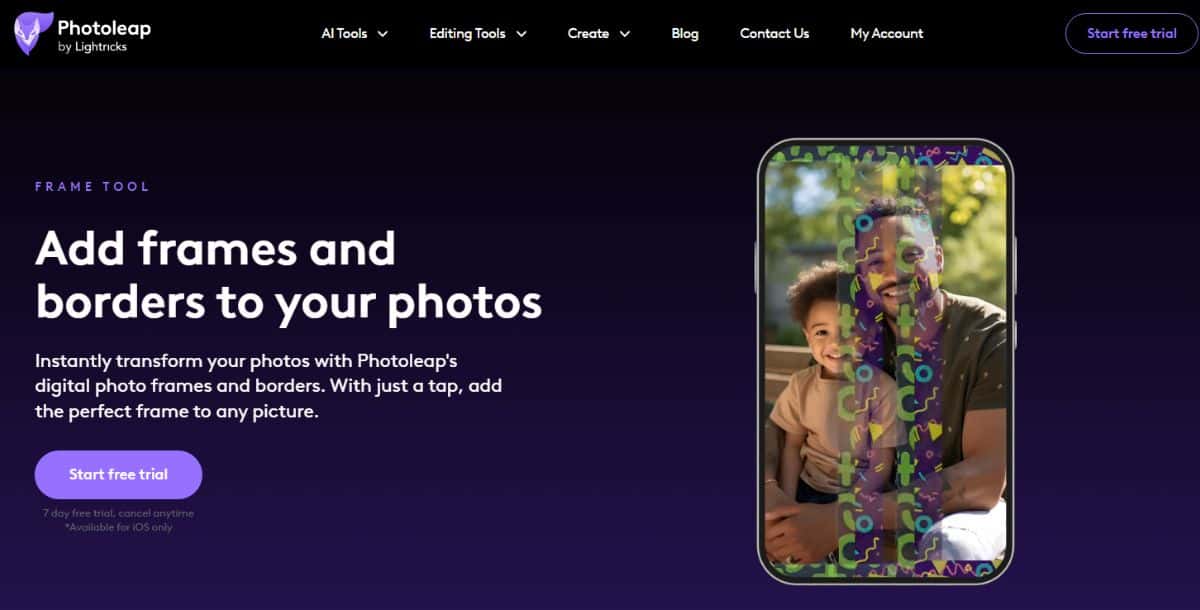
Photoleap delivers a powerful, mobile-first photo frame editing experience that blends AI precision with creative freedom. Its AI engine automatically separates subjects, suggests frame styles, and enables multi-layer frame editing with real-time previews. Whether you’re applying neon borders or subtle vignettes, the app uses GPU acceleration to keep performance smooth on mobile. It also includes AR preview, artistic filters, and layered PSD export support—ideal for editing on the go or finishing up on desktop.
Pros:
- Real-time high-resolution previews using device GPU
- AI-powered subject detection and frame recommendations
- Supports advanced blend modes and multi-layer frame editing
- AR preview for in-room frame mockups via mobile camera
- Exports to JPEG, PNG, and layered PSD formats
- Built-in social media integrations with smart auto-cropping
Cons:
- No batch processing for bulk image framing
- Advanced filters and AI styles locked behind premium plan
- May lag on older smartphones during complex edits
Pricing:
- Free with limited features; Premium $4.99/month or $49/year for full access
The Best AI Photo Frame Maker for Video Frames
5. CapCut
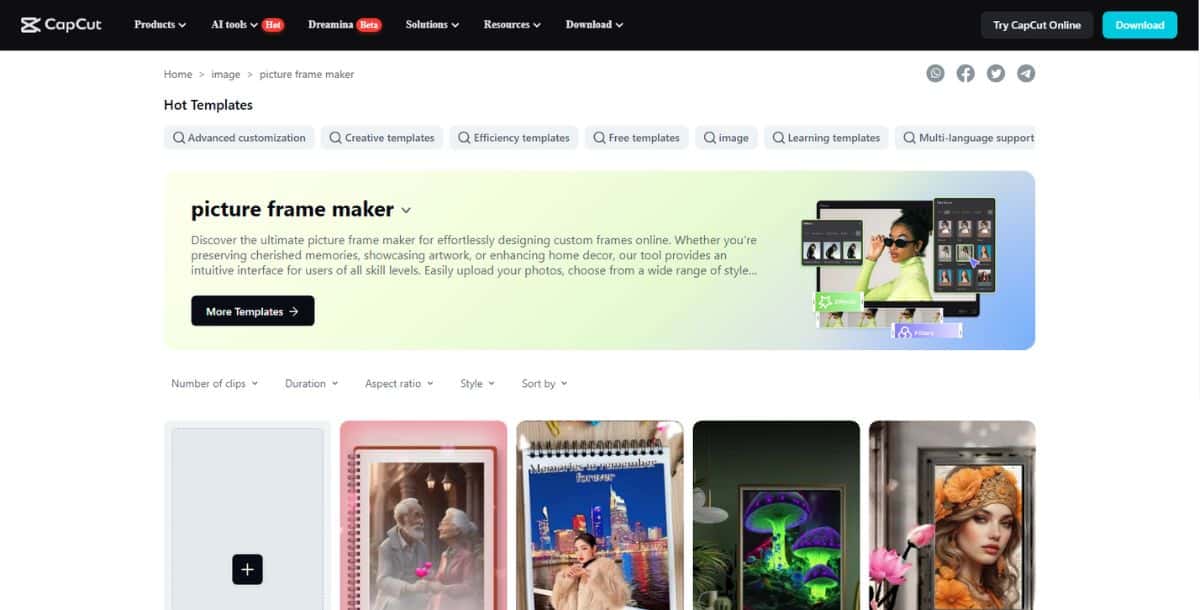
CapCut combines powerful AI scene detection with animated framing, making it ideal for video creators and social media editors. Its Smart Frame feature adapts borders dynamically based on camera motion and subject tracking. The Keyframe AI module lets users animate frame attributes like color, opacity, and thickness across specific timestamps, creating cinematic effects. With background removal, face tracking, and export options up to 4K UHD, CapCut blends creativity with precision. The tool also integrates with TikTok and YouTube Shorts for instant sharing and includes cloud syncing for cross-device editing.
Pros:
- Dynamic frame animation synced with motion
- AI-powered object and scene detection
- Support for 4K export and social media publishing
- Real-time preview with GPU acceleration
- Keyframe editing for advanced transitions
Cons:
- Steeper learning curve for animation tools
- Free version includes watermark
- Limited support for vector-style static frames
Pricing:
- Free with watermark; Premium $7.99/month; Business $19.99/month
The Best AI Photo Frame Maker for Creative Patterns
6. Bylo.ai
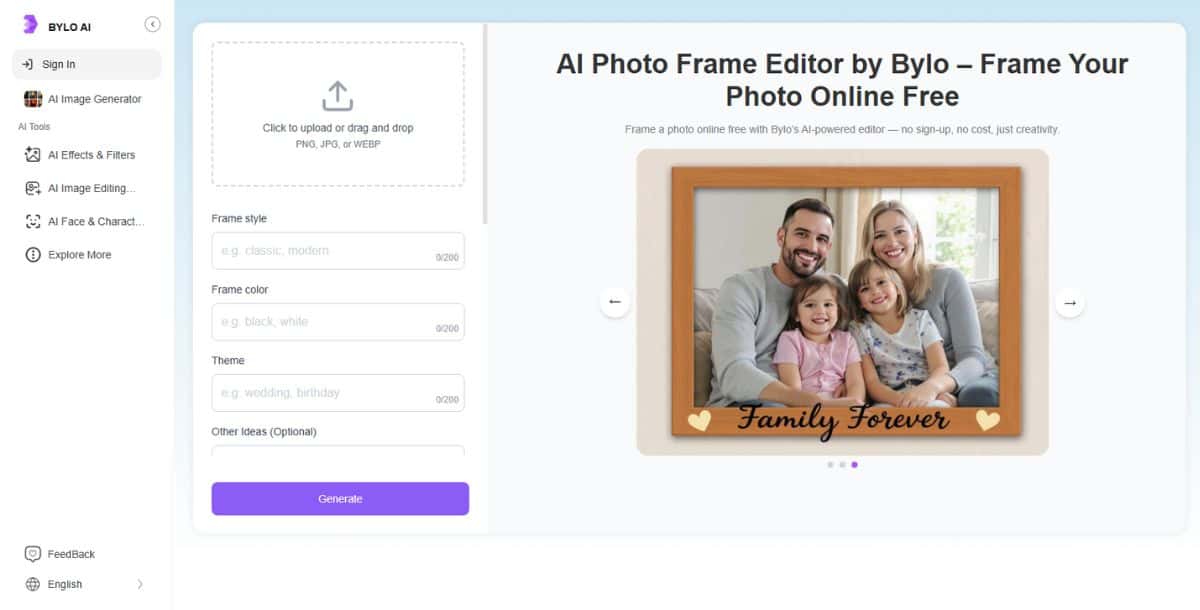
Bylo.ai focuses on artistic and generative pattern framing, allowing users to create one-of-a-kind borders that feel handcrafted. Using neural style-transfer and procedural synthesis, it analyzes image tones and generates unique patterns—floral, geometric, or abstract. The Motif Mixer tool offers real-time pattern fusion with sliders to control texture, color, and scale. Bylo.ai supports SVG and PNG exports and includes version history for collaborative teams. It’s especially suited for creative professionals in print design or digital art looking to add visual flair to their images.
Pros:
- AI-generated, one-of-a-kind pattern frames
- Motif Mixer for blending multiple design elements
- API support for automation in creative workflows
- SVG export for scalable, high-quality output
- Team collaboration and version tracking
Cons:
- Requires paid plan for full export capabilities
- Basic users may find limited template variety
- Interface has a slight learning curve for new users
Pricing:
- Starter $8/month; Pro $20/month; Enterprise custom
The Best AI Photo Frame Maker for Shape and Pattern Variety
7. Picsman.ai
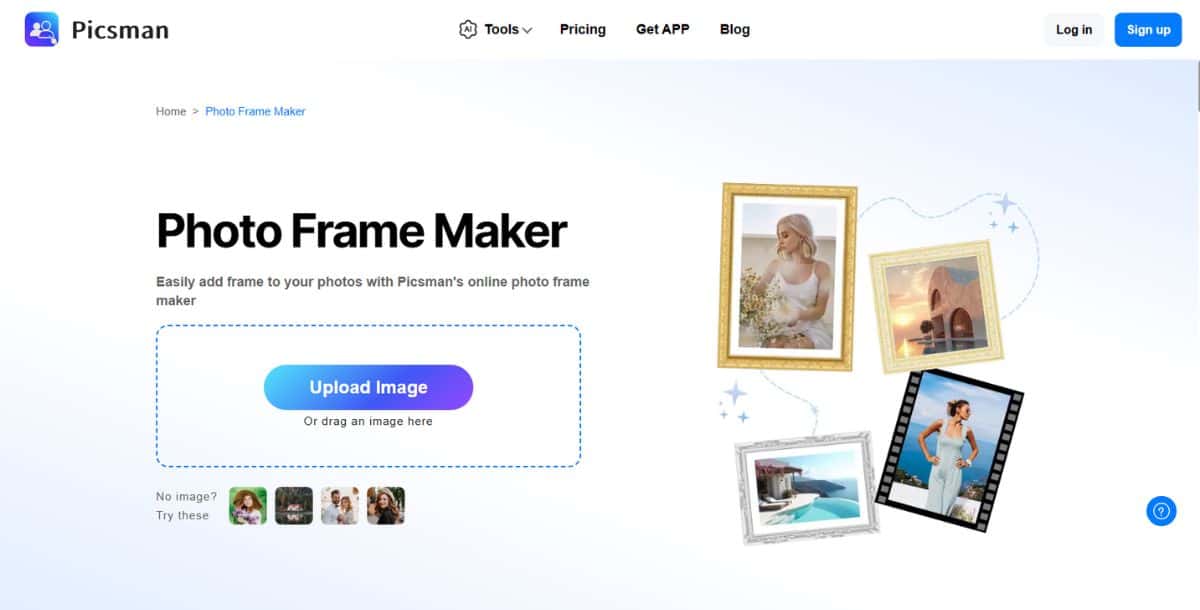
Picsman.ai excels at frame personalization through geometric and vector-based designs powered by AI. The platform enables users to select from thousands of AI-generated shape templates—like spirals, hexagons, and organic forms—or import custom SVG shapes. Its Parametric Editor provides granular control over pattern scale, stroke width, curvature, and symmetry. For designers, integration with Figma and Sketch streamlines the process of embedding frames into larger design projects. You can layer multiple patterns, export in SVG, PNG, or PDF, and even browse community-submitted shapes in the Shape Marketplace.
Pros:
- Extensive vector shape library and custom SVG import
- Advanced parametric controls with real-time preview
- Shape Marketplace for user-generated frames
- Seamless plugin support for Figma and Sketch
- AI-powered shape suggestion engine based on subject geometry
Cons:
- Requires some design knowledge for parametric controls
- No mobile version currently available
- Limited AI-generated pattern presets in base tier
Pricing:
- Free trial available; $12/month; Team plan at $30/month
The Best AI Photo Frame Maker for Live Preview Realism
8. Framed Art Visualizer
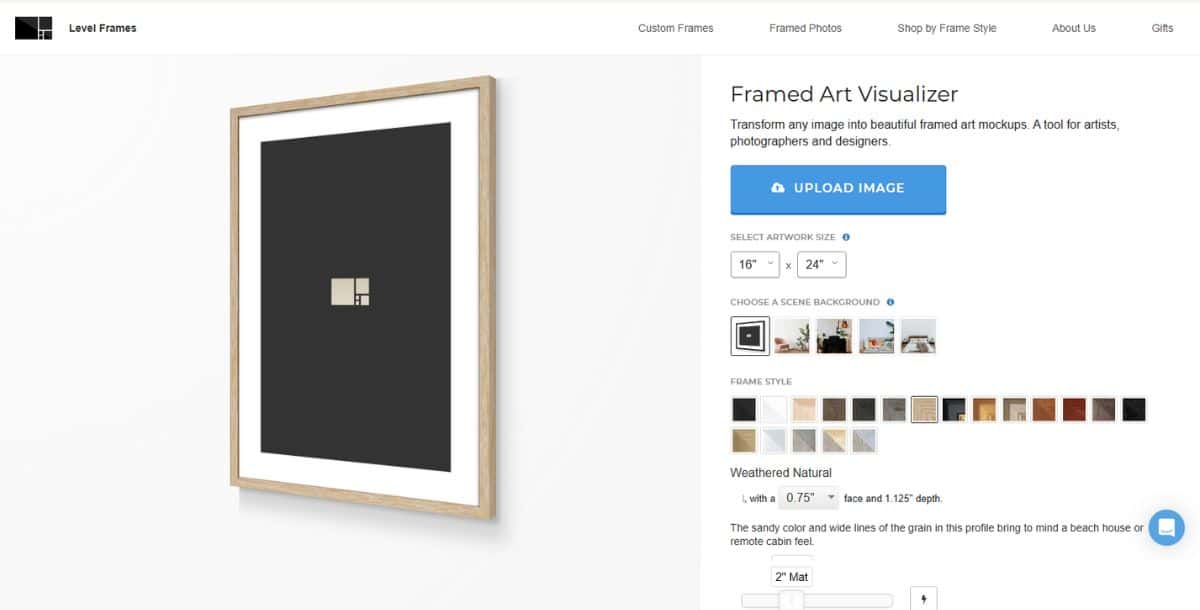
Framed Art Visualizer offers immersive, real-time frame previews using AR and 3D rendering for photorealistic results. Designed for professionals in interior design, curation, and retail, the tool maps physical environments and adapts frames dynamically. It simulates gloss, matte, and satin finishes using real-world lighting conditions and wall textures. You can drag, scale, and rotate frames in AR, view custom arrangements, and share interactive mockups with clients or collaborators. The Scene Match feature uses AI to adjust lighting, shadows, and reflections automatically, making previews highly accurate and reliable.
Pros:
- High-fidelity AR previews with WebXR support
- Real-time lighting and material simulation
- Scene Match AI for environmental adaptation
- Multi-frame layouts with smart alignment
- Client collaboration with annotations and approvals
Cons:
- Requires AR-ready device and strong network
- Learning curve for 3D navigation and environment setup
- Batch previews only available in Pro or higher plans
Pricing:
- Free trial included; Lite plan at $15/month; Pro $35/month; Enterprise custom
The Best AI Photo Frame Maker for Mockup Integrations
9. Mockey.ai
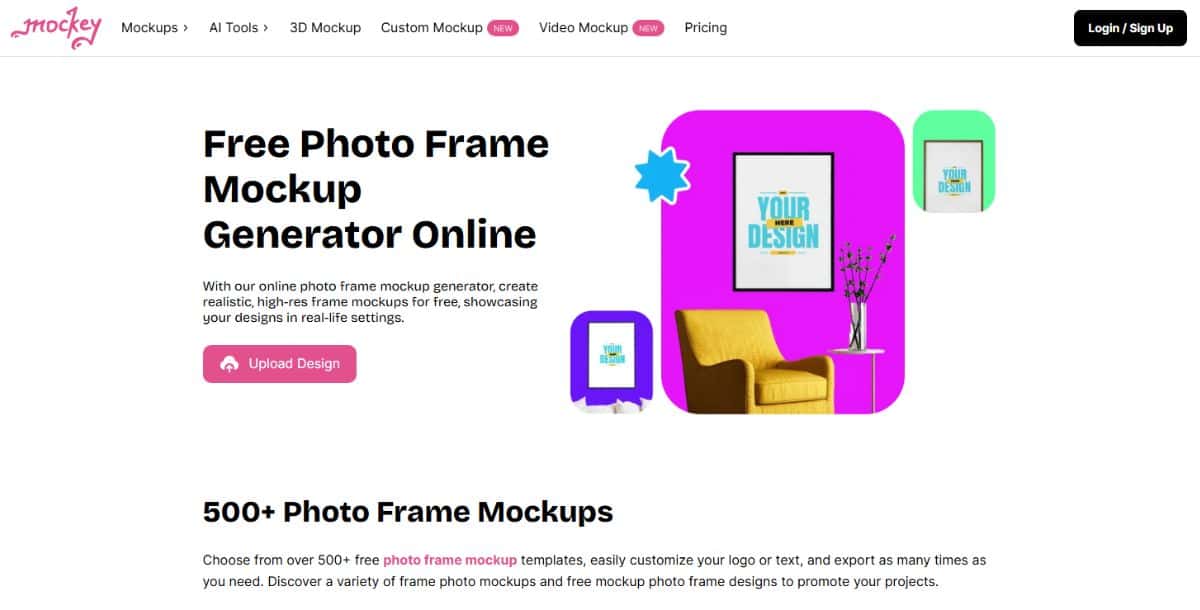
Mockey.ai is purpose-built for high-efficiency mockup generation, offering deep API access and scalable automation for framing at volume. It’s especially useful for product designers, marketers, and e-commerce sellers looking to integrate photo framing into automated pipelines.
Pros:
- REST API allows automated uploads, frame application, and export
- Batch process thousands of images using GPU-accelerated microservices
- Style configuration via JSON for full CI/CD integration
- Sync Templates for consistent design reuse across teams
- Works seamlessly with Shopify, WooCommerce, and Magento
Cons:
- No native GUI for manual editing; designed for developers
- Higher cost for large-scale usage tiers
- Setup requires technical knowledge of webhooks and endpoints
Pricing:
- Starter $20/month; Scale $50/month; Enterprise custom pricing
The Best AI Photo Frame Maker for Innovative AI-Driven Frames
10. Prome.ai
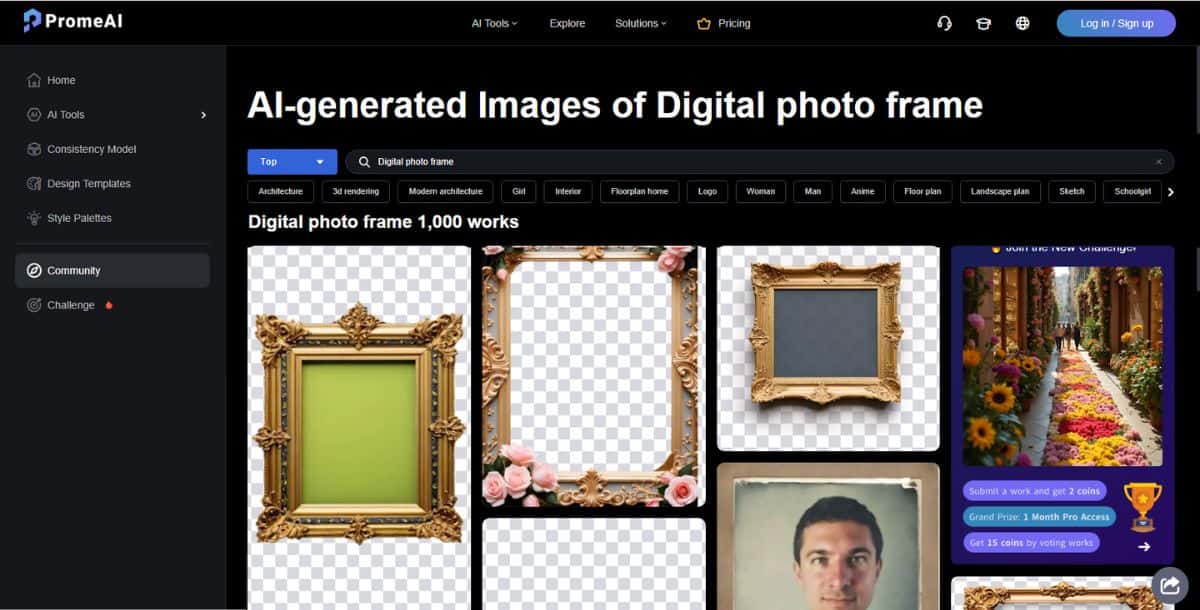
Prome.ai redefines creativity in framing with evolving, AI-generated textures and adaptive frame styles powered by GANs and diffusion models. Whether you’re framing static images or previewing animated video borders, its Neural Fusion engine ensures your content gets a uniquely artistic finish.
Pros:
- Dynamic neural style mixing blends art styles and textures intelligently
- Real-time GPU-powered frame previews with Vulkan/CUDA acceleration
- Supports video and image framing with evolving textures
- Export options include JPEG, TIFF, and multi-layer EXR for VFX workflows
- Live Style Transfer mode for animated frame previews
Cons:
- Premium features require high-end hardware for smooth performance
- Smaller template base compared to broader tools
- More costly than other platforms for solo creators
Pricing:
- Basic $18/month; Pro $40/month; Enterprise custom
How to Use AI Photo Frame Makers?
Using an AI photo frame maker is a straightforward process that requires no design skills—just a few clicks and a bit of creative input. Here’s how most modern AI-driven tools work from start to finish:
- Step 1: Access the Tool – Open the online AI photo frame maker platform via your browser on desktop or mobile.
- Step 2: Upload and Prompt – Upload the photo you want to frame, and enter a simple prompt describing the type of frame design you’re looking for (e.g., “vintage gold”, “minimal black outline”, or “floral watercolor”).
- Step 3: Sign Up or Login – Create an account or log in to unlock customization, saving, and download options.
- Step 4: Let AI Do the Work – Once in the editing playground, the AI will automatically generate the frame based on your prompt and image composition.
- Step 5: Preview and Customize – Review the preview in real-time and fine-tune aspects like frame thickness, texture, and background using the built-in AI image editor if needed.
- Step 6: Download and Share – When you’re happy with the final result, download the framed image in your preferred format (PNG, SVG, JPEG) or share it directly on social platforms.
What Is the AR & VR Preview Trend in AI Photo Frame Makers?
AR and VR preview capabilities are transforming AI photo frame makers by bridging the gap between digital design and physical display in real-world environments. Today’s tools go far beyond static 2D previews—leveraging WebXR, ARKit, and ARCore to allow users to visualize their framed photos directly on walls using smartphones, tablets, or VR headsets.
These immersive features are powered by SLAM (Simultaneous Localization and Mapping) and depth-sensing, which anchor virtual frames accurately within your surroundings. Integrated generative AI fine-tunes the frame’s lighting, shadows, and perspective to reflect real-world conditions, creating a lifelike, gallery-style experience.
As mixed-reality devices become more accessible, these tools are evolving with features like spatial audio tags and gesture-controlled adjustments—pushing AI frame makers into the next generation of interactive design.
What Is the Best Way to Choose an AI Photo Frame Maker?
The best AI photo frame maker depends entirely on your workflow, design needs, and intended output format. If you need ease of use with prompt-based framing and editing, go for tools that allow AI-guided customization without requiring design expertise. For professionals working on high-end visuals, features like PSD layer export, parametric control, and advanced style transfer matter more. Meanwhile, mobile editors and social content creators will benefit from real-time previews, multi-platform sync, and AR visualization tools.
For large-scale or e-commerce users, prioritize batch processing, mockup automation, and API integration to streamline your production pipeline. As AI frame makers continue to evolve—with innovations like neural fusion, WebXR previews, and motif blending—the key is to choose a platform that aligns with your creative and technical requirements while offering room to grow.
You can also explore framing and styling in combination with tools like an AI Image Generator to enhance your entire image creation workflow with even greater flexibility.
Frequently Asked Questions
What is an AI photo frame maker?
An AI photo frame maker is a digital tool that automatically creates custom frames using artificial intelligence models such as GANs, Stable Diffusion, or transformer networks. It analyzes your photo’s content, color, and composition to generate frames that complement the image without manual design.
Can I use AI photo frame makers for commercial projects?
Yes, most AI photo frame makers offer commercial usage rights through premium or enterprise plans, allowing you to use the framed images in product catalogs, ads, client presentations, and eCommerce listings.
Are AI photo frame makers free to use?
Most platforms provide free versions with basic features, but access to high-quality exports, watermark-free downloads, and advanced customizations usually requires a paid subscription.
How long does it take to generate a frame?
AI-generated frames typically render in under 5 seconds on cloud platforms, while GPU-accelerated desktop apps can offer real-time results depending on your device’s hardware.
Do AI photo frame makers work offline?
Some standalone applications support offline use if AI models are pre-downloaded, but most web-based tools require an internet connection for AI processing and cloud syncing.
Which AI models power these tools?
Popular AI photo frame tools rely on CNNs, GANs, transformers, and diffusion models, with frameworks like Stable Diffusion used for texture generation and style transfer to produce high-quality, intelligent framing effects.

Deepak Joshi
Author · Pixazo
Deepak writes about generative AI models, APIs, and the workflows teams use to ship them. Reviewed by Abhinav Girdhar.