
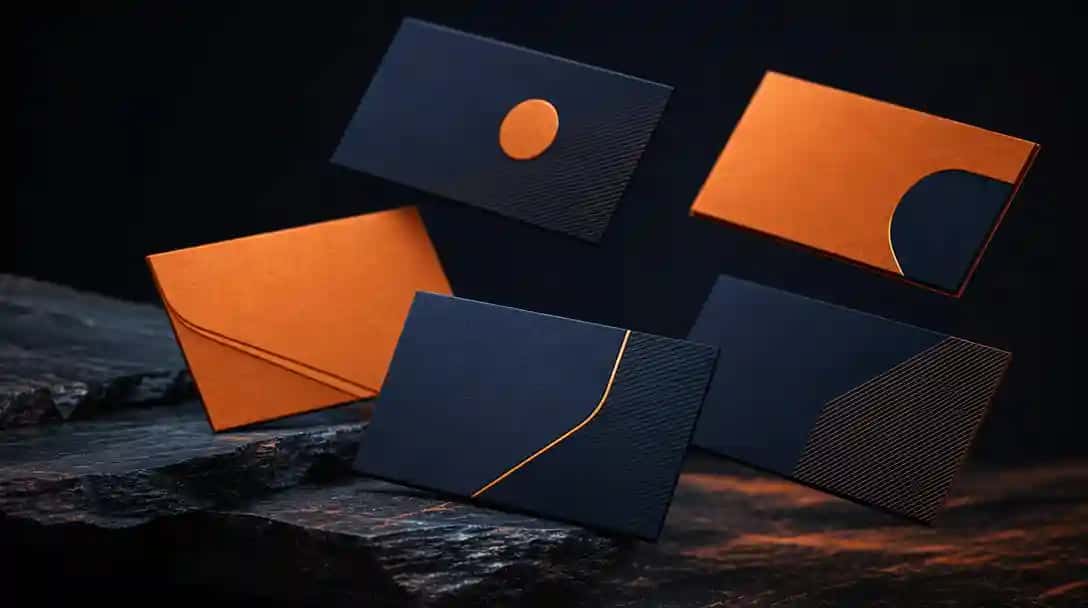
What Are Business Card Makers?
Business card makers are online tools or apps that help you design high-quality, professional business cards in minutes, even without design skills. With intuitive templates and customization options, they enable small businesses, freelancers, and local professionals to create branded, print-ready cards that boost credibility and leave a memorable impression.
Using a reputable business card maker, you gain access to industry-specific layouts, logo uploads, and features like QR codes or batch downloads. These platforms often include direct printing or digital delivery, making it easy and cost-effective to produce cards tailored for your local market or global audience.
How to Use Business Card Makers at Work?
Business card makers help teams create unified, professional cards that reflect your company’s brand identity. They simplify the process of designing consistent, on-brand cards for employees, ensuring every interaction leaves a lasting, credible impression.
- Choose a template that aligns with your brand.
- Customize with your company’s logo and colors.
- Input employee details for individual cards.
- Export or print the cards as needed.
Suggested Read: How to Create Cards With AI?
What Makes the Best Business Card Makers?
The best business card makers provide intuitive, easy-to-use interfaces along with professionally designed templates and extensive customization options. They help individuals, startups, and businesses create unique, high-quality cards that align with their brand, without needing advanced design skills.
Top-rated tools also ensure seamless printing integration, high-resolution downloads, and features like logo uploads or QR codes. If you’re looking for creative inspiration, exploring different business card ideas can help you make the most of these tools and stand out in your industry.
How Do Business Card Makers Work?
Business card makers simplify the process by offering pre-designed templates, design tools, and easy customization for logos, text, and colors. Once you’re satisfied with the design, you can download a digital copy or order high-quality printed cards directly from the platform.
Most tools follow a straightforward process where you select a template, customize the layout, and input essential contact details. For optimal results, it’s important to follow standard business card size guidelines to ensure your cards look professional and print perfectly. Platforms like AI Card Maker further simplify the process, making it easy to design, edit, and download cards without technical skills.
Which Are the Best Business Card Makers at a Glance?
If you’re short on time, here’s a quick comparison of the top business card makers to help you choose the right one. These tools make it easy to design professional, branded business cards for your company, no matter your experience level.
| Tool | Best For | Features | Pricing |
|---|---|---|---|
| Pixazo AI Business Card Maker | Quick and Easy Design | Drag-and-drop editor, ready-made templates | Free & Paid Plans |
| Design.com | Modern Templates | Customizable layouts, sleek designs | Free & Subscription |
| Adobe Express | Creative Control | Advanced editing tools, graphic design options | Free & Subscription |
| Zoviz | Brand Matching | AI-powered design, color palette detection | One-time Payment |
| Tailor Brands | Automated Designs | Logo and business card creation, AI suggestions | Subscription |
| Looka | Brand Consistency | Logo, brand kit, and business card design | One-time Payment |
| Desygner | Template Variety | Extensive templates, easy customization | Free & Paid Plans |
| Business Card Designer Plus | Advanced Customization | Detailed design tools, flexible layouts | One-time Payment |
| CardWorks | Simple Design | Basic templates, quick setup | Free & Paid Versions |
| NCH CardWorks | Beginner-Friendly | Easy-to-use interface, essential tools | Free & Paid Versions |
How We Select the Best AI Design Generator Platforms at Pixazo
At Pixazo, we carefully evaluate AI design generator platforms to help users skip the overwhelming trial-and-error process. Our experts, with extensive experience in AI-powered design tools, assess each platform based on creativity, ease of use, customization options, and overall performance. We put these tools to the test by creating designs across different categories to ensure they deliver high-quality results effortlessly. Every recommendation is based on thorough research and real-world testing, with no paid placements or outside influence. Want to know how we pick the best AI design platforms? Explore our detailed evaluation process.
Disclaimer – Portions of this article were drafted with AI and reviewed by Jayesh Chaubey
What Are the Best AI Business Card Makers?
The best AI business card makers use artificial intelligence to help you create personalized, professional business cards quickly and effortlessly. They provide smart templates, design suggestions, and automation features, making them ideal for individuals, startups, and small businesses worldwide.
Top-rated AI tools simplify the entire design process. They offer automated layouts, logo placement, and even color matching based on your brand. Platforms like Pixazo, Canva, and VistaPrint use AI to deliver high-quality cards that suit your industry and local market needs, without the need for advanced design skills.
Best AI Business Card Makers
- Pixazo AI Business Card Maker – AI-powered tool to design professional business cards quickly and effortlessly.
- Design.com – A versatile platform for creating modern, AI-enhanced business card designs.
- Adobe Express – Easy-to-use AI design tool for sleek and creative business cards.
- Zoviz – AI logo and branding generator that helps craft matching business cards in minutes.
- Tailor Brands – AI-driven platform offering business card designs aligned with your brand identity.
- Looka – AI logo maker with customizable business card templates for brand consistency.
- Desygner – User-friendly AI design platform for business cards, flyers, and more.
- Business Card Designer Plus – Simple desktop software for creating printable business cards with ease.
- CardWorks – Lightweight business card design software with ready-made templates and customization.
- NCH CardWorks – A quick and efficient business card maker with professional, editable layouts.
1. Pixazo AI Business Card Generator
Pixazo is an intuitive business card maker designed to help individuals and small businesses create professional cards quickly and affordably. The platform uses a simple drag-and-drop editor that allows even beginners to design visually appealing business cards without technical expertise.
With a wide variety of templates tailored for different industries, users can easily customize layouts, colors, fonts, and logos to match their brand identity. Pixazo ensures your business cards look consistent and polished while saving time and money.
This tool is ideal for startups, freelancers, and small businesses looking for a fast, user-friendly solution to create custom business cards without relying on professional designers.
Pros:
- Intuitive, beginner-friendly interface
- Industry-specific, customizable templates
- Affordable pricing with a free option
Cons:
- Limited advanced graphic design features
- Basic customization options compared to high-end tools
- Watermarks included in free version designs
Pricing:
Free version available; paid plans start at $10 per month, offering more templates and watermark-free downloads.
2. Design.com
Design.com provides a modern, easy-to-use platform for creating sleek, high-quality business cards that reflect your brand’s personality. Its library of stylish templates and streamlined customization tools make it perfect for businesses and entrepreneurs who want a clean, professional look without complexity.
The platform focuses on brand consistency, offering ready-made layouts, font pairings, and color options that align with your business identity. Users can quickly personalize their cards, ensuring their contact details and visuals look sharp and impactful.
Design.com is ideal for freelancers, startups, and growing businesses seeking a reliable way to design impressive business cards that stand out, without advanced design skills or expensive software.
Pros:
- Wide selection of modern, professionally designed templates
- Simple and efficient customization process
- Focus on brand consistency and clean design
Cons:
- Premium templates and features require payment
- Limited advanced design controls for professionals
- Fewer free options compared to some competitors
Pricing:
Free basic version available; premium templates and advanced features are accessible through paid plans.
3. Zoviz
Zoviz is an AI-powered business card maker that simplifies the design process by generating personalized, modern cards based on your brand details. It uses artificial intelligence to suggest layouts, colors, and fonts that align with professional design standards, saving users time and effort.
With real-time previews and smart suggestions, Zoviz helps you create unique, visually appealing business cards even if you have no design background. The AI-driven approach ensures that the final result matches your brand’s look and feel.
Zoviz is perfect for entrepreneurs, small businesses, and professionals looking for a quick, tech-driven way to design business cards that are modern, brand-consistent, and ready to print.
Pros:
- AI-powered design suggestions based on brand inputs
- Real-time preview of your card before finalizing
- Variety of professional, unique templates
Cons:
- Limited manual customization for advanced users
- Internet access required for full functionality
- Some templates may feel generic for niche industries
Pricing:
One-time payment model; specific pricing details are available on the official Zoviz website.
4. Tailor Brands
Tailor Brands is an AI-powered branding platform that helps users create logos, business cards, and other brand assets with ease. The tool offers automated design suggestions, making it simple for startups, small businesses, and freelancers to build a consistent, professional image.
Users can generate a business card design by entering their brand name and preferences. Tailor Brands then provides a range of personalized templates, with options to adjust layouts, fonts, and colors to suit your business identity.
The platform is ideal for those looking to create business cards quickly without needing complex design skills. It also integrates well with logo and branding tools for a complete solution.
Pros:
- AI-driven, automated design suggestions
- Quick and beginner-friendly process
- Integrated branding tools
Cons:
- Limited manual design control
- Premium templates require a subscription
- Not suitable for highly customized designs
Pricing:
Subscription-based pricing; plans start at approximately $12.99 per month.
5. Looka
Looka is a smart branding tool that uses AI to help businesses create professional logos and business cards in minutes. By analyzing your preferences, Looka generates personalized designs, making it easy to maintain brand consistency across your marketing materials.
Users can select from a variety of templates and customize colors, layouts, and fonts to suit their business identity. The platform is designed to simplify the design process while ensuring high-quality, modern results.
Looka is ideal for entrepreneurs, small businesses, and freelancers who want to create professional-looking business cards and branding materials without hiring a designer.
Pros:
- AI-powered design suggestions
- Brand kit and logo integration
- User-friendly interface
Cons:
- Advanced features behind paywall
- Limited control for design experts
- One-time purchase can be costly
Pricing:
One-time payment; pricing varies based on design package selected.
6. Desygner
Desygner is a versatile graphic design platform that offers an extensive range of templates for creating business cards, flyers, social media posts, and more. The platform provides an intuitive editor that simplifies the design process for individuals and small businesses.
Users can choose from thousands of professionally designed templates and customize them with logos, colors, and text to match their brand. Desygner also offers mobile accessibility, allowing you to design on the go.
Ideal for small businesses, entrepreneurs, and marketers, Desygner is a practical option for those looking to create business cards and other visual content quickly and affordably.
Pros:
- Extensive template library
- Easy-to-use editor with mobile support
- Affordable pricing with free version
Cons:
- Some templates require paid plans
- Limited advanced design tools
- Can be restrictive for professional designers
Pricing:
Free version available; paid plans start at around $4.95 per month.
7. Business Card Designer Plus
Business Card Designer Plus is a downloadable software tool that offers advanced customization for creating business cards. It caters to users who prefer desktop-based design with more control over layout, graphics, and print settings.
The platform provides detailed design tools, including text effects, shape editing, and the ability to import custom logos or images. It’s suitable for professionals or businesses that need precise, print-ready results.
Business Card Designer Plus is ideal for those who want full control over card design and prefer working offline, especially for in-house printing or repeated card creation.
Pros:
- Detailed, advanced customization tools
- Offline design with full control
- Supports high-resolution, print-ready designs
Cons:
- Software download required
- Outdated interface compared to modern apps
- No cloud or mobile support
Pricing:
One-time payment; pricing details available on the official website.
8. CardWorks
CardWorks is a simple, easy-to-use business card maker ideal for individuals and businesses looking for quick, basic card design. The software offers a straightforward interface with pre-designed templates and customization options.
Users can edit templates with their logos, contact details, and brand colors. CardWorks focuses on simplicity, making it accessible to beginners and those who want to create cards without complicated design tools.
This tool is suitable for home offices, small businesses, and freelancers needing fast, no-fuss business card creation for both digital and print use.
Pros:
- Beginner-friendly, easy setup
- Includes basic pre-designed templates
- Supports professional printing formats
Cons:
- Limited template variety
- No advanced design options
- Requires software download
Pricing:
Free version available; paid version unlocks more features, pricing on the official website.
9. NCH CardWorks
NCH CardWorks is a beginner-friendly business card maker offering a quick and simple way to design professional cards at home or for small businesses. It provides essential templates and basic editing tools, allowing users to create cards without advanced design skills.
With options to insert logos, adjust text, and select fonts and colors, users can personalize their cards for professional or casual use. CardWorks supports standard printing formats and offers export options for easy sharing.
NCH CardWorks is ideal for home businesses, freelancers, or startups who need affordable, easy business card creation without complexity.
Pros:
- Simple, beginner-friendly interface
- Basic customization options
- Supports professional printing
Cons:
- Limited design flexibility
- Free version includes restrictions
- Software download required
Pricing:
Free version available; paid version with full features, pricing on the official website.
10. Adobe Express
Adobe Express is a versatile design tool from Adobe that allows users to create business cards, social media posts, and more with ease. It offers professionally designed templates, drag-and-drop functionality, and integration with Adobe’s broader design ecosystem.
Users can personalize business cards by adding logos, adjusting fonts, and incorporating brand colors. The platform also provides access to stock images and design assets for enhanced creativity.
Adobe Express is ideal for businesses, freelancers, and marketers who want creative control combined with professional-quality output, all in a user-friendly interface.
Pros:
- High-quality, professionally designed templates
- Integration with other Adobe tools
- User-friendly drag-and-drop editor
Cons:
- Some features require paid subscription
- Can be overwhelming for beginners
- Requires internet for full functionality
Pricing:
Free version available; premium plan starts at $9.99 per month.
How to Use Business Card Makers?
Using business card makers is a quick way to create professional, branded cards without needing graphic design skills. These tools provide easy-to-edit templates that help you design cards suitable for your business, industry, or location in just a few steps.
Before you begin, it’s worth exploring the latest business card design trends to ensure your card style feels modern and competitive.
- Choose a template that aligns with your brand.
- Customize with your company’s logo and colors.
- Input your contact information and other relevant details.
- Export or print the cards as needed.
How Do Business Card Makers Use AI?
AI-powered business card makers simplify the entire design process by offering intelligent suggestions for layouts, colors, fonts, and overall style. They help create polished, professional cards quickly, making them ideal for businesses, freelancers, and entrepreneurs.
These AI design tools use AI algorithms to recommend the best designs based on your industry, brand colors, and preferences. They can even automate logo placement or text alignment for a visually balanced result. To explore the basics, check out this helpful guide on how to make a card.
What Is the Final Take on Business Card Makers?
These best business card makers are essential tools for creating professional, branded cards without the need for design expertise. Whether you’re an entrepreneur, small business owner, or part of a larger team, these tools help you make a strong first impression effortlessly.
With features like AI design suggestions, customizable templates, and printing options, modern business card makers simplify the entire process. By exploring reliable platforms and applying smart design tips, you can ensure your cards represent your brand effectively, both locally and globally.
Frequently Asked Questions (FAQs)
How do AI features improve the speed of designing business cards for me?
AI features in business card makers speed up the design process by providing automated layout suggestions, color combinations, and font pairings based on your brand details. They instantly analyze your preferences and business information to recommend professional designs, saving you time. Many tools also offer one-click alignment, logo placement, and smart editing, so you can create a polished, ready-to-print card in just minutes, even without design experience.
What unique templates do top business card makers offer for my industry?
Top business card makers provide industry-specific templates that align with your profession and target audience. For example, you’ll find sleek, minimalist templates for tech professionals, creative layouts for designers, and formal, elegant styles for legal or finance sectors. Many platforms allow further customization, so you can tweak layouts, icons, and color palettes to ensure your business card reflects your industry while maintaining a unique identity.
How can I ensure my printed cards match my digital design perfectly?
To ensure printed business cards match your digital design, always use a tool that offers high-resolution, print-ready formats like PDF or vector files. Check that the platform provides precise color control (CMYK format), safe margin guidelines, and bleed settings. It’s also helpful to order a digital proof or sample print before finalizing bulk orders. This guarantees your card’s colors, layout, and quality look exactly as expected in hand.
What are the key differences between free and paid business card maker tools?
Free business card makers typically offer limited templates, fewer customization options, and may include watermarks on your final design. In contrast, paid tools provide access to premium templates, advanced editing features, AI-driven suggestions, and commercial-use rights. Paid plans also often include print services, high-quality file exports, and branding consistency tools, making them ideal for professionals and businesses that prioritize quality and flexibility.
How do these platforms help me create consistent branding across all materials?
Modern business card makers support consistent branding by allowing you to upload your logo, apply brand colors, and use the same design elements across all employee cards. Many platforms also integrate with other design tools or offer templates for matching materials like letterheads, email signatures, and digital cards. This ensures your branding remains uniform, strengthening recognition whether you’re connecting locally or presenting your business globally.

Deepak Joshi
Author · Pixazo
Deepak writes about generative AI models, APIs, and the workflows teams use to ship them. Reviewed by Abhinav Girdhar.