Best AI Photo Text Editor Tools in 2026


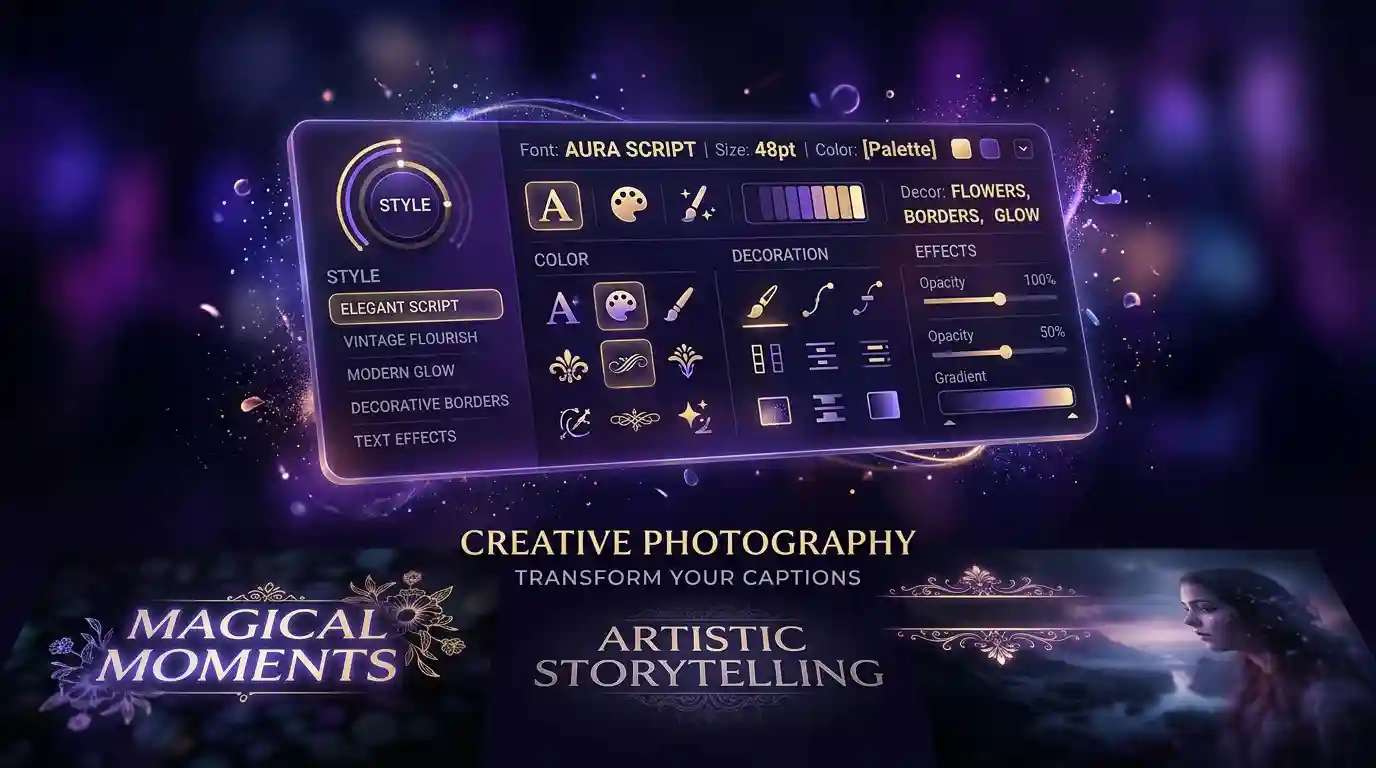
AI photo text editors use machine learning to automate font selection, color matching, and text positioning directly inside photos. This guide ranks the 10 best AI photo text editors in 2026, evaluated on typography quality, AI assistance, platform coverage, and pricing — from professional-grade tools like Adobe Photoshop to free browser apps like Pixlr and Canva. You can try this yourself with AI Add Text To Photo.
Whether you’re adding a headline to a product photo, removing unwanted text from an image, or building branded social content at scale, the tools below cover every skill level and budget.
What Is an AI Photo Text Editor?
An AI photo text editor is a tool that uses machine learning to automate and enhance how text appears within images. Unlike traditional graphic design software — where you manually position every element — AI text editors analyze the photo’s subject, background color, and composition to suggest optimal font placement, size, and contrast so text stays readable without covering important visual areas.
Modern AI photo text editors do more than add captions. They can match font styles to the mood of an image, remove existing text and reconstruct the background underneath using generative AI, and apply animated text effects for video thumbnails and social reels. This range of capability is why the category spans everything from $23/month professional software to free web apps. Whether you’re looking for the best AI photo text editors for social media or the best AI image text editors for commercial design, you can edit text in image files at any skill level.
How We Evaluated These Tools
We assessed each of these best AI image text editors across four criteria:
- Typography quality — font variety, rendering sharpness, kerning and spacing control
- AI assistance accuracy — how well the AI suggests placement, font matches, and color contrast
- Platform coverage — availability on web, desktop (Windows/Mac), and mobile (iOS/Android)
- Pricing fairness — free tier availability and monthly cost relative to features offered
Comparison Table: 10 Best AI Photo Text Editors at a Glance
Use this table to compare the best AI image text editors in 2026 across pricing, platform, and key use case.
| # | Tool | Best For | Free Tier | Starting Price | Platform |
|---|---|---|---|---|---|
| 1 | Adobe Photoshop | Professional typography control | 7-day trial | $22.99/mo | Desktop |
| 2 | Canva | Non-designers & social teams | Yes | $12.99/mo | Web, Mobile, Desktop |
| 3 | Fotor | Quick web-based text overlay | Yes | $8.99/mo | Web, Mobile |
| 4 | PicsArt | Mobile photo text editing | Yes | $5.99/mo | Mobile, Web |
| 5 | Pixlr | Free browser-based AI editing | Yes | $1.99/mo | Web |
| 6 | Pixazo | No-code AI text generation | Yes | Free + paid plans | Web |
| 7 | PromeAI | Enterprise AI automation | Limited | Custom | Web |
| 8 | insMind | Learn typography while editing | Yes | Paid plans | Web |
| 9 | Photokit | Developer API integration | API trial | Usage-based | API / Web |
| 10 | Photext | Artistic text overlay effects | Yes | Paid plans | Web, Mobile |
The 10 Best AI Photo Text Editor Tools in 2026
Here are the best AI image text editors and photo text tools available in 2026, ranked by professional capability and ease of use.
1. Adobe Photoshop — Best for Professional Typography Control
Industry Standard
Best For: Professional designers and agencies needing pixel-precise control over text in photos.
Adobe Photoshop is the definitive professional tool for text-in-photo editing in 2026. Its AI-powered features — Generative Fill, Neural Filters, and AI-assisted masking — handle tasks that previously required hours of manual work. The text engine supports the full OpenType feature set, variable fonts, and precise kerning that no browser-based tool matches.
For photo-text workflows specifically, Photoshop’s Content-Aware Text Removal erases existing text and reconstructs the background automatically. Generative Fill seamlessly replaces the removed area with AI-generated texture matching the surrounding image — a workflow that takes under 60 seconds.
Key Features:
- Generative Fill for AI background reconstruction after text removal
- Neural Filters for artistic text style transfer
- Full OpenType and variable font support
- Non-destructive Smart Objects for reusable text layers
- AI-powered masking for text-over-subject compositions
Pros: Unmatched precision; best-in-class font rendering; deep AI integration services across all workflows
Cons: Steep learning curve; $22.99/month minimum; desktop only
Pricing: Photography plan $22.99/month; 7-day free trial available
2. Canva — Best for Non-Designers and Social Media Teams
Most Popular
Best For: Marketers, social media managers, and non-designers who need fast, polished text-in-photo outputs.
Canva is the default choice for millions of non-designers. Its AI text tools include Magic Write for auto-generated captions and headlines, Magic Edit for replacing or adding text in existing photos using natural language prompts, and an AI text effects library covering styles from glowing neon to 3D emboss. The template library — with hundreds of thousands of layouts — means most users find a starting point in seconds.
Key Features:
- Magic Write — AI-generated text suggestions for captions and headlines
- Magic Edit — replace or add text in photos via natural language prompts
- 500,000+ templates including text-in-photo layouts for every format
- Brand Kit — consistent fonts and colors across team projects
- One-click background removal for clean text-over-subject compositions
Pros: Easiest to use; generous free tier; excellent collaboration; works on every device
Cons: Limited precision for professional print work; Pro features require $12.99/month
Pricing: Free plan available; Canva Pro from $12.99/month
3. Fotor — Best for Quick Web-Based Text Overlay
Best For: Marketing teams and content creators needing fast, template-driven workflows without desktop installation.
Fotor focuses on fast, browser-based editing with AI text alignment, one-click enhancements, and a library of marketing-ready templates for social, print, and web campaigns. Its AI analyzes your photo and recommends text zones that won’t interfere with the main subject — a useful shortcut for teams producing content at volume.
Key Features:
- Smart text placement recommendations based on photo content analysis
- AI font pairing from a library of 1,000+ fonts
- One-click HDR and photo enhancement before text overlay
- Marketing templates for Instagram, Facebook, Pinterest, and print
- Batch editing for applying text overlays to multiple photos
Pros: No installation; fast workflow; solid free tier; good template variety
Cons: Less powerful than Photoshop for complex masking; watermark on free exports
Pricing: Free plan available; Fotor Pro from $8.99/month
4. PicsArt — Best for Mobile Photo Text Editing
Best For: Mobile creators and casual users who want an all-in-one photo editing suite on their phone.
PicsArt has long been a favorite for mobile photo editing. Its AI text tool now offers background removal, text-to-image generation, and a selection of trendy fonts and stickers. The app’s community features — where users share templates and creations — give it a design-inspiration edge that pure editing tools lack.
Key Features:
- AI background removal for clean text overlay on subjects
- Curve text, outlined fonts, and layered text effects
- Built-in stock photo library for text-over-image compositions
- Community templates with real-world text-in-photo examples
- Available on iOS, Android, and web
Pros: Best-in-class mobile experience; strong community; generous free tier
Cons: Ads on free tier; desktop version less capable than competitors
Pricing: Free plan available; PicsArt Gold from $5.99/month
5. Pixlr — Best Free Browser-Based AI Text Editor
Best For: Users who need a capable AI photo text editor in the browser with no cost or installation.
Pixlr is a powerful browser-based editor that brings generative AI tools — including object removal, text layer effects, and AI background replacement — to any device without installation. It supports both raster and vector text, which means text stays crisp at any export resolution. At $1.99/month for the paid tier, it’s the most affordable option on this list with real professional features.
Key Features:
- AI Generative Fill for replacing and extending backgrounds around text
- AI Remove Background with one click, then add text overlay
- Support for both raster and vector text layers
- Works in any browser — no download or account required on free tier
- Batch edit up to 20 images with text overlays at once
Suggested Read: Why Mini Dramas Are Becoming Popular in China
Pros: Best free AI text editor available; no installation; vector text support
Cons: Ads on free tier; AI features require paid plan for full access
Pricing: Free plan available; Pixlr Plus from $1.99/month
6. Pixazo — Best for No-Code AI Text Generation
Best for Beginners
Best For: Non-technical users, small businesses, and beginners who want AI-recommended text styles without design experience.
Pixazo’s AI Photo Text Editor streamlines text overlay creation with an AI font generator and intelligent text recommendations. Choose from hundreds of templates or start from scratch — the AI analyzes your photo and suggests font styles, colors, and layouts that complement the image’s mood and palette. No design experience is required to produce professional-looking results.
Key Features:
- AI font generator that recommends fonts based on image mood and subject
- Intelligent color contrast checker for readable text placement
- Hundreds of pre-built photo-text templates for social media and marketing
- One-click text style application with full customization available
- Works directly in the browser — no installation needed
Suggested Read: How to Change Background Color Using AI: A Step-by-Step Guide in 2026
Pros: Fastest path from photo to styled text for beginners; no design skills needed; free to start
Cons: Less precision than Photoshop for complex typography; fewer export options than desktop apps
Pricing: Free plan available; paid plans for advanced features
7. PromeAI — Best for Enterprise AI Automation
Best For: Enterprises seeking AI-powered automation and deep brand customization across large volumes of images.
PromeAI offers advanced machine-learning models for text style transfer, sentiment-based font selection, and brand-consistent color palettes. Its batch processing capabilities make it suitable for large teams with strict brand guidelines who need to produce hundreds of consistently branded images per week.
Key Features:
- Sentiment-based font selection — AI matches font style to image content type
- Brand palette enforcement across all generated text overlays
- API access for integration into existing content pipelines
- Text style transfer from reference images
- Bulk processing for high-volume marketing teams
Suggested Read: 10 Best AI Image Editors in 2026 — Free & Paid AI Photo Editors
Pros: Strong automation for teams; API access; advanced brand consistency tools
Cons: Complex setup; custom pricing requires sales contact; overkill for individuals
Pricing: Contact PromeAI for enterprise pricing
8. insMind — Best for Learning Typography While You Edit
Best For: Educators, students, and content creators who want to build typography skills as they work.
insMind combines AI photo text editing with built-in typography tutorials. As you edit, AI tips explain best practices for font pairing, line spacing, and visual hierarchy — turning every project into a learning opportunity. This makes it uniquely valuable for users building design skills alongside producing content.
Key Features:
- Contextual AI tips on typography principles as you edit
- Font pairing recommendations with explanations of why combinations work
- Visual hierarchy guides for multi-text compositions
- Template library with annotated design breakdowns
- Export in common social and web formats
Pros: Unique educational overlay; good for design learners; solid free tier
Cons: Feature set behind dedicated tools; tutorials can slow experienced users
Pricing: Free plan available; paid plans for advanced features
Suggested Read: Introducing Pixazo’s AI Infographic Generator: Instantly Turn Ideas Into Stunning Visuals
9. Photokit — Best for Developers Needing a Photo-Text API
Best For: Developers and agencies needing programmatic text overlay and watermarking at scale.
Photokit provides RESTful APIs for automated text overlays, watermarking, and batch processing. Rather than a design interface, it’s an infrastructure tool — you integrate photo-text editing directly into your application or marketing pipeline and call the API programmatically. This makes it the right choice when you need to generate hundreds or thousands of captioned images automatically.
Key Features:
- REST API with JSON requests for text overlay, font, and position parameters
- Bulk watermarking and batch text application
- Webhook support for async image processing in pipelines
- Multi-format output: JPG, PNG, WebP
- Programmatic font loading and custom brand fonts
Pros: Best API for automated text-in-photo workflows; flexible; usage-based pricing
Cons: No visual design interface; requires developer setup; not for end users
Pricing: Usage-based API pricing; trial available
Suggested Read: Pixazo Launches Flawless Text Model
10. Photext — Best for Artistic Text Overlay Effects
Best For: Creative storytellers and social media enthusiasts who want distinctive, stylized text effects in photos.
Photext specializes in artistic text overlays, offering animated text effects, stylized font libraries, and dynamic typography tools. Its AI analyzes photo content to recommend complementary text styles — matching tone, color temperature, and subject matter to suggest effects that feel intentional rather than generic. It’s the most creative-focused tool on this list.
Key Features:
- Animated text effects for video thumbnails and social reels
- AI-driven style recommendations based on photo mood analysis
- Stylized font library with grunge, retro, neon, and editorial styles
- Dynamic layouts that adapt to image composition
- Export as static image or animated GIF/video
Pros: Most creative text effects on this list; good for social content; animated output
Cons: Narrower use case than general editors; less suitable for professional print
Pricing: Free plan available; paid plans for full effect library
Suggested Read: 10 Best AI Photo Restoration Tools in 2026
How to Choose the Right AI Photo Text Editor
With so many best AI photo text editors and best AI image text editors available in 2026, the right choice depends on your workflow, skill level, and volume requirements:
- Professional designers who need precise control over kerning, layering, and print-ready output should choose Adobe Photoshop.
- Non-designers and social media teams who need fast, polished results should start with Canva — its free tier handles most day-to-day needs.
- Mobile-first creators should use PicsArt for the strongest on-device editing experience.
- Budget-conscious users who need browser access and real AI features should use Pixlr — the most capable free option.
- Beginners with no design background who want AI to do the heavy lifting should try Pixazo, which recommends fonts and layouts based on your image automatically.
- Enterprise teams processing large volumes with brand guidelines should evaluate PromeAI.
- Developers who need to automate text-in-photo generation programmatically should use Photokit’s API.
Frequently Asked Questions
1. What is the best AI photo text editor for beginners in 2026?
Among the best AI photo text editors, Canva is the best starting point for beginners — it has the most intuitive interface, a generous free tier, and AI tools like Magic Write and Magic Edit that handle font selection and placement automatically. Pixazo is also beginner-friendly with its AI font generator that recommends styles based on your photo.
2. Can AI automatically add text to photos?
Yes. The best AI image text editors like Canva (Magic Edit), Fotor, and Pixazo use AI to analyze a photo and suggest text placement zones, font styles, and color choices that complement the image. You provide the text; the AI handles positioning and styling. Fully automated caption generation (where AI writes the text too) is available in Canva via Magic Write.
3. Is there a completely free AI photo text editor?
Yes — several of the best AI photo text editors on this list, including Pixlr, Canva, Fotor, and PicsArt, offer free plans. Pixlr’s free tier is the most capable for pure photo-text editing without a subscription, though some AI features require the $1.99/month paid plan. Canva’s free tier covers most social media use cases without payment.
4. Which AI tool is best for removing text from photos?
Adobe Photoshop leads here — its Content-Aware Text Removal combined with Generative Fill produces the cleanest results on complex backgrounds. For free alternatives, Pixlr’s AI Remove Object tool handles simple text removal on plain backgrounds. Fotor also has a text removal feature that works well for watermark removal.
5. Which AI photo text editor works best on mobile?
PicsArt is the strongest mobile AI photo text editor on both iOS and Android. It combines AI background removal, a large font library, and community templates in a native app that is faster and more feature-rich than the mobile web versions of desktop tools.
6. How is an AI photo text editor different from traditional photo editing software?
Traditional software (pre-AI) required you to manually select font, size, color, and position for every text element. the best AI photo text editors and best AI image text editors automate these decisions — analyzing the image to recommend where text should go, what font style matches the mood, and what color provides sufficient contrast. This reduces a multi-step manual process to a few clicks, which is why they’ve become the default for social media and marketing content production.
Suggested Read: How to Use an AI Hairstyle Changer: Your 2026 Step-by-Step Guide
Deepak Joshi
Author · Pixazo
Deepak writes about generative AI models, APIs, and the workflows teams use to ship them. Reviewed by Abhinav Girdhar.